
 Deutsch
 Español
 Français
 Italiano
 Nederlands
 Polski
' d='M48 28h24v18a12 12 0 0 1-24 0z'/%3E%3Cpath fill='%230093DD' d='M47.5 21.5h4.6V28h-4.6zm10.2-2.5h4.6v9h-4.6zm10.2 2.5h4.6V28h-4.6z'/%3E%3Cpath fill='%23171796' d='M52.6 20h4.6v8h-4.6zm10.2 0h4.6v8h-4.6z'/%3E%3C/svg%3E) Hrvatski
Hrvatski עברית
עבריתSTUN and TURN servers: what a video call needs to connect
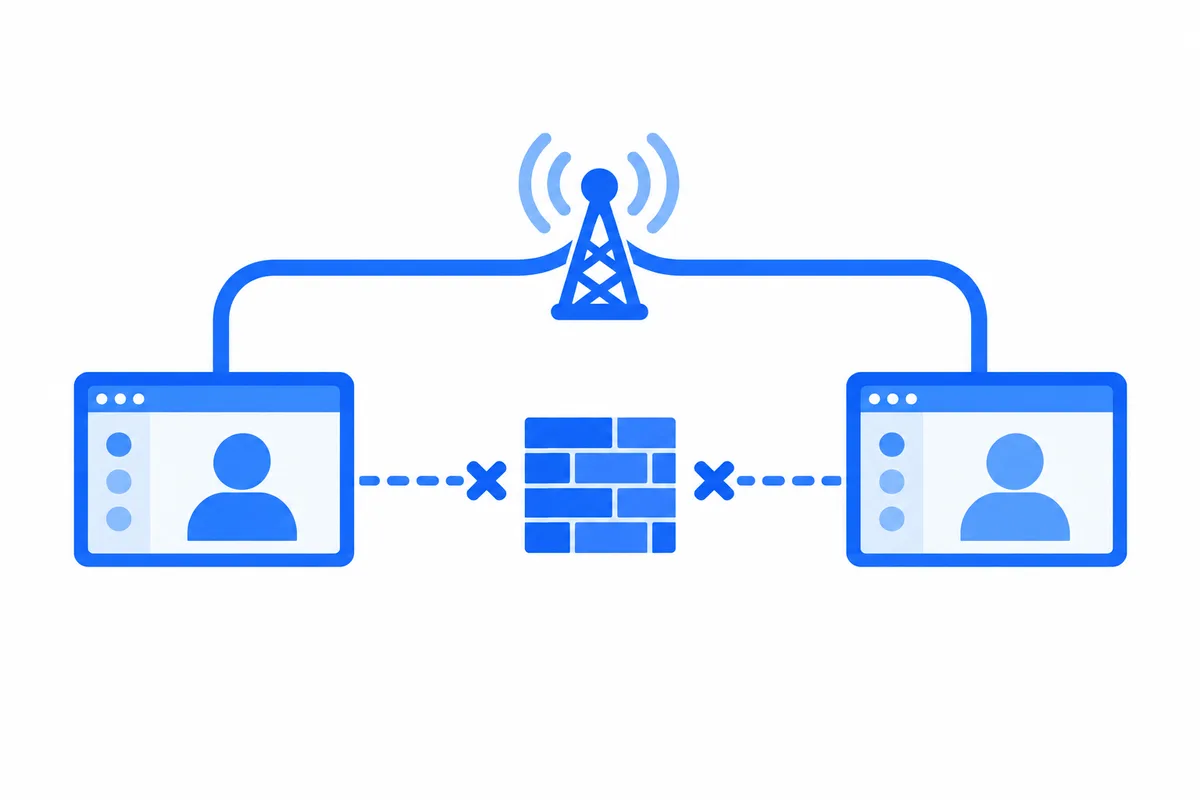
A video call in the browser looks like it should be simple. WebRTC sends audio and video straight from one device to the other, with no server in the middle. Then you test it outside your own network, and some calls ring, get answered, and stay silent and black. Most of the time the code is fine. What is missing is a STUN server, a TURN server, or both.
This post explains what each of them does, why a call needs them, what it takes to run a TURN server of your own, and what to do about the calls that even a relay cannot connect.
Why two devices cannot simply connect
Almost no device on the internet has a public address of its own. A laptop at home sits behind a router, a phone sits behind its carrier, and an office computer sits behind a firewall. Each of them knows only its private address, such as 192.168.1.23, which means nothing to the other side of the call.
Before a call can start, each device has to find out how the other one can be reached, and the two have to try those ways until one works. WebRTC does this with ICE, which gathers candidate addresses for each device and tests them in pairs. STUN and TURN are where some of those candidates come from.
What a STUN server does
A STUN server answers one question: "what is my address, as you see it?" A device sends it a small request, and the server replies with the public address and port the request came from. The device adds that address to its candidates, the other side tries it, and on most home networks the call connects directly.
STUN is cheap. It sees a few small packets at the start of a call and nothing after, so one STUN server can serve a great many calls, and there are public ones anyone can use. When a direct path exists, STUN is all a call needs.
What a TURN server does
Sometimes no direct path exists. A strict firewall lets nothing in, a mobile carrier gives a phone a different public port for every new destination, or a company network allows only web traffic. The address STUN reported does not work for the other side, and the call fails.
A TURN server is a relay for those calls. Both devices connect out to it, and it passes their audio and video between them. Because the devices only make connections out, which nearly every network allows, the call goes through where a direct one cannot.
Relaying has a cost STUN does not have: every second of audio and video passes through the relay, both ways, for as long as the call lasts. A one-to-one video call can carry several megabits a second through it. That is why there are public STUN servers but no dependable free TURN servers: a relay open to anyone is soon carrying traffic its owner never meant to carry, and it is shut or put behind credentials.
Running your own TURN server
Open-source TURN servers exist and run well, and many teams start there. What it takes:
- A server with a public address and plenty of bandwidth, close to your users. A relay on another continent adds delay that people hear.
- The right ports. The usual port is 3478 over UDP and TCP. For networks that allow only web traffic, the relay also has to answer on port 443 with TLS, which means a certificate for its name, renewed on time.
- Credentials that expire. A TURN server should never take a fixed username and password that sits in your page for anyone to copy. The usual way is a secret shared between your app and the relay: your server makes a username and password for each call that stop working after a while.
- More than one, as you grow. One relay is one place for every call to fail. Users in other regions want one near them, and each one needs watching, updates and room to grow.
- Testing from real networks. A relay that works from your office may fail from a phone on a carrier network or a laptop on hotel Wi-Fi. Test from the networks your users are on.
None of this is hard, but it is a service to keep running for as long as your app has calls.
When even TURN cannot connect a call
A relay solves most failed calls, but not every one. Some networks block the UDP the relay prefers, and some interfere with long connections even on port 443. For those, a call can move one step further, into a room on a media server, the kind group calls run on. The two people then send to the media server and get each other from it, a path that holds on networks where peer-to-peer media of any kind struggles.
A call that can only move there after it fails would hang up first. The better way is to keep the call going while it changes paths, so the people in it notice a moment of freeze, not a dropped call.
How WordPlus Cloud connects calls
WordPlus Cloud runs all three paths, so a call between two people always connects, whatever the network:
- Directly, between the two devices, on most networks. The fastest path.
- Through our relays, when a firewall blocks the direct path. They answer on the ports of the web, 443 and 80, as well as 3478, so a call gets through wherever websites do. Each person in each call gets relay credentials of their own that expire after a few hours, so nobody can use the relays outside your calls.
- Through our media servers, when even the relays cannot carry the call. It moves there and goes on, without hanging up.
Calls are encrypted end to end on every path, with a key only your server gives out, so the relays and media servers carry what they cannot read. Calls between two people are in every plan, relayed or not. Your server still decides who may call whom, and the cloud enforces it.
It works the same in Better Messages on WordPress and in your own apps, from Next.js, Laravel, Django and other stacks with our SDKs. Video calls and group calls for your app shows what the SDKs give you, and how calls work in our docs shows the code.