
 Deutsch
 Español
 Français
 Italiano
 Nederlands
 Polski
' d='M48 28h24v18a12 12 0 0 1-24 0z'/%3E%3Cpath fill='%230093DD' d='M47.5 21.5h4.6V28h-4.6zm10.2-2.5h4.6v9h-4.6zm10.2 2.5h4.6V28h-4.6z'/%3E%3Cpath fill='%23171796' d='M52.6 20h4.6v8h-4.6zm10.2 0h4.6v8h-4.6z'/%3E%3C/svg%3E) Hrvatski
Hrvatski עברית
עבריתFor apps
Video calls and group calls for your app
A video call API and SDK for Next.js, Laravel, Django and any other stack. Calls ring in every tab and app of the one called, group calls run on our media servers, and the call screen is ready to use, so there is no media server for you to run.
Or try the live demo: open it in two browsers and call from one to the other.
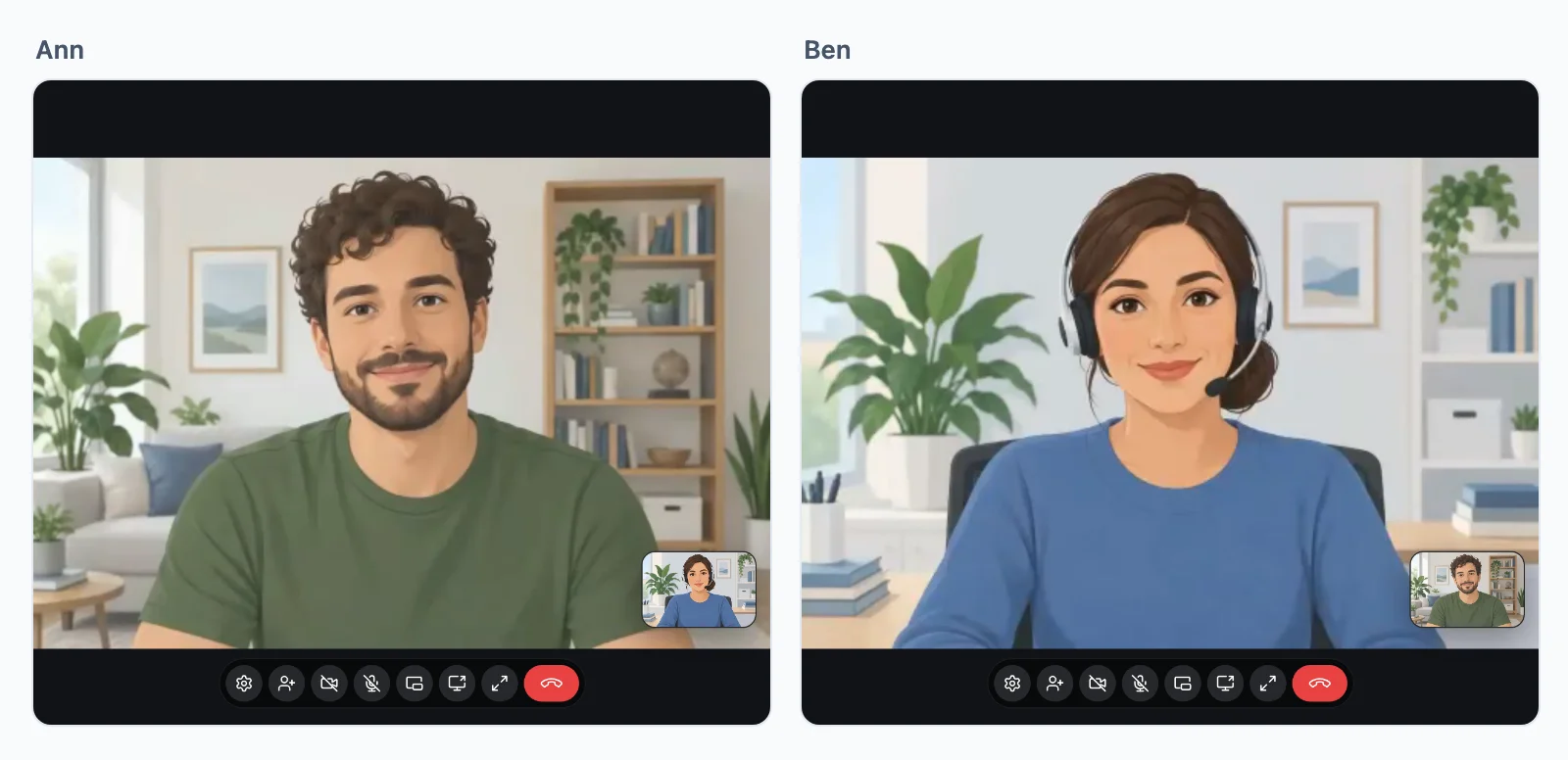
Calls between two people
Every call connects
A call rings in every tab and app the person called has open, and stops ringing everywhere once they answer on one. Then it takes the best path the two networks allow, with no TURN server of yours to keep.
- DirectlyBetween the two devices, on most networks. The fastest path.
- Through our relaysWhen a firewall blocks the direct path. They answer on the ports of the web, so a call gets through wherever websites do.
- Through our media serversWhen even the relays cannot reach. The call moves there and goes on, without hanging up.
Encrypted end to end on every path, and included in every plan.
Group calls
Group calls on our media servers
Meetings, classes, panels and audio rooms run on our media servers, not between the devices, so each device sends its camera once, however many people are in the call.
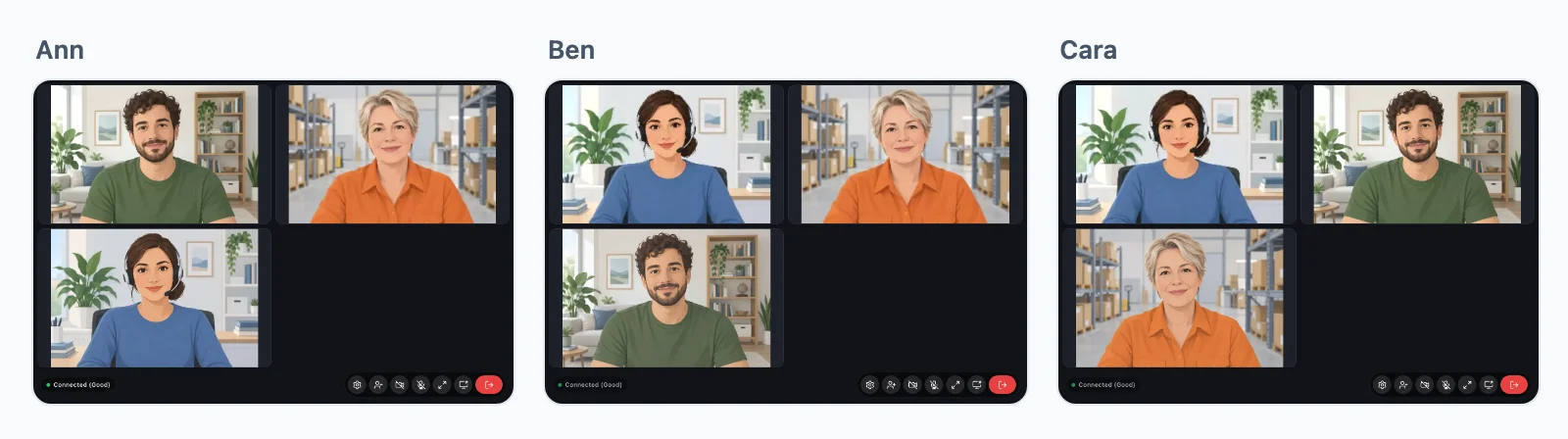
No limit on people
Everyone in a group call sends their camera, microphone and screen once, and our media servers pass them to everyone else, in several regions.
Speakers and listeners
Your rule says who sends and who only watches and listens, as in a class or a panel. A host lets a listener speak, and makes them a listener again.
Hosts keep order
A host mutes a microphone, lets someone speak and removes someone from the call, from the tile of each person.
Your server decides
A few lines in your stack
Your server says who may call whom and who joins each group call. The page places calls with a button, or with your own code.
// Calls between two people, support:34:42: the two it names, one of them staff.
realtime.calls( 'support:{a}:{b}', async ( user, withUser, { a, b } ) => {
    const pair = [ a, b ];
    return pair.includes( String( user ) ) && pair.includes( String( withUser ) )
        && ( ( await isStaff( user ) ) || ( await isStaff( withUser ) ) );
} );

// The daily meeting: a group call for everyone signed in.
realtime.groupCalls( 'meeting:{id}', ( user ) => user !== null );'use client';
import { useRealtime } from '@wordplus/realtime/react';
import { CallButton, GroupCallButton } from '@wordplus/realtime-ui/react';
export function CallAnn() {
const rt = useRealtime();
return (
<>
<CallButton rt={ rt } to={ 34 } call="support:{pair}" type="video" name="Ann">
Call Ann
</CallButton>
<GroupCallButton rt={ rt } room="meeting:daily" type="video" title="Daily meeting">
Join the meeting
</GroupCallButton>
</>
);
}Calls in each stack, with the whole setup:
Ready-made or yours
A call screen ready to use, or your own
The call screen of Better Messages is ready to use: call buttons, the ring and the call window, on the web, iOS and Android. Change its colours and words, swap a piece of it for your own, or build your own interface on the same SDK.
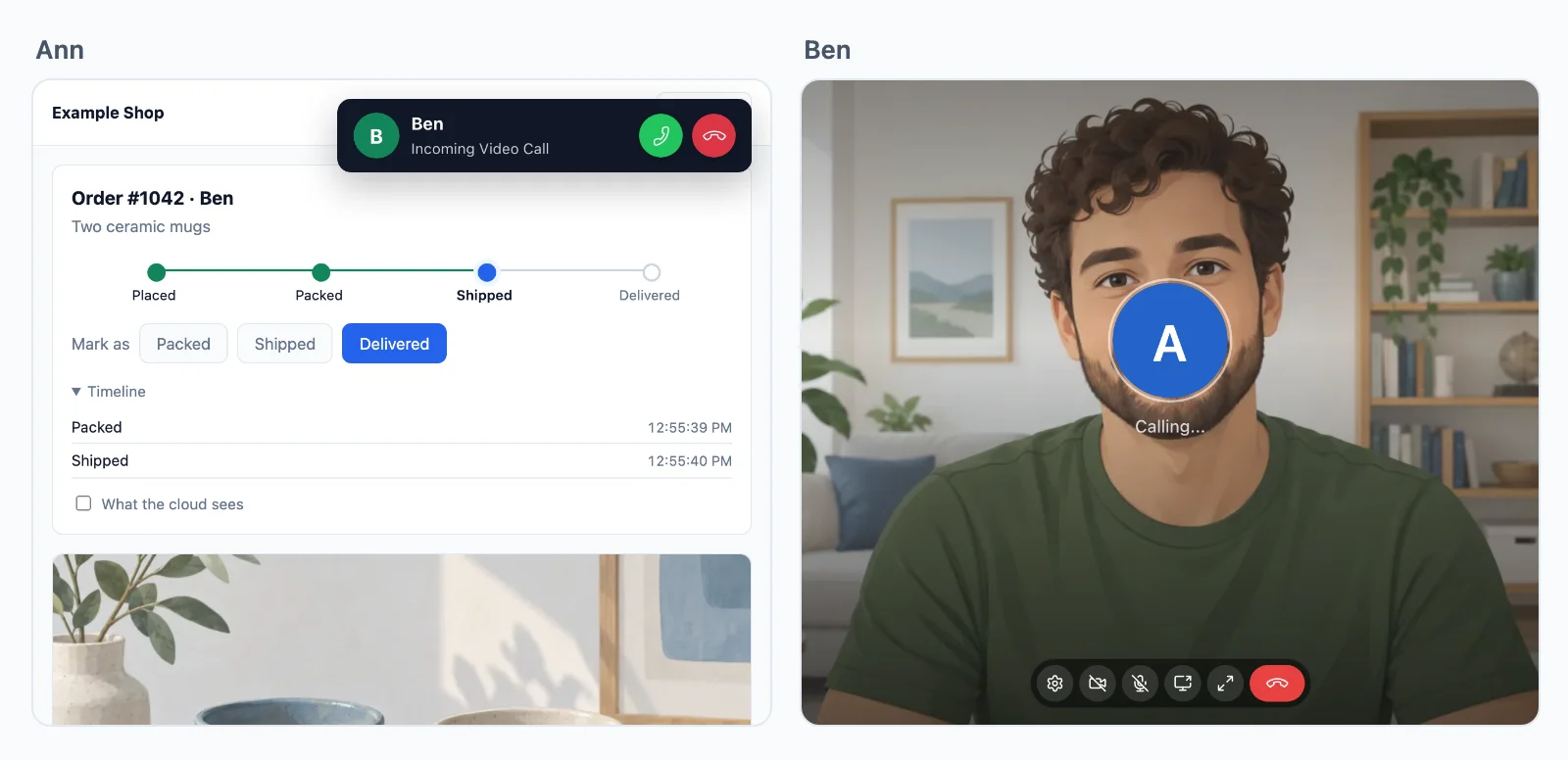
Calls between two people are encrypted end to end on every path, and a group call is when your rule says so.
Use cases
What people build with calls
Each is a whole app in the docs, with its server in Node.js, PHP and Python.
Calls from a button
A Call support button that rings the agent in every tab they have open.
Consultations by booking
A video visit with a doctor, a lawyer, a tutor or a coach, open only to the two booked, at its time.
Team meetings
A video meeting for each team or event, with screen sharing, which the lead ends for everyone.
Classes and audio rooms
A teacher or a panel speaks and the rest listen, raising a hand to speak.
Waiting and breakout rooms
Guests wait until the host admits them, and the host sends people to smaller rooms and back.
Charging for calls
Your server learns how long each person talked, counted on our servers, to bill by the minute.
Pricing
Priced by connections, never by messages
Priced by concurrent connections, starting from 1,000, billed monthly or yearly. Calls between two people are unlimited.
With 1,000 connections, group calls are unmetered up to 32 people on video at once, a person on audio counting half, with no limit on people in a call. Each further 1,000 connections add 12 people on video. Above that, each extra person on video takes a credit a minute, on audio half, and your plan adds 5,000 credits a month for each 1,000 connections.
Questions
Frequently asked
Do I need my own TURN or media servers?
No. A call between two people goes straight between the two devices when it can, through our relays when a firewall blocks the direct path, and through our media servers when even the relays cannot reach it. Group calls run on our media servers in several regions. There is nothing for you to host.
Which stacks can use the video call SDK?
Next.js and Express, Laravel and plain PHP, Django, FastAPI and Flask, React Native and Capacitor, iOS and Android, each with a guide and a live demo. A server in any other language uses the HTTP API.
How many people can join a group call?
There is no limit on people in a call. With 1,000 connections, up to 32 people on video at once take no credits, a person on audio counting half, and each further 1,000 connections add 12. Above that, each extra person on video takes a credit a minute.
Are the calls encrypted?
Yes. The media of a call between two people is encrypted end to end on every path, also when our relays or media servers carry it. A group call is encrypted end to end when your rule says so, with a key only your server gives out.
Who decides who may call whom?
Your server, with a rule for each kind of call: who may call whom, who joins each group call, who speaks and who only listens, and who hosts. The cloud enforces every answer, and your server can take access back at any moment.
Can I build my own call interface?
Yes. The call screen is optional. Change its colours and words, or place, answer and draw calls yourself on the SDK, down to every person in a group call.
Can I charge my users for calls?
Yes. WordPlus Cloud tells your server by webhook how long each call lasted and when each person joined and left a group call, counted on its own servers, so your app can bill by the minute.
Questions about your integration? Write to us: we help with the SDKs, the call screen and your stack.