
 English
 Deutsch
 Español
 Français
 Italiano
 Polski
' d='M48 28h24v18a12 12 0 0 1-24 0z'/%3E%3Cpath fill='%230093DD' d='M47.5 21.5h4.6V28h-4.6zm10.2-2.5h4.6v9h-4.6zm10.2 2.5h4.6V28h-4.6z'/%3E%3Cpath fill='%23171796' d='M52.6 20h4.6v8h-4.6zm10.2 0h4.6v8h-4.6z'/%3E%3C/svg%3E) Hrvatski
 עברית
Voor apps
Videogesprekken voor je app
Een API en SDK voor videogesprekken voor Next.js, Laravel, Django en elke andere stack. Gesprekken tussen twee personen gaan over in elk tabblad en elke app van wie gebeld wordt, komen altijd tot stand en zijn end-to-end versleuteld, en het belscherm is klaar voor gebruik, dus je hoeft niets te draaien.
Of probeer de live demo: open hem in twee browsers en bel van de ene naar de andere.
De beste prijzen voor WebSockets, onbeperkte 1-op-1-gesprekken met TURN-servers wereldwijd, en groepsgesprekken en livestreaming met een inbegrepen tegoed. Vanaf $11.99 per maand voor 1.000 gelijktijdige verbindingen, jaarlijks gefactureerd, of $14.99 maandelijks gefactureerd.
Groepsgesprekken boven je abonnement: $0.20 per 1.000 minuten, $0.10 met audio.
Next.js op de server en React op de pagina.
export async function GET( request: Request ) {
    const me = await currentUserId();
    const ask = new URL( request.url ).searchParams;
    const to = ask.get( 'to' )!;

    // Your own check, whatever your app needs.
    if ( ! me || ! await mayCall( me, to ) ) {
        return new Response( null, { status: 403 } );
    }

    const token = await realtime.callToken( me, to, {
        type: ask.get( 'type' ),
    } );

    return Response.json( { token } );
}app.get( '/api/call-token', async ( req, res ) => {
const me = userOf( req );
const { to, type } = req.query;
// Your own check, whatever your app needs.
if ( ! me || ! await mayCall( me, to ) ) {
return res.sendStatus( 403 );
}
const token = await realtime.callToken( me, to, { type } );
res.json( { token } );
} );import { createServer } from 'node:http';
createServer( async ( req, res ) => {
const url = new URL( req.url, 'http://localhost' );
if ( url.pathname === '/api/call-token' ) {
const me = userOf( req );
const to = url.searchParams.get( 'to' );
// Your own check, whatever your app needs.
if ( ! me || ! await mayCall( me, to ) ) {
res.writeHead( 403 );
return res.end();
}
const token = await realtime.callToken( me, to, {
type: url.searchParams.get( 'type' ),
} );
res.writeHead( 200, { 'Content-Type': 'application/json' } );
return res.end( JSON.stringify( { token } ) );
}
// Your pages, and realtime.node( userOf ) for the SDK's routes.
} ).listen( 3000 );use Illuminate\Http\Request;
use WordPlus\Realtime\Laravel\Facades\Realtime;
Route::get( '/api/call-token', function ( Request $request ) {
$me = $request->user()->id;
$to = $request->query( 'to' );
// Your own check, whatever your app needs.
abort_unless( may_call( $me, $to ), 403 );
return [ 'token' => Realtime::callToken( $me, $to, [
'type' => $request->query( 'type' ),
] ) ];
} )->middleware( 'auth' );require __DIR__ . '/../src/realtime.php';
$me = current_user_id();
$to = $_GET['to'] ?? '';
// Your own check, whatever your app needs.
if ( ! $me || ! may_call( $me, $to ) ) {
http_response_code( 403 );
exit;
}
header( 'Content-Type: application/json' );
echo json_encode( [
'token' => $realtime->callToken( $me, $to, [
'type' => $_GET['type'] ?? null,
] ),
] );from django.contrib.auth.decorators import login_required
from django.http import HttpResponseForbidden, JsonResponse
from .realtime import realtime
# In urls.py: path("api/call-token", views.call_token)
@login_required
def call_token(request):
me = request.user.id
to = request.GET["to"]
# Your own check, whatever your app needs.
if not may_call(me, to):
return HttpResponseForbidden()
token = realtime.call_token(me, to, type=request.GET.get("type"))
return JsonResponse({"token": token})from fastapi import Depends, HTTPException
from realtime import realtime
@app.get("/api/call-token")
def call_token(
to: str,
type: str = "video",
me: int = Depends(current_user_id),
):
# Your own check, whatever your app needs.
if not me or not may_call(me, to):
raise HTTPException(403)
return {"token": realtime.call_token(me, to, type=type)}from flask import abort, request, session
from realtime import realtime
@app.get("/api/call-token")
def call_token():
me = session.get("user_id")
to = request.args["to"]
# Your own check, whatever your app needs.
if not me or not may_call(me, to):
abort(403)
kind = request.args.get("type")
return {"token": realtime.call_token(me, to, type=kind)}// http.HandleFunc("GET /api/call-token", callToken)
func callToken(w http.ResponseWriter, r *http.Request) {
me := userOf(r)
to := r.URL.Query().Get("to")
// Your own check, whatever your app needs.
if me == "" || !mayCall(me, to) {
w.WriteHeader(403)
return
}
kind := r.URL.Query().Get("type")
reply(w, map[string]string{
"token": app.CallToken(me, to, kind, profile(me)),
})
}Hooks en componenten voor elke React-app, op elk van de servers hierboven.
import { connect } from '@wordplus/realtime';

const rt = await connect();

// The ring and the call window.
await rt.callScreen();

// And in the page:
// <call-button to="34" token-url="/api/call-token"
//     type="video" name="Ann">
//     Call Ann
// </call-button>import { connect } from '@wordplus/realtime';
const rt = await connect();
// The ring and the call window.
await rt.callScreen();
// And in the page:
// <call-button to="34" token-url="/api/call-token"
// type="video" name="Ann">
// Call Ann
// </call-button>import { connect } from '@wordplus/realtime';
const rt = await connect();
// The ring and the call window.
await rt.callScreen();
// And in the page:
// <call-button to="34" token-url="/api/call-token"
// type="video" name="Ann">
// Call Ann
// </call-button>import { connect } from '@wordplus/realtime';
const rt = await connect( window.wordplusRealtimeConfig );
// The ring and the call window.
await rt.callScreen();
// And in the page:
// <call-button to="34" token-url="/api/call-token"
// type="video" name="Ann">
// Call Ann
// </call-button><call-button to="34" token-url="/api/call-token"
type="video" name="Ann">
Call Ann
</call-button>
<script type="module">
import { connect } from '@wordplus/realtime';
const rt = await connect( window.wordplusRealtimeConfig );
// The ring and the call window.
await rt.callScreen();
</script><call-button to="34" token-url="/api/call-token"
type="video" name="Ann">
Call Ann
</call-button>
<script type="module">
import { connect } from '@wordplus/realtime';
const rt = await connect( window.wordplusRealtimeConfig );
// The ring and the call window.
await rt.callScreen();
</script><call-button to="34" token-url="/api/call-token"
type="video" name="Ann">
Call Ann
</call-button>
<script type="module">
import { connect } from '@wordplus/realtime';
const rt = await connect( window.wordplusRealtimeConfig );
// The ring and the call window.
await rt.callScreen();
</script><call-button to="34" token-url="/api/call-token"
type="video" name="Ann">
Call Ann
</call-button>
<script type="module">
import { connect } from '@wordplus/realtime';
const rt = await connect( window.wordplusRealtimeConfig );
// The ring and the call window.
await rt.callScreen();
</script>import { connect } from '@wordplus/realtime';
const settings = await fetch( '/api/realtime/config' );
const rt = await connect( await settings.json() );
// The ring and the call window.
await rt.callScreen();
// And in the page:
// <call-button to="34" token-url="/api/call-token"
// type="video" name="Ann">
// Call Ann
// </call-button><call-button to="34" token-url="/api/call-token"
type="video" name="Ann">
Call Ann
</call-button>
<script type="module">
// The ring and the call window.
await window.Echo.connector.rt.callScreen();
</script>'use client'; // in Next.js
import { CallButton, CallScreen } from '@wordplus/realtime/react';
// Inside <RealtimeProvider>, once for the whole app.
export function CallAnn() {
return (
<>
<CallScreen />
<CallButton to={ 34 } tokenUrl="/api/call-token"
type="video" name="Ann">
Call Ann
</CallButton>
</>
);
}<script setup>
import { onMounted } from 'vue';
// realtime.js, one connection for the whole app:
// export const realtime = connect();
import { realtime } from './realtime';
onMounted( async () => {
// The ring and the call window.
( await realtime ).callScreen();
} );
</script>
<!-- isCustomElement for these tags, in vite.config.js -->
<template>
<call-button to="34" token-url="/api/call-token"
type="video" name="Ann">
Call Ann
</call-button>
</template><script>
import { onMount } from 'svelte';
// realtime.js, one connection for the whole app:
// export const realtime = connect();
import { realtime } from './realtime';
onMount( async () => {
// The ring and the call window.
( await realtime ).callScreen();
} );
</script>
<call-button to="34" token-url="/api/call-token"
type="video" name="Ann">
Call Ann
</call-button>import { Component, CUSTOM_ELEMENTS_SCHEMA } from '@angular/core';
// realtime.ts, one connection for the whole app:
// export const realtime = connect();
import { realtime } from './realtime';
@Component( {
selector: 'app-call-ann',
schemas: [ CUSTOM_ELEMENTS_SCHEMA ],
template: `
<call-button to="34" token-url="/api/call-token"
type="video" name="Ann">
Call Ann
</call-button>
`,
} )
export class CallAnnComponent {
async ngOnInit() {
// The ring and the call window.
( await realtime ).callScreen();
}
}import WordPlusRealtimeCalls
import WordPlusRealtimeUI
// Rings for every call coming in.
CallScreen.shared.attach(rt.calls)
// Your own request to your route.
let token = try await api.callToken(to: "34")
let call = try await rt.startCall(token)
CallScreen.shared.show(call, name: "Ann")import cloud.wordplus.realtime.calls.calls
import cloud.wordplus.realtime.calls.startCall
import cloud.wordplus.realtime.ui.CallScreen
// Rings for every call coming in.
CallScreen.attach(context, rt.calls(context))
// Your own request to your route.
val token = api.callToken(to = "34")
val call = rt.startCall(context, token)
CallScreen.show(context, call, name = "Ann")import {
CallButton, CallScreen, RealtimeProvider,
} from '@wordplus/realtime-react-native';
// Your server, in full, as an app has no address of its own.
const API = 'https://app.example.com/api';
const options = {
app: 's1500000007',
endpoint: API + '/realtime',
headers: { Authorization: 'Bearer ' + session.token },
};
export function App() {
return (
<RealtimeProvider options={ options }>
<CallScreen />
<CallButton to="34" tokenUrl={ API + '/call-token' }
type="video" name="Ann">
Call Ann
</CallButton>
</RealtimeProvider>
);
}import 'package:flutter/material.dart';
import 'package:wordplus_realtime/wordplus_realtime.dart';
// Your server, in full, as an app has no address of its own.
const api = 'https://app.example.com/api';
// Once, as your app starts.
final rt = await WordPlusRealtime.connect(
app: 's1500000007',
endpoint: '$api/realtime',
headers: {'Authorization': 'Bearer ${session.token}'},
);
// Rings for every call coming in, and shows it once answered.
await rt.callScreen();
// In your build:
CallButton(
rt: rt,
to: '34',
tokenUrl: '$api/call-token',
name: 'Ann',
child: const Text('Call Ann'),
)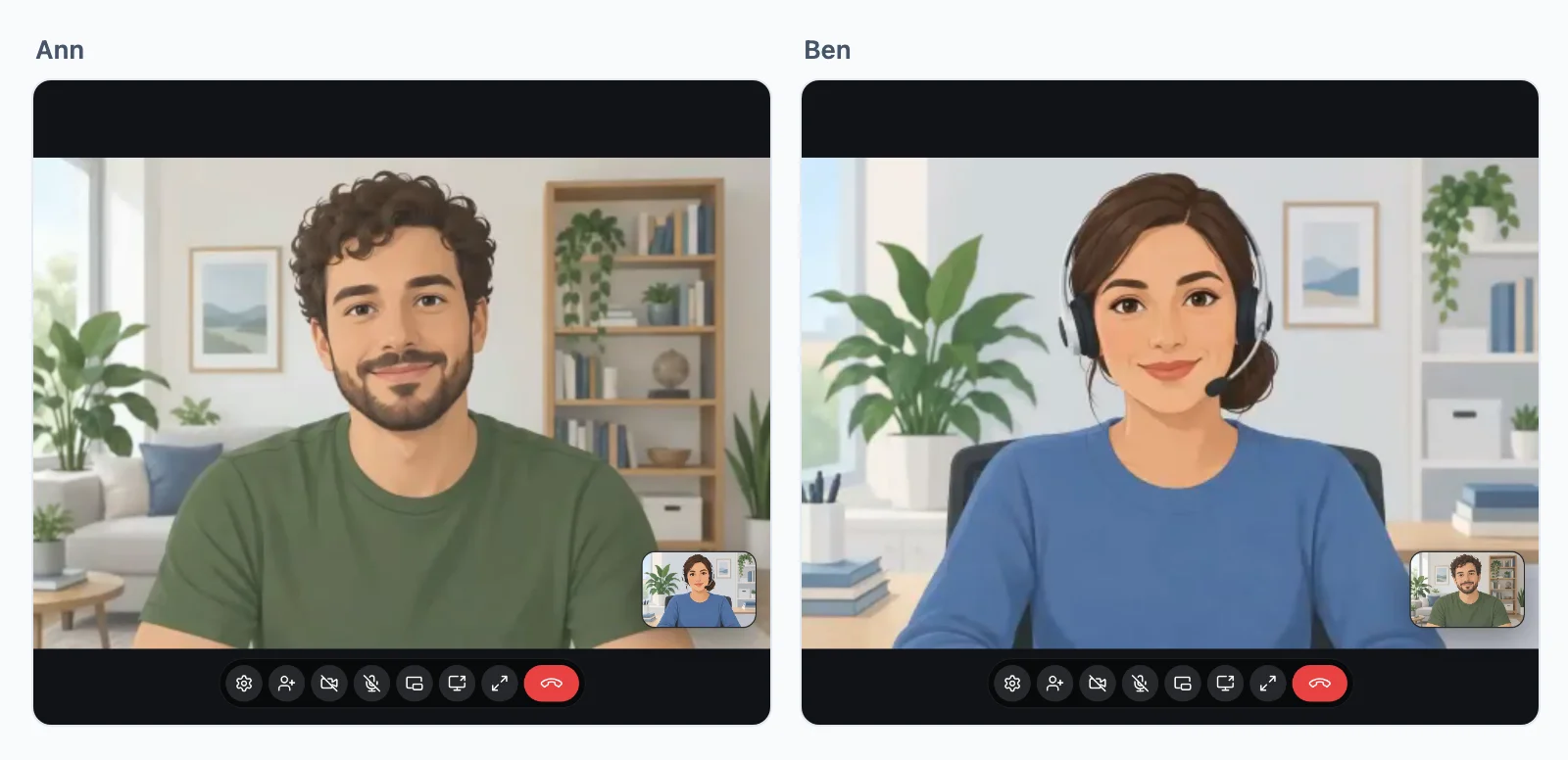
Probeer een videogesprek
Start hier een gesprek en neem op met je telefoon of in een tweede venster. Geen account nodig.
Dit zijn de schermen die de SDK je app geeft. Je browser vraagt om je camera en microfoon, er wordt niets opgenomen en de demo stopt na 10 minuten.
Gesprekken tussen twee personen
Elk gesprek komt door
Een gesprek gaat over in elk tabblad en elke app die de gebelde persoon open heeft, en stopt overal met overgaan zodra die op één ervan opneemt. Daarna neemt het de beste route die de twee netwerken toelaten, zonder TURN-server die je zelf moet onderhouden.
- RechtstreeksTussen de twee apparaten, op de meeste netwerken. De snelste weg.
- Via onze relaysAls een firewall de directe weg blokkeert. Ze antwoorden op de poorten van het web, dus een gesprek komt overal door waar websites doorkomen.
- Via onze mediaserversAls zelfs de relays er niet door komen. Het gesprek verhuist daarheen en gaat door, zonder op te hangen.
Op elke weg end-to-end versleuteld, en inbegrepen in elk plan.
Waar gesprekken verbinden
Onze relays en mediaservers draaien dicht bij je gebruikers, en elk gesprek loopt via degene die het dichtst bij de deelnemers staat.
Je server beslist
Een gesprek starten, beantwoorden en beheren
Wie wie mag bellen, is aan je app. Je server geeft de pagina een token voor elk gesprek dat hij toestaat, en de pagina start daarmee het gesprek, vanaf een knop of met je eigen code. Hier is een gesprek met Ann, taak voor taak.
Next.js op de server en React op de pagina.
De pagina een token geven
Wie wie mag bellen is de eigen logica van je app, dus dat staat in een eigen route. Controleer wat je app nodig heeft en antwoord dan met een token. Een token start één gesprek, en zonder token gaat er niets over. mayCall is je eigen controle.
export async function GET( request: Request ) {
    const me = await currentUserId();
    const ask = new URL( request.url ).searchParams;
    const to = ask.get( 'to' )!;

    // Your own check, whatever your app needs.
    if ( ! me || ! await mayCall( me, to ) ) {
        return new Response( null, { status: 403 } );
    }

    const token = await realtime.callToken( me, to, {
        type: ask.get( 'type' ),
    } );

    return Response.json( { token } );
}app.get( '/api/call-token', async ( req, res ) => {
const me = userOf( req );
const { to, type } = req.query;
// Your own check, whatever your app needs.
if ( ! me || ! await mayCall( me, to ) ) {
return res.sendStatus( 403 );
}
const token = await realtime.callToken( me, to, { type } );
res.json( { token } );
} );import { createServer } from 'node:http';
createServer( async ( req, res ) => {
const url = new URL( req.url, 'http://localhost' );
if ( url.pathname === '/api/call-token' ) {
const me = userOf( req );
const to = url.searchParams.get( 'to' );
// Your own check, whatever your app needs.
if ( ! me || ! await mayCall( me, to ) ) {
res.writeHead( 403 );
return res.end();
}
const token = await realtime.callToken( me, to, {
type: url.searchParams.get( 'type' ),
} );
res.writeHead( 200, { 'Content-Type': 'application/json' } );
return res.end( JSON.stringify( { token } ) );
}
// Your pages, and realtime.node( userOf ) for the SDK's routes.
} ).listen( 3000 );use Illuminate\Http\Request;
use WordPlus\Realtime\Laravel\Facades\Realtime;
Route::get( '/api/call-token', function ( Request $request ) {
$me = $request->user()->id;
$to = $request->query( 'to' );
// Your own check, whatever your app needs.
abort_unless( may_call( $me, $to ), 403 );
return [ 'token' => Realtime::callToken( $me, $to, [
'type' => $request->query( 'type' ),
] ) ];
} )->middleware( 'auth' );require __DIR__ . '/../src/realtime.php';
$me = current_user_id();
$to = $_GET['to'] ?? '';
// Your own check, whatever your app needs.
if ( ! $me || ! may_call( $me, $to ) ) {
http_response_code( 403 );
exit;
}
header( 'Content-Type: application/json' );
echo json_encode( [
'token' => $realtime->callToken( $me, $to, [
'type' => $_GET['type'] ?? null,
] ),
] );from django.contrib.auth.decorators import login_required
from django.http import HttpResponseForbidden, JsonResponse
from .realtime import realtime
# In urls.py: path("api/call-token", views.call_token)
@login_required
def call_token(request):
me = request.user.id
to = request.GET["to"]
# Your own check, whatever your app needs.
if not may_call(me, to):
return HttpResponseForbidden()
token = realtime.call_token(me, to, type=request.GET.get("type"))
return JsonResponse({"token": token})from fastapi import Depends, HTTPException
from realtime import realtime
@app.get("/api/call-token")
def call_token(
to: str,
type: str = "video",
me: int = Depends(current_user_id),
):
# Your own check, whatever your app needs.
if not me or not may_call(me, to):
raise HTTPException(403)
return {"token": realtime.call_token(me, to, type=type)}from flask import abort, request, session
from realtime import realtime
@app.get("/api/call-token")
def call_token():
me = session.get("user_id")
to = request.args["to"]
# Your own check, whatever your app needs.
if not me or not may_call(me, to):
abort(403)
kind = request.args.get("type")
return {"token": realtime.call_token(me, to, type=kind)}// http.HandleFunc("GET /api/call-token", callToken)
func callToken(w http.ResponseWriter, r *http.Request) {
me := userOf(r)
to := r.URL.Query().Get("to")
// Your own check, whatever your app needs.
if me == "" || !mayCall(me, to) {
w.WriteHeader(403)
return
}
kind := r.URL.Query().Get("type")
reply(w, map[string]string{
"token": app.CallToken(me, to, kind, profile(me)),
})
}Een belknop toevoegen
Het kant-en-klare scherm: een knop, het overgaan met Opnemen en Weigeren, en het gespreksvenster, zonder gesprekscode. De knop vraagt je route om zijn token. Start het scherm op elke pagina waar iemand gebeld kan worden, want een gesprek gaat alleen over waar het draait.
Hooks en componenten voor elke React-app, op elk van de servers hierboven.
import { connect } from '@wordplus/realtime';

const rt = await connect();

// The ring and the call window, on every page someone may be called on.
await rt.callScreen();

// And in the page. The button asks your route for its token.
// <call-button to="34" token-url="/api/call-token" type="video" name="Ann">
//     Call Ann
// </call-button>import { connect } from '@wordplus/realtime';
const rt = await connect();
// The ring and the call window, on every page someone may be called on.
await rt.callScreen();
// And in the page. The button asks your route for its token.
// <call-button to="34" token-url="/api/call-token" type="video" name="Ann">
// Call Ann
// </call-button>import { connect } from '@wordplus/realtime';
const rt = await connect();
// The ring and the call window, on every page someone may be called on.
await rt.callScreen();
// And in the page. The button asks your route for its token.
// <call-button to="34" token-url="/api/call-token" type="video" name="Ann">
// Call Ann
// </call-button>import { connect } from '@wordplus/realtime';
const rt = await connect();
// The ring and the call window, on every page someone may be called on.
await rt.callScreen();
// And in the page. The button asks your route for its token.
// <call-button to="34" token-url="/api/call-token" type="video" name="Ann">
// Call Ann
// </call-button>import { connect } from '@wordplus/realtime';
const rt = await connect();
// The ring and the call window, on every page someone may be called on.
await rt.callScreen();
// And in the page. The button asks your route for its token.
// <call-button to="34" token-url="/api/call-token" type="video" name="Ann">
// Call Ann
// </call-button>import { connect } from '@wordplus/realtime';
const rt = await connect();
// The ring and the call window, on every page someone may be called on.
await rt.callScreen();
// And in the page. The button asks your route for its token.
// <call-button to="34" token-url="/api/call-token" type="video" name="Ann">
// Call Ann
// </call-button>import { connect } from '@wordplus/realtime';
const rt = await connect();
// The ring and the call window, on every page someone may be called on.
await rt.callScreen();
// And in the page. The button asks your route for its token.
// <call-button to="34" token-url="/api/call-token" type="video" name="Ann">
// Call Ann
// </call-button>import { connect } from '@wordplus/realtime';
const rt = await connect();
// The ring and the call window, on every page someone may be called on.
await rt.callScreen();
// And in the page. The button asks your route for its token.
// <call-button to="34" token-url="/api/call-token" type="video" name="Ann">
// Call Ann
// </call-button>import { connect } from '@wordplus/realtime';
const rt = await connect();
// The ring and the call window, on every page someone may be called on.
await rt.callScreen();
// And in the page. The button asks your route for its token.
// <call-button to="34" token-url="/api/call-token" type="video" name="Ann">
// Call Ann
// </call-button><call-button to="34" token-url="/api/call-token" type="video" name="Ann">
Call Ann
</call-button>
<script type="module">
// The ring and the call window, on every page someone may be called on.
await window.Echo.connector.rt.callScreen();
</script>'use client'; // in Next.js
import { CallButton, CallScreen } from '@wordplus/realtime/react';
// Inside <RealtimeProvider>, once for the whole app.
export function CallAnn() {
return (
<>
<CallScreen />
<CallButton to={ 34 } tokenUrl="/api/call-token" type="video" name="Ann">
Call Ann
</CallButton>
</>
);
}<script setup>
import { watchEffect } from 'vue';
import { useRealtime } from '@wordplus/realtime/vue';
// provideRealtime() once, in your root component.
const rt = useRealtime();
// The ring and the call window, on every page someone may be called on.
watchEffect( () => rt.value?.callScreen() );
</script>
<!-- isCustomElement for this tag, in vite.config.js -->
<template>
<call-button to="34" token-url="/api/call-token" type="video" name="Ann">
Call Ann
</call-button>
</template><script>
import { useRealtime } from '@wordplus/realtime/svelte';
// provideRealtime() once, in your root component.
const rt = useRealtime();
// The ring and the call window, on every page someone may be called on.
$effect( () => { rt.current?.callScreen(); } );
</script>
<call-button to="34" token-url="/api/call-token" type="video" name="Ann">
Call Ann
</call-button>import { Component, CUSTOM_ELEMENTS_SCHEMA } from '@angular/core';
// realtime.ts, one connection for the whole app:
// export const realtime = connect();
import { realtime } from './realtime';
@Component( {
selector: 'app-call-ann',
schemas: [ CUSTOM_ELEMENTS_SCHEMA ],
template: `<call-button to="34" token-url="/api/call-token" type="video" name="Ann">Call Ann</call-button>`,
} )
export class CallAnnComponent {
async ngOnInit() {
const rt = await realtime;
// The ring and the call window, on every page someone may be called on.
await rt.callScreen();
}
}import WordPlusRealtimeCalls
import WordPlusRealtimeUI
// Rings for every call coming in, and shows it once answered.
CallScreen.shared.attach(rt.calls)
let token = try await api.callToken(to: "34") // your own request to your route
let call = try await rt.startCall(token)
CallScreen.shared.show(call, name: "Ann")import cloud.wordplus.realtime.calls.calls
import cloud.wordplus.realtime.calls.startCall
import cloud.wordplus.realtime.ui.CallScreen
// Rings for every call coming in, and shows it once answered.
CallScreen.attach(context, rt.calls(context))
val token = api.callToken(to = "34") // your own request to your route
val call = rt.startCall(context, token)
CallScreen.show(context, call, name = "Ann")import {
CallButton, CallScreen, RealtimeProvider,
} from '@wordplus/realtime-react-native';
// Your server, in full, as an app has no address of its own.
const API = 'https://app.example.com/api';
const options = {
app: 's1500000007',
endpoint: API + '/realtime',
headers: { Authorization: 'Bearer ' + session.token },
};
export function App() {
return (
<RealtimeProvider options={ options }>
<CallScreen />
<CallButton to="34" tokenUrl={ API + '/call-token' }
type="video" name="Ann">
Call Ann
</CallButton>
</RealtimeProvider>
);
}import 'package:flutter/material.dart';
import 'package:wordplus_realtime/wordplus_realtime.dart';
// Your server, in full, as an app has no address of its own.
const api = 'https://app.example.com/api';
// Once, as your app starts.
final rt = await WordPlusRealtime.connect(
app: 's1500000007',
endpoint: '$api/realtime',
headers: {'Authorization': 'Bearer ${session.token}'},
);
// Rings for every call coming in, and shows it once answered.
await rt.callScreen();
// In your build:
CallButton(
rt: rt,
to: '34',
tokenUrl: '$api/call-token',
name: 'Ann',
child: const Text('Call Ann'),
)Bellen vanuit je eigen code
Voor een scherm dat je zelf tekent: haal een token op bij je route en start daarmee het gesprek. Het gesprek gaat over in elk tabblad en elke app die de ander open heeft, en stopt overal met overgaan zodra die op één ervan opneemt.
Hooks en componenten voor elke React-app, op elk van de servers hierboven.
import { connect } from '@wordplus/realtime';

const rt = await connect();

// Asks your server for a token: your route from the first step.
async function callToken( to ) {
    const answer = await fetch( '/api/call-token?to=' + to );
    if ( ! answer.ok ) throw new Error( 'Your server said no' );

    return ( await answer.json() ).token;
}

const call = await rt.startCall( await callToken( 34 ) );

call.on( 'state', ( state ) => showState( state ) );   // ringing, connecting, connected, ended
call.on( 'remote', () => {
    call.remote.camera?.attach( video );               // a <video> of yours
    call.remote.microphone?.attach( audio );           // an <audio> of yours
} );

await call.setMicrophone( true );
await call.setCamera( true );

hangUp.onclick = () => call.end();import { connect } from '@wordplus/realtime';
const rt = await connect();
// Asks your server for a token: your route from the first step.
async function callToken( to ) {
const answer = await fetch( '/api/call-token?to=' + to );
if ( ! answer.ok ) throw new Error( 'Your server said no' );
return ( await answer.json() ).token;
}
const call = await rt.startCall( await callToken( 34 ) );
call.on( 'state', ( state ) => showState( state ) ); // ringing, connecting, connected, ended
call.on( 'remote', () => {
call.remote.camera?.attach( video ); // a <video> of yours
call.remote.microphone?.attach( audio ); // an <audio> of yours
} );
await call.setMicrophone( true );
await call.setCamera( true );
hangUp.onclick = () => call.end();import { connect } from '@wordplus/realtime';
const rt = await connect();
// Asks your server for a token: your route from the first step.
async function callToken( to ) {
const answer = await fetch( '/api/call-token?to=' + to );
if ( ! answer.ok ) throw new Error( 'Your server said no' );
return ( await answer.json() ).token;
}
const call = await rt.startCall( await callToken( 34 ) );
call.on( 'state', ( state ) => showState( state ) ); // ringing, connecting, connected, ended
call.on( 'remote', () => {
call.remote.camera?.attach( video ); // a <video> of yours
call.remote.microphone?.attach( audio ); // an <audio> of yours
} );
await call.setMicrophone( true );
await call.setCamera( true );
hangUp.onclick = () => call.end();import { connect } from '@wordplus/realtime';
const rt = await connect();
// Asks your server for a token: your route from the first step.
async function callToken( to ) {
const answer = await fetch( '/api/call-token?to=' + to );
if ( ! answer.ok ) throw new Error( 'Your server said no' );
return ( await answer.json() ).token;
}
const call = await rt.startCall( await callToken( 34 ) );
call.on( 'state', ( state ) => showState( state ) ); // ringing, connecting, connected, ended
call.on( 'remote', () => {
call.remote.camera?.attach( video ); // a <video> of yours
call.remote.microphone?.attach( audio ); // an <audio> of yours
} );
await call.setMicrophone( true );
await call.setCamera( true );
hangUp.onclick = () => call.end();import { connect } from '@wordplus/realtime';
const rt = await connect();
// Asks your server for a token: your route from the first step.
async function callToken( to ) {
const answer = await fetch( '/api/call-token?to=' + to );
if ( ! answer.ok ) throw new Error( 'Your server said no' );
return ( await answer.json() ).token;
}
const call = await rt.startCall( await callToken( 34 ) );
call.on( 'state', ( state ) => showState( state ) ); // ringing, connecting, connected, ended
call.on( 'remote', () => {
call.remote.camera?.attach( video ); // a <video> of yours
call.remote.microphone?.attach( audio ); // an <audio> of yours
} );
await call.setMicrophone( true );
await call.setCamera( true );
hangUp.onclick = () => call.end();import { connect } from '@wordplus/realtime';
const rt = await connect();
// Asks your server for a token: your route from the first step.
async function callToken( to ) {
const answer = await fetch( '/api/call-token?to=' + to );
if ( ! answer.ok ) throw new Error( 'Your server said no' );
return ( await answer.json() ).token;
}
const call = await rt.startCall( await callToken( 34 ) );
call.on( 'state', ( state ) => showState( state ) ); // ringing, connecting, connected, ended
call.on( 'remote', () => {
call.remote.camera?.attach( video ); // a <video> of yours
call.remote.microphone?.attach( audio ); // an <audio> of yours
} );
await call.setMicrophone( true );
await call.setCamera( true );
hangUp.onclick = () => call.end();import { connect } from '@wordplus/realtime';
const rt = await connect();
// Asks your server for a token: your route from the first step.
async function callToken( to ) {
const answer = await fetch( '/api/call-token?to=' + to );
if ( ! answer.ok ) throw new Error( 'Your server said no' );
return ( await answer.json() ).token;
}
const call = await rt.startCall( await callToken( 34 ) );
call.on( 'state', ( state ) => showState( state ) ); // ringing, connecting, connected, ended
call.on( 'remote', () => {
call.remote.camera?.attach( video ); // a <video> of yours
call.remote.microphone?.attach( audio ); // an <audio> of yours
} );
await call.setMicrophone( true );
await call.setCamera( true );
hangUp.onclick = () => call.end();import { connect } from '@wordplus/realtime';
const rt = await connect();
// Asks your server for a token: your route from the first step.
async function callToken( to ) {
const answer = await fetch( '/api/call-token?to=' + to );
if ( ! answer.ok ) throw new Error( 'Your server said no' );
return ( await answer.json() ).token;
}
const call = await rt.startCall( await callToken( 34 ) );
call.on( 'state', ( state ) => showState( state ) ); // ringing, connecting, connected, ended
call.on( 'remote', () => {
call.remote.camera?.attach( video ); // a <video> of yours
call.remote.microphone?.attach( audio ); // an <audio> of yours
} );
await call.setMicrophone( true );
await call.setCamera( true );
hangUp.onclick = () => call.end();import { connect } from '@wordplus/realtime';
const rt = await connect();
// Asks your server for a token: your route from the first step.
async function callToken( to ) {
const answer = await fetch( '/api/call-token?to=' + to );
if ( ! answer.ok ) throw new Error( 'Your server said no' );
return ( await answer.json() ).token;
}
const call = await rt.startCall( await callToken( 34 ) );
call.on( 'state', ( state ) => showState( state ) ); // ringing, connecting, connected, ended
call.on( 'remote', () => {
call.remote.camera?.attach( video ); // a <video> of yours
call.remote.microphone?.attach( audio ); // an <audio> of yours
} );
await call.setMicrophone( true );
await call.setCamera( true );
hangUp.onclick = () => call.end();const rt = window.Echo.connector.rt; // the connection Echo made
// Asks your server for a token: your route from the first step.
async function callToken( to ) {
const answer = await fetch( '/api/call-token?to=' + to );
if ( ! answer.ok ) throw new Error( 'Your server said no' );
return ( await answer.json() ).token;
}
const call = await rt.startCall( await callToken( 34 ) );
call.on( 'state', ( state ) => showState( state ) ); // ringing, connecting, connected, ended
call.on( 'remote', () => {
call.remote.camera?.attach( video ); // a <video> of yours
call.remote.microphone?.attach( audio ); // an <audio> of yours
} );
await call.setMicrophone( true );
await call.setCamera( true );
hangUp.onclick = () => call.end();'use client'; // in Next.js
import { AudioTrack, useCall, VideoTrack } from '@wordplus/realtime/react';
// Asks your server for a token: your route from the first step.
async function callToken( to ) {
const answer = await fetch( '/api/call-token?to=' + to );
if ( ! answer.ok ) throw new Error( 'Your server said no' );
return ( await answer.json() ).token;
}
// Inside <RealtimeProvider>, once for the whole app.
export function Call() {
const { call, state, remote, camera, start, end } = useCall();
if ( ! call ) {
return <button onClick={ async () => start( await callToken( 34 ) ) }>Call Ann</button>;
}
return (
<>
<p>{ state }</p>
<VideoTrack track={ remote?.camera } />
<AudioTrack track={ remote?.microphone } />
<VideoTrack track={ camera } />
<button onClick={ end }>Hang up</button>
</>
);
}<script setup>
import { AudioTrack, useCall, VideoTrack } from '@wordplus/realtime/vue';
// Asks your server for a token: your route from the first step.
async function callToken( to ) {
const answer = await fetch( '/api/call-token?to=' + to );
if ( ! answer.ok ) throw new Error( 'Your server said no' );
return ( await answer.json() ).token;
}
// provideRealtime() once, in your root component.
const { call, state, remote, camera, start, end } = useCall();
</script>
<template>
<button v-if="! call" @click="async () => start( await callToken( 34 ) )">Call Ann</button>
<template v-else>
<p>{{ state }}</p>
<VideoTrack :track="remote?.camera" />
<AudioTrack :track="remote?.microphone" />
<VideoTrack :track="camera" />
<button @click="end">Hang up</button>
</template>
</template><script>
import { track, useCall } from '@wordplus/realtime/svelte';
// Asks your server for a token: your route from the first step.
async function callToken( to ) {
const answer = await fetch( '/api/call-token?to=' + to );
if ( ! answer.ok ) throw new Error( 'Your server said no' );
return ( await answer.json() ).token;
}
// provideRealtime() once, in your root component.
const current = useCall();
</script>
{#if ! current.call}
<button onclick={ async () => current.start( await callToken( 34 ) ) }>Call Ann</button>
{:else}
<p>{ current.state }</p>
<video use:track={ current.remote?.camera } muted autoplay playsinline></video>
<audio use:track={ current.remote?.microphone } autoplay></audio>
<video use:track={ current.camera } muted autoplay playsinline></video>
<button onclick={ current.end }>Hang up</button>
{/if}import { Component, CUSTOM_ELEMENTS_SCHEMA } from '@angular/core';
// realtime.ts, one connection for the whole app:
// export const realtime = connect();
import { realtime } from './realtime';
@Component( {
selector: 'app-call',
schemas: [ CUSTOM_ELEMENTS_SCHEMA ],
template: `<video #video autoplay playsinline></video>`,
} )
export class CallComponent {
async ngOnInit() {
const rt = await realtime;
// Asks your server for a token: your route from the first step.
async function callToken( to ) {
const answer = await fetch( '/api/call-token?to=' + to );
if ( ! answer.ok ) throw new Error( 'Your server said no' );
return ( await answer.json() ).token;
}
const call = await rt.startCall( await callToken( 34 ) );
call.on( 'state', ( state ) => showState( state ) ); // ringing, connecting, connected, ended
call.on( 'remote', () => {
call.remote.camera?.attach( video ); // a <video> of yours
call.remote.microphone?.attach( audio ); // an <audio> of yours
} );
await call.setMicrophone( true );
await call.setCamera( true );
hangUp.onclick = () => call.end();
}
}let token = try await api.callToken(to: "34") // your own request to your route
let call = try await rt.startCall(token)
call.onState { state in label.text = state.rawValue } // ringing, connecting, connected, ended
call.onRemote { remoteView.show(call.remoteCamera) } // a CallVideoView of yours
ownView.show(call.localCamera)
hangUp.addAction(UIAction { _ in call.end() }, for: .touchUpInside)val token = api.callToken(to = "34") // your own request to your route
val call = rt.startCall(context, token)
call.onState { state -> label.text = state.wire } // ringing, connecting, connected, ended
call.onRemote { remoteView.show(call.remoteCamera) } // a CallVideoView of yours
ownView.show(call.localCamera)
hangUp.setOnClickListener { call.end() }import { Button, Text, View } from 'react-native';
import { CallVideo, useCall, useRealtime } from '@wordplus/realtime-react-native';
const API = 'https://app.example.com/api'; // your server, in full
// Inside <RealtimeProvider>, once for the whole app.
export function Call() {
const rt = useRealtime();
const { call, state, start, end } = useCall();
// Asks your route from the first step, then starts with its token.
const callAnn = async () => {
start( await rt.tokenFrom( API + '/call-token', { to: 34, type: 'video' } ) );
};
if ( ! call ) return <Button title="Call Ann" disabled={ ! rt } onPress={ callAnn } />;
return (
<View style={ { flex: 1 } }>
<Text>{ state?.state }</Text>
<CallVideo call={ call } style={ { flex: 1 } } />
<CallVideo call={ call } source="own" mirrored style={ { height: 120 } } />
<Button title="Hang up" onPress={ end } />
</View>
);
}// Asks your route from the first step, then starts with its token.
final token = await rt.tokenFrom('$api/call-token', {'to': 34, 'type': 'video'});
final call = await rt.startCall(token);
// ringing, connecting, connected, reconnecting, ended
call.onState((state) => showState(state));
// In your build, where you lay them out:
CallVideo(call: call) // the other side
CallVideo(call: call, source: CallVideoSource.own, mirrored: true) // your own
FilledButton(onPressed: call.end, child: const Text('Hang up'))Een gesprek beantwoorden
Een pagina die op gesprekken wacht, houdt de lijn van haar gebruiker vast, waarop zijn gesprekken 45 seconden overgaan. Voor opnemen is geen token nodig, want dat van de beller laat al zien dat je server ja heeft gezegd. Neem op of weiger, en zijn andere tabbladen stoppen met overgaan.
Hooks en componenten voor elke React-app, op elk van de servers hierboven.
import { connect } from '@wordplus/realtime';

const rt = await connect();

// From now on their calls ring on this page.
rt.onIncomingCall( ( incoming ) => {
    showRing( incoming.info?.name, incoming.type );

    answer.onclick = () => incoming.accept();    // gives the call, as rt.startCall() does
    decline.onclick = () => incoming.decline();  // or decline( 'busy' )

    incoming.on( 'over', hideRing );             // answered elsewhere, or the caller gave up
} );import { connect } from '@wordplus/realtime';
const rt = await connect();
// From now on their calls ring on this page.
rt.onIncomingCall( ( incoming ) => {
showRing( incoming.info?.name, incoming.type );
answer.onclick = () => incoming.accept(); // gives the call, as rt.startCall() does
decline.onclick = () => incoming.decline(); // or decline( 'busy' )
incoming.on( 'over', hideRing ); // answered elsewhere, or the caller gave up
} );import { connect } from '@wordplus/realtime';
const rt = await connect();
// From now on their calls ring on this page.
rt.onIncomingCall( ( incoming ) => {
showRing( incoming.info?.name, incoming.type );
answer.onclick = () => incoming.accept(); // gives the call, as rt.startCall() does
decline.onclick = () => incoming.decline(); // or decline( 'busy' )
incoming.on( 'over', hideRing ); // answered elsewhere, or the caller gave up
} );import { connect } from '@wordplus/realtime';
const rt = await connect();
// From now on their calls ring on this page.
rt.onIncomingCall( ( incoming ) => {
showRing( incoming.info?.name, incoming.type );
answer.onclick = () => incoming.accept(); // gives the call, as rt.startCall() does
decline.onclick = () => incoming.decline(); // or decline( 'busy' )
incoming.on( 'over', hideRing ); // answered elsewhere, or the caller gave up
} );import { connect } from '@wordplus/realtime';
const rt = await connect();
// From now on their calls ring on this page.
rt.onIncomingCall( ( incoming ) => {
showRing( incoming.info?.name, incoming.type );
answer.onclick = () => incoming.accept(); // gives the call, as rt.startCall() does
decline.onclick = () => incoming.decline(); // or decline( 'busy' )
incoming.on( 'over', hideRing ); // answered elsewhere, or the caller gave up
} );import { connect } from '@wordplus/realtime';
const rt = await connect();
// From now on their calls ring on this page.
rt.onIncomingCall( ( incoming ) => {
showRing( incoming.info?.name, incoming.type );
answer.onclick = () => incoming.accept(); // gives the call, as rt.startCall() does
decline.onclick = () => incoming.decline(); // or decline( 'busy' )
incoming.on( 'over', hideRing ); // answered elsewhere, or the caller gave up
} );import { connect } from '@wordplus/realtime';
const rt = await connect();
// From now on their calls ring on this page.
rt.onIncomingCall( ( incoming ) => {
showRing( incoming.info?.name, incoming.type );
answer.onclick = () => incoming.accept(); // gives the call, as rt.startCall() does
decline.onclick = () => incoming.decline(); // or decline( 'busy' )
incoming.on( 'over', hideRing ); // answered elsewhere, or the caller gave up
} );import { connect } from '@wordplus/realtime';
const rt = await connect();
// From now on their calls ring on this page.
rt.onIncomingCall( ( incoming ) => {
showRing( incoming.info?.name, incoming.type );
answer.onclick = () => incoming.accept(); // gives the call, as rt.startCall() does
decline.onclick = () => incoming.decline(); // or decline( 'busy' )
incoming.on( 'over', hideRing ); // answered elsewhere, or the caller gave up
} );import { connect } from '@wordplus/realtime';
const rt = await connect();
// From now on their calls ring on this page.
rt.onIncomingCall( ( incoming ) => {
showRing( incoming.info?.name, incoming.type );
answer.onclick = () => incoming.accept(); // gives the call, as rt.startCall() does
decline.onclick = () => incoming.decline(); // or decline( 'busy' )
incoming.on( 'over', hideRing ); // answered elsewhere, or the caller gave up
} );const rt = window.Echo.connector.rt; // the connection Echo made
// From now on their calls ring on this page.
rt.onIncomingCall( ( incoming ) => {
showRing( incoming.info?.name, incoming.type );
answer.onclick = () => incoming.accept(); // gives the call, as rt.startCall() does
decline.onclick = () => incoming.decline(); // or decline( 'busy' )
incoming.on( 'over', hideRing ); // answered elsewhere, or the caller gave up
} );// In the component that holds the call, on the same useCall().
const { incoming } = useCalls(); // those ringing now
const ring = incoming[ 0 ];
if ( ! call && ring ) {
return (
<>
<p>{ ring.info?.name } is calling</p>
<button onClick={ () => answer( ring ) }>Answer</button>
<button onClick={ () => ring.decline() }>Decline</button>
</>
);
}<script setup>
// In the component that holds the call, on the same useCall().
const { incoming } = useCalls(); // those ringing now
</script>
<template>
<template v-if="! call && incoming[ 0 ]">
<p>{{ incoming[ 0 ].info?.name }} is calling</p>
<button @click="answer( incoming[ 0 ] )">Answer</button>
<button @click="incoming[ 0 ].decline()">Decline</button>
</template>
</template><script>
// In the component that holds the call, on the same useCall().
const calls = useCalls(); // those ringing now
</script>
{#if ! current.call && calls.incoming[ 0 ]}
<p>{ calls.incoming[ 0 ].info?.name } is calling</p>
<button onclick={ () => current.answer( calls.incoming[ 0 ] ) }>Answer</button>
<button onclick={ () => calls.incoming[ 0 ].decline() }>Decline</button>
{/if}import { Component, CUSTOM_ELEMENTS_SCHEMA } from '@angular/core';
// realtime.ts, one connection for the whole app:
// export const realtime = connect();
import { realtime } from './realtime';
@Component( {
selector: 'app-ring',
schemas: [ CUSTOM_ELEMENTS_SCHEMA ],
template: `<!-- Your ring here -->`,
} )
export class RingComponent {
async ngOnInit() {
const rt = await realtime;
// From now on their calls ring on this page.
rt.onIncomingCall( ( incoming ) => {
showRing( incoming.info?.name, incoming.type );
answer.onclick = () => incoming.accept(); // gives the call, as rt.startCall() does
decline.onclick = () => incoming.decline(); // or decline( 'busy' )
incoming.on( 'over', hideRing ); // answered elsewhere, or the caller gave up
} );
}
}rt.calls.onIncoming { incoming in
showRing(incoming.info["name"], incoming.type)
incoming.onOver { _ in hideRing() } // answered elsewhere, or the caller gave up
Task { @MainActor in
switch try await incoming.accept() { // or try await incoming.decline(busy: true)
case let .call(call): show(call)
case let .group(group): show(group)
}
}
}calls.onIncoming { incoming ->
showRing(incoming.info["name"], incoming.type)
incoming.onOver { hideRing() } // answered elsewhere, or the caller gave up
viewModelScope.launch {
when (val answered = incoming.accept()) { // or incoming.decline(busy = true)
is IncomingCall.Answered.ToCall -> show(answered.call)
is IncomingCall.Answered.ToGroup -> show(answered.group)
}
}
}// In the component that holds the call, on the same useCall().
const { incoming } = useCalls(); // those ringing now
const ring = incoming[ 0 ];
if ( ! call && ring ) {
return (
<View>
<Text>{ ring.info?.name } is calling</Text>
<Button title="Answer" onPress={ () => answer( ring ) } />
<Button title="Decline" onPress={ () => ring.decline() } />
</View>
);
}rt.onIncomingCall((incoming) async {
showRing(incoming.info?['name'], incoming.type);
incoming.onOver((reason) => hideRing()); // answered elsewhere, or the caller gave up
// On your Answer button, or incoming.decline(), decline(busy: true) if busy.
switch (await incoming.accept()) {
case ToCall(:final call):
showCall(call);
case ToGroup(:final group):
showGroup(group);
}
});Camera, microfoon en scherm
Dezelfde opdrachten in een gesprek, een groepsgesprek en een livestream, dus je scherm hoeft geen apparaat bij te houden. Een camera stopt, en het lampje gaat uit, wanneer hij wordt uitgezet of het gesprek eindigt.
Hooks en componenten voor elke React-app, op elk van de servers hierboven.
import { connect } from '@wordplus/realtime';

const rt = await connect();

await call.setMicrophone( false );                  // muted
await call.setCamera( false );                      // stopped, and the light goes off
const shared = await call.setScreenShare( true );   // false if they picked nothing

// Move to another camera with no gap on the other side.
const { cameras } = await ( await rt.calls() ).devices();
await call.setCamera( true, { deviceId: cameras[ 1 ].id } );import { connect } from '@wordplus/realtime';
const rt = await connect();
await call.setMicrophone( false ); // muted
await call.setCamera( false ); // stopped, and the light goes off
const shared = await call.setScreenShare( true ); // false if they picked nothing
// Move to another camera with no gap on the other side.
const { cameras } = await ( await rt.calls() ).devices();
await call.setCamera( true, { deviceId: cameras[ 1 ].id } );import { connect } from '@wordplus/realtime';
const rt = await connect();
await call.setMicrophone( false ); // muted
await call.setCamera( false ); // stopped, and the light goes off
const shared = await call.setScreenShare( true ); // false if they picked nothing
// Move to another camera with no gap on the other side.
const { cameras } = await ( await rt.calls() ).devices();
await call.setCamera( true, { deviceId: cameras[ 1 ].id } );import { connect } from '@wordplus/realtime';
const rt = await connect();
await call.setMicrophone( false ); // muted
await call.setCamera( false ); // stopped, and the light goes off
const shared = await call.setScreenShare( true ); // false if they picked nothing
// Move to another camera with no gap on the other side.
const { cameras } = await ( await rt.calls() ).devices();
await call.setCamera( true, { deviceId: cameras[ 1 ].id } );import { connect } from '@wordplus/realtime';
const rt = await connect();
await call.setMicrophone( false ); // muted
await call.setCamera( false ); // stopped, and the light goes off
const shared = await call.setScreenShare( true ); // false if they picked nothing
// Move to another camera with no gap on the other side.
const { cameras } = await ( await rt.calls() ).devices();
await call.setCamera( true, { deviceId: cameras[ 1 ].id } );import { connect } from '@wordplus/realtime';
const rt = await connect();
await call.setMicrophone( false ); // muted
await call.setCamera( false ); // stopped, and the light goes off
const shared = await call.setScreenShare( true ); // false if they picked nothing
// Move to another camera with no gap on the other side.
const { cameras } = await ( await rt.calls() ).devices();
await call.setCamera( true, { deviceId: cameras[ 1 ].id } );import { connect } from '@wordplus/realtime';
const rt = await connect();
await call.setMicrophone( false ); // muted
await call.setCamera( false ); // stopped, and the light goes off
const shared = await call.setScreenShare( true ); // false if they picked nothing
// Move to another camera with no gap on the other side.
const { cameras } = await ( await rt.calls() ).devices();
await call.setCamera( true, { deviceId: cameras[ 1 ].id } );import { connect } from '@wordplus/realtime';
const rt = await connect();
await call.setMicrophone( false ); // muted
await call.setCamera( false ); // stopped, and the light goes off
const shared = await call.setScreenShare( true ); // false if they picked nothing
// Move to another camera with no gap on the other side.
const { cameras } = await ( await rt.calls() ).devices();
await call.setCamera( true, { deviceId: cameras[ 1 ].id } );import { connect } from '@wordplus/realtime';
const rt = await connect();
await call.setMicrophone( false ); // muted
await call.setCamera( false ); // stopped, and the light goes off
const shared = await call.setScreenShare( true ); // false if they picked nothing
// Move to another camera with no gap on the other side.
const { cameras } = await ( await rt.calls() ).devices();
await call.setCamera( true, { deviceId: cameras[ 1 ].id } );const rt = window.Echo.connector.rt; // the connection Echo made
await call.setMicrophone( false ); // muted
await call.setCamera( false ); // stopped, and the light goes off
const shared = await call.setScreenShare( true ); // false if they picked nothing
// Move to another camera with no gap on the other side.
const { cameras } = await ( await rt.calls() ).devices();
await call.setCamera( true, { deviceId: cameras[ 1 ].id } );// In the component that holds the call, on the same useCall().
const { camera, microphone, screen, setCamera, setMicrophone, setScreenShare } = useCall();
return (
<>
<button onClick={ () => setMicrophone( ! microphone ) }>Microphone</button>
<button onClick={ () => setCamera( ! camera ) }>Camera</button>
<button onClick={ () => setScreenShare( ! screen ) }>Share screen</button>
</>
);<script setup>
// In the component that holds the call, on the same useCall().
const { camera, microphone, screen, setCamera, setMicrophone, setScreenShare } = useCall();
</script>
<template>
<button @click="setMicrophone( ! microphone )">Microphone</button>
<button @click="setCamera( ! camera )">Camera</button>
<button @click="setScreenShare( ! screen )">Share screen</button>
</template><!-- In the component that holds the call, on the same useCall(). -->
<button onclick={ () => current.setMicrophone( ! current.microphone ) }>Microphone</button>
<button onclick={ () => current.setCamera( ! current.camera ) }>Camera</button>
<button onclick={ () => current.setScreenShare( ! current.screen ) }>Share screen</button>import { Component, CUSTOM_ELEMENTS_SCHEMA } from '@angular/core';
// realtime.ts, one connection for the whole app:
// export const realtime = connect();
import { realtime } from './realtime';
@Component( {
selector: 'app-controls',
schemas: [ CUSTOM_ELEMENTS_SCHEMA ],
template: `<!-- Your buttons here -->`,
} )
export class ControlsComponent {
async ngOnInit() {
const rt = await realtime;
await call.setMicrophone( false ); // muted
await call.setCamera( false ); // stopped, and the light goes off
const shared = await call.setScreenShare( true ); // false if they picked nothing
// Move to another camera with no gap on the other side.
const { cameras } = await ( await rt.calls() ).devices();
await call.setCamera( true, { deviceId: cameras[ 1 ].id } );
}
}call.microphone = false // muted
call.camera = false // stops sending the camera
call.flipCamera() // the front one to the back, and back
// Puts up the system's picker, in an app built with the broadcast extension.
await call.setScreenShare(true)call.microphone = false // muted
call.camera = false // stops sending the camera
call.flipCamera() // the front one to the back, and back
// answer is what the system's dialog gave: ScreenShare.permissionIntent(activity).
call.setScreenShare(true, answer.data)// In the component that holds the call, on the same useCall().
const { call, state } = useCall();
// Sharing the phone's screen isn't in React Native yet.
return (
<>
<Button title="Microphone" onPress={ () => call.setMicrophone( ! state.microphone ) } />
<Button title="Camera" onPress={ () => call.setCamera( ! state.camera ) } />
<Button title="Flip camera" onPress={ () => call.flipCamera() } />
</>
);await call.setMicrophone(false); // muted
await call.setCamera(false); // stopped, and the light goes off
await call.flipCamera(); // the front one to the back, and back
// Android asks with the system's dialog, iOS needs the broadcast extension.
final shared = await call.setScreenShare(true); // false if they said noEen derde persoon toevoegen
Zodra een gesprek loopt, kan elke kant iemand anders erbij bellen, en het gaat verder als groepsgesprek, zonder dat iemand ophangt. Je route bepaalt wie, zoals bij elk gesprek, en de pagina geeft door om welk gesprek het gaat. mayAdd is je eigen controle.
// Your route from the first step. call is the page's call.ref.
if ( ! await mayAdd( me, to ) ) return refuse();

const token = await realtime.callToken( me, to, { into: call } );// Your route from the first step. call is the page's call.ref.
if ( ! await mayAdd( me, to ) ) return refuse();
const token = await realtime.callToken( me, to, { into: call } );// Your route from the first step. call is the page's call.ref.
if ( ! await mayAdd( me, to ) ) return refuse();
const token = await realtime.callToken( me, to, { into: call } );// Your route from the first step. The page's call.ref comes as call.
abort_unless( may_add( $me, $to ), 403 );
$token = Realtime::callToken( $me, $to, [ 'into' => $request->query( 'call' ) ] );// Your route from the first step. The page's call.ref comes as call.
if ( ! may_add( $me, $to ) ) {
http_response_code( 403 );
exit;
}
$token = $realtime->callToken( $me, $to, [ 'into' => $_GET['call'] ] );# Your route from the first step. call is the page's call.ref.
if not may_add(me, to):
return refuse()
token = realtime.call_token(me, to, into=call)# Your route from the first step. call is the page's call.ref.
if not may_add(me, to):
return refuse()
token = realtime.call_token(me, to, into=call)# Your route from the first step. call is the page's call.ref.
if not may_add(me, to):
return refuse()
token = realtime.call_token(me, to, into=call)// Your route from the first step. The page's call.ref comes as call.
if !mayAdd(me, to) {
w.WriteHeader(403)
return
}
token, err := app.AddToCallToken(me, to, r.URL.Query().Get("call"), profile(me))Hooks en componenten voor elke React-app, op elk van de servers hierboven.
import { connect } from '@wordplus/realtime';

const rt = await connect();

// Asks your route with the call, so it rings them into this one.
const answer = await fetch( '/api/call-token?to=56&call=' + call.ref );
const invite = await call.add( ( await answer.json() ).token );   // rings them everywhere they are

// Both sides go on in a group call, with no one hanging up.
call.on( 'group', ( group ) => showGroup( group ) );

invite.on( 'state', ( state ) => showState( state ) ); // answered, rejected, busy, no_answerimport { connect } from '@wordplus/realtime';
const rt = await connect();
// Asks your route with the call, so it rings them into this one.
const answer = await fetch( '/api/call-token?to=56&call=' + call.ref );
const invite = await call.add( ( await answer.json() ).token ); // rings them everywhere they are
// Both sides go on in a group call, with no one hanging up.
call.on( 'group', ( group ) => showGroup( group ) );
invite.on( 'state', ( state ) => showState( state ) ); // answered, rejected, busy, no_answerimport { connect } from '@wordplus/realtime';
const rt = await connect();
// Asks your route with the call, so it rings them into this one.
const answer = await fetch( '/api/call-token?to=56&call=' + call.ref );
const invite = await call.add( ( await answer.json() ).token ); // rings them everywhere they are
// Both sides go on in a group call, with no one hanging up.
call.on( 'group', ( group ) => showGroup( group ) );
invite.on( 'state', ( state ) => showState( state ) ); // answered, rejected, busy, no_answerimport { connect } from '@wordplus/realtime';
const rt = await connect();
// Asks your route with the call, so it rings them into this one.
const answer = await fetch( '/api/call-token?to=56&call=' + call.ref );
const invite = await call.add( ( await answer.json() ).token ); // rings them everywhere they are
// Both sides go on in a group call, with no one hanging up.
call.on( 'group', ( group ) => showGroup( group ) );
invite.on( 'state', ( state ) => showState( state ) ); // answered, rejected, busy, no_answerimport { connect } from '@wordplus/realtime';
const rt = await connect();
// Asks your route with the call, so it rings them into this one.
const answer = await fetch( '/api/call-token?to=56&call=' + call.ref );
const invite = await call.add( ( await answer.json() ).token ); // rings them everywhere they are
// Both sides go on in a group call, with no one hanging up.
call.on( 'group', ( group ) => showGroup( group ) );
invite.on( 'state', ( state ) => showState( state ) ); // answered, rejected, busy, no_answerimport { connect } from '@wordplus/realtime';
const rt = await connect();
// Asks your route with the call, so it rings them into this one.
const answer = await fetch( '/api/call-token?to=56&call=' + call.ref );
const invite = await call.add( ( await answer.json() ).token ); // rings them everywhere they are
// Both sides go on in a group call, with no one hanging up.
call.on( 'group', ( group ) => showGroup( group ) );
invite.on( 'state', ( state ) => showState( state ) ); // answered, rejected, busy, no_answerimport { connect } from '@wordplus/realtime';
const rt = await connect();
// Asks your route with the call, so it rings them into this one.
const answer = await fetch( '/api/call-token?to=56&call=' + call.ref );
const invite = await call.add( ( await answer.json() ).token ); // rings them everywhere they are
// Both sides go on in a group call, with no one hanging up.
call.on( 'group', ( group ) => showGroup( group ) );
invite.on( 'state', ( state ) => showState( state ) ); // answered, rejected, busy, no_answerimport { connect } from '@wordplus/realtime';
const rt = await connect();
// Asks your route with the call, so it rings them into this one.
const answer = await fetch( '/api/call-token?to=56&call=' + call.ref );
const invite = await call.add( ( await answer.json() ).token ); // rings them everywhere they are
// Both sides go on in a group call, with no one hanging up.
call.on( 'group', ( group ) => showGroup( group ) );
invite.on( 'state', ( state ) => showState( state ) ); // answered, rejected, busy, no_answerimport { connect } from '@wordplus/realtime';
const rt = await connect();
// Asks your route with the call, so it rings them into this one.
const answer = await fetch( '/api/call-token?to=56&call=' + call.ref );
const invite = await call.add( ( await answer.json() ).token ); // rings them everywhere they are
// Both sides go on in a group call, with no one hanging up.
call.on( 'group', ( group ) => showGroup( group ) );
invite.on( 'state', ( state ) => showState( state ) ); // answered, rejected, busy, no_answerconst rt = window.Echo.connector.rt; // the connection Echo made
// Asks your route with the call, so it rings them into this one.
const answer = await fetch( '/api/call-token?to=56&call=' + call.ref );
const invite = await call.add( ( await answer.json() ).token ); // rings them everywhere they are
// Both sides go on in a group call, with no one hanging up.
call.on( 'group', ( group ) => showGroup( group ) );
invite.on( 'state', ( state ) => showState( state ) ); // answered, rejected, busy, no_answer// In the component that holds the call, on the same useCall().
const { call, group } = useCall(); // group: the call goes on as this group call
async function addCara() {
// Asks your route with the call, so it rings them into this one.
const answer = await fetch( '/api/call-token?to=56&call=' + call.ref );
await call.add( ( await answer.json() ).token );
}
return <button onClick={ addCara }>Add Cara</button>;<script setup>
// In the component that holds the call, on the same useCall().
const { call, group } = useCall(); // group: the call goes on as this group call
async function addCara() {
// Asks your route with the call, so it rings them into this one.
const answer = await fetch( '/api/call-token?to=56&call=' + call.value.ref );
await call.value.add( ( await answer.json() ).token );
}
</script>
<template>
<button @click="addCara">Add Cara</button>
</template><script>
// In the component that holds the call, on the same useCall(). current.group: the call goes on as this group call.
async function addCara() {
// Asks your route with the call, so it rings them into this one.
const answer = await fetch( '/api/call-token?to=56&call=' + current.call.ref );
await current.call.add( ( await answer.json() ).token );
}
</script>
<button onclick={ addCara }>Add Cara</button>import { Component, CUSTOM_ELEMENTS_SCHEMA } from '@angular/core';
// realtime.ts, one connection for the whole app:
// export const realtime = connect();
import { realtime } from './realtime';
@Component( {
selector: 'app-add-person',
schemas: [ CUSTOM_ELEMENTS_SCHEMA ],
template: `<!-- Your button here -->`,
} )
export class AddPersonComponent {
async ngOnInit() {
const rt = await realtime;
// Asks your route with the call, so it rings them into this one.
const answer = await fetch( '/api/call-token?to=56&call=' + call.ref );
const invite = await call.add( ( await answer.json() ).token ); // rings them everywhere they are
// Both sides go on in a group call, with no one hanging up.
call.on( 'group', ( group ) => showGroup( group ) );
invite.on( 'state', ( state ) => showState( state ) ); // answered, rejected, busy, no_answer
}
}// Both sides go on in a group call, with no one hanging up.
call.onGroup { group in follow(group) }
// Your own request to your route, with the call.
let token = try await api.callToken(to: "56", call: call.ref)
let invite = try await call.add(token) // rings them everywhere they are
invite.onState { state in label.text = state } // answered, rejected, busy, no_answer// Both sides go on in a group call, with no one hanging up.
call.onGroup { group -> follow(group) }
// Your own request to your route, with the call.
val token = api.callToken(to = "56", call = call.ref)
val invite = call.add(token) // rings them everywhere they are
invite.onState { state -> label.text = state } // answered, rejected, busy, no_answer// In the component that holds the call, on the same useCall().
const rt = useRealtime();
const { call, group } = useCall(); // group: the call goes on as this group call
async function addCara() {
// Asks your route with the call, so it rings them into this one.
await call.add( await rt.tokenFrom( API + '/call-token', { to: 56, call: call.ref } ) );
}
return <Button title="Add Cara" onPress={ addCara } />;// Both sides go on in a group call, with no one hanging up.
call.onGroup((group) => showGroup(group));
// Asks your route with the call, so it rings them into this one.
final token = await rt.tokenFrom('$api/call-token', {'to': 56, 'call': call.ref});
final invite = await call.add(token); // rings them everywhere they are
invite.onState((state) => showInvite(state)); // answered, rejected, busy, no_answerZien waarom een gesprek eindigde
Elk gesprek zegt waarom het eindigde, zodat je scherm het juiste kan aanbieden, zoals een bericht achterlaten als niemand opnam.
Hooks en componenten voor elke React-app, op elk van de servers hierboven.
import { connect } from '@wordplus/realtime';

const rt = await connect();

call.on( 'state', ( state ) => {
    if ( state !== 'ended' ) return;

    // hangup, cancelled, rejected, busy, no_answer, page_closed, peer_lost, group
    if ( call.endReason === 'no_answer' ) offerMessage();
} );import { connect } from '@wordplus/realtime';
const rt = await connect();
call.on( 'state', ( state ) => {
if ( state !== 'ended' ) return;
// hangup, cancelled, rejected, busy, no_answer, page_closed, peer_lost, group
if ( call.endReason === 'no_answer' ) offerMessage();
} );import { connect } from '@wordplus/realtime';
const rt = await connect();
call.on( 'state', ( state ) => {
if ( state !== 'ended' ) return;
// hangup, cancelled, rejected, busy, no_answer, page_closed, peer_lost, group
if ( call.endReason === 'no_answer' ) offerMessage();
} );import { connect } from '@wordplus/realtime';
const rt = await connect();
call.on( 'state', ( state ) => {
if ( state !== 'ended' ) return;
// hangup, cancelled, rejected, busy, no_answer, page_closed, peer_lost, group
if ( call.endReason === 'no_answer' ) offerMessage();
} );import { connect } from '@wordplus/realtime';
const rt = await connect();
call.on( 'state', ( state ) => {
if ( state !== 'ended' ) return;
// hangup, cancelled, rejected, busy, no_answer, page_closed, peer_lost, group
if ( call.endReason === 'no_answer' ) offerMessage();
} );import { connect } from '@wordplus/realtime';
const rt = await connect();
call.on( 'state', ( state ) => {
if ( state !== 'ended' ) return;
// hangup, cancelled, rejected, busy, no_answer, page_closed, peer_lost, group
if ( call.endReason === 'no_answer' ) offerMessage();
} );import { connect } from '@wordplus/realtime';
const rt = await connect();
call.on( 'state', ( state ) => {
if ( state !== 'ended' ) return;
// hangup, cancelled, rejected, busy, no_answer, page_closed, peer_lost, group
if ( call.endReason === 'no_answer' ) offerMessage();
} );import { connect } from '@wordplus/realtime';
const rt = await connect();
call.on( 'state', ( state ) => {
if ( state !== 'ended' ) return;
// hangup, cancelled, rejected, busy, no_answer, page_closed, peer_lost, group
if ( call.endReason === 'no_answer' ) offerMessage();
} );import { connect } from '@wordplus/realtime';
const rt = await connect();
call.on( 'state', ( state ) => {
if ( state !== 'ended' ) return;
// hangup, cancelled, rejected, busy, no_answer, page_closed, peer_lost, group
if ( call.endReason === 'no_answer' ) offerMessage();
} );const rt = window.Echo.connector.rt; // the connection Echo made
call.on( 'state', ( state ) => {
if ( state !== 'ended' ) return;
// hangup, cancelled, rejected, busy, no_answer, page_closed, peer_lost, group
if ( call.endReason === 'no_answer' ) offerMessage();
} );// In the component that holds the call, on the same useCall().
const { endReason } = useCall();
// hangup, cancelled, rejected, busy, no_answer, page_closed, peer_lost, group
return endReason === 'no_answer' ? <OfferMessage /> : null;<script setup>
// In the component that holds the call, on the same useCall().
const { endReason } = useCall();
</script>
<template>
<!-- hangup, cancelled, rejected, busy, no_answer, page_closed, peer_lost, group -->
<OfferMessage v-if="endReason === 'no_answer'" />
</template><!-- In the component that holds the call, on the same useCall(). -->
<!-- hangup, cancelled, rejected, busy, no_answer, page_closed, peer_lost, group -->
{#if current.endReason === 'no_answer'}
<OfferMessage />
{/if}import { Component, CUSTOM_ELEMENTS_SCHEMA } from '@angular/core';
// realtime.ts, one connection for the whole app:
// export const realtime = connect();
import { realtime } from './realtime';
@Component( {
selector: 'app-call-end',
schemas: [ CUSTOM_ELEMENTS_SCHEMA ],
template: `<!-- Your message here -->`,
} )
export class CallEndComponent {
async ngOnInit() {
const rt = await realtime;
call.on( 'state', ( state ) => {
if ( state !== 'ended' ) return;
// hangup, cancelled, rejected, busy, no_answer, page_closed, peer_lost, group
if ( call.endReason === 'no_answer' ) offerMessage();
} );
}
}// hangup, cancelled, rejected, busy, no_answer, page_closed, peer_lost, group
call.onEnded { reason in
if reason == "no_answer" { offerMessage() }
}// hangup, cancelled, rejected, busy, no_answer, page_closed, peer_lost, group
call.onEnded { reason ->
if (reason == "no_answer") offerMessage()
}// In the component that holds the call, on the same useCall().
const { endReason } = useCall();
// hangup, cancelled, rejected, busy, no_answer, page_closed, peer_lost, group
return endReason === 'no_answer' ? <OfferMessage /> : null;// hangup, cancelled, rejected, busy, no_answer, page_closed, peer_lost, group
call.onEnded((reason) {
if (reason == 'no_answer') offerMessage();
});Per minuut factureren
Je server weet hoe lang elk gesprek duurde, geteld op onze servers, zodat je je eigen gebruikers kunt factureren. De gebeurtenis kan twee keer komen, dus breng per id één keer kosten in rekening. charge is je eigen functie.
// The caller, for the time talked, by the minute begun. Charge once for each id.
realtime.on( 'call.ended', async ( { id, from, seconds } ) => {
    if ( seconds > 0 ) await charge( id, from, Math.ceil( seconds / 60 ) );
} );// The caller, for the time talked, by the minute begun. Charge once for each id.
realtime.on( 'call.ended', async ( { id, from, seconds } ) => {
if ( seconds > 0 ) await charge( id, from, Math.ceil( seconds / 60 ) );
} );// The caller, for the time talked, by the minute begun. Charge once for each id.
realtime.on( 'call.ended', async ( { id, from, seconds } ) => {
if ( seconds > 0 ) await charge( id, from, Math.ceil( seconds / 60 ) );
} );$this->callAfterResolving( Realtime::class, function ( Realtime $realtime ) {
// The caller, for the time talked, by the minute begun. Charge once for each id.
$realtime->on( 'call.ended', function ( array $e ) {
    if ( $e['seconds'] > 0 ) {
        charge( $e['id'], $e['from'], (int) ceil( $e['seconds'] / 60 ) );
    }
} );
} );// The caller, for the time talked, by the minute begun. Charge once for each id.
$realtime->on( 'call.ended', function ( array $e ) {
if ( $e['seconds'] > 0 ) {
charge( $e['id'], $e['from'], (int) ceil( $e['seconds'] / 60 ) );
}
} );# The caller, for the time talked, by the minute begun. Charge once for each id.
def call_ended(e):
if e["seconds"] > 0:
charge(e["id"], e["from"], math.ceil(e["seconds"] / 60))
realtime.on("call.ended", call_ended)# The caller, for the time talked, by the minute begun. Charge once for each id.
def call_ended(e):
if e["seconds"] > 0:
charge(e["id"], e["from"], math.ceil(e["seconds"] / 60))
realtime.on("call.ended", call_ended)# The caller, for the time talked, by the minute begun. Charge once for each id.
def call_ended(e):
if e["seconds"] > 0:
charge(e["id"], e["from"], math.ceil(e["seconds"] / 60))
realtime.on("call.ended", call_ended)// In your webhook route, once its signature is checked as the docs say.
// The caller, for the time talked, by the minute begun. Charge once for each id.
if event.Type == "call.ended" && event.Seconds > 0 {
charge(event.ID, event.From, (event.Seconds+59)/60)
}Gesprekken in elke stack, met de hele opzet:
Videogesprekken in Next.js
Videogesprekken in Express
Videogesprekken in Laravel
Videogesprekken in PHP
Videogesprekken in Django
Videogesprekken in FastAPI
Videogesprekken in Flask
Videogesprekken in iOS
Videogesprekken in Android
Of stap voor stap, in een echte app: Zo bouw je videogesprekken in Next.js
Kant-en-klaar of van jou
Een belscherm klaar voor gebruik, of je eigen
Het belscherm is klaar voor gebruik: belknoppen, het overgaan en het gespreksvenster, op het web, iOS en Android. Pas de kleuren en teksten aan, vervang een deel door je eigen onderdeel, of bouw je eigen interface op dezelfde SDK.
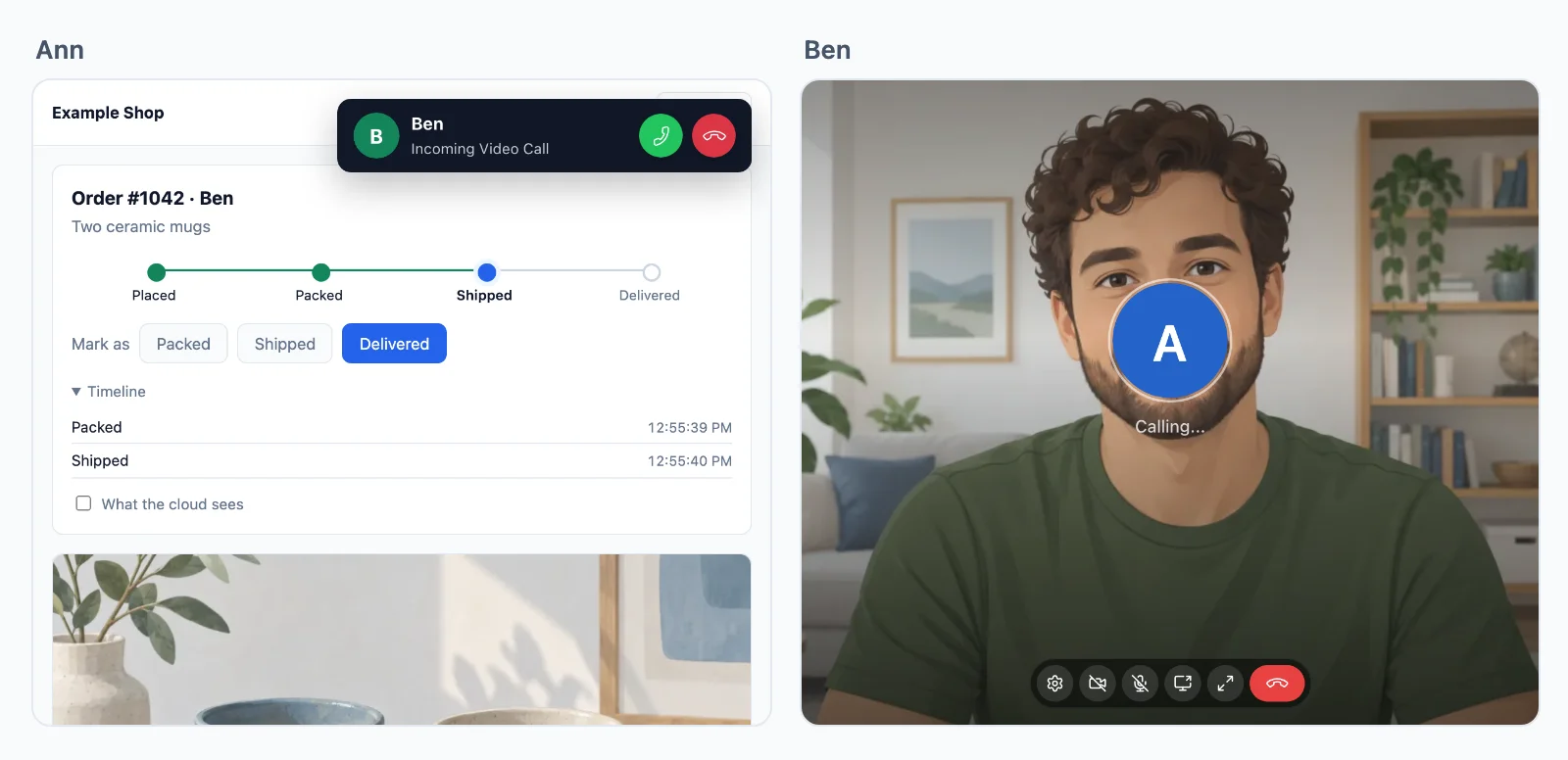
Gesprekken tussen twee personen zijn op elke route end-to-end versleuteld, en een groepsgesprek is dat wanneer je server het zegt.
Meer dan twee personen? Groepsgesprekken draaien op onze mediaservers, met hosts, sprekers en luisteraars.
Toepassingen
Wat er met gesprekken wordt gebouwd
Elk is een complete app in de documentatie, met de server in Node.js, PHP en Python.
Gesprekken vanaf een knop
Een knop Bel support die bij de medewerker overgaat in elk tabblad dat open staat.
Consulten op afspraak
Een videoconsult bij een arts, een advocaat, een bijlesgever of een coach, alleen open voor de twee die geboekt zijn, op het afgesproken tijdstip.
Teamvergaderingen
Een videovergadering voor elk team of evenement, met schermdelen, die de leider voor iedereen beëindigt.
Lessen en audioruimtes
Een docent of een panel spreekt en de rest luistert, met een hand opsteken om te spreken.
Wachtkamers en deelruimtes
Gasten wachten tot de host ze binnenlaat, en de host stuurt mensen naar kleinere ruimtes en weer terug.
Gesprekken in rekening brengen
Je server weet hoe lang elke persoon sprak, geteld op onze servers, om per minuut te factureren.
Prijzen
Geprijsd op verbindingen, nooit op berichten
Vanaf $11.99 per maand voor 1.000 gelijktijdige verbindingen, jaarlijks gefactureerd, of $14.99 maandelijks gefactureerd.
Groepsgesprekken boven je abonnement: $0.20 per 1.000 minuten, $0.10 met audio.
Eén prijs bij elke resolutie. Bandbreedte, relays en berichten worden nooit in rekening gebracht, en gesprekken tussen twee personen zijn inbegrepen. We draaien onze eigen relays en mediaservers, en daardoor blijven deze prijzen laag.
Geprijsd op gelijktijdige verbindingen, vanaf 1.000, maandelijks of jaarlijks gefactureerd. Gesprekken tussen twee personen zijn onbeperkt.
Met 1.000 verbindingen worden groepsgesprekken niet gemeten tot 32 mensen met video tegelijk, iemand met audio telt half, zonder limiet op mensen per gesprek. Elke 1.000 verbindingen extra voegen 12 mensen met video toe. Daarboven kost elke extra persoon met video een credit per minuut, met audio de helft, en je abonnement voegt 5.000 credits per maand toe per 1.000 verbindingen.
Vragen
Veelgestelde vragen
Heb ik eigen TURN- of mediaservers nodig?
Nee. Een gesprek tussen twee personen gaat rechtstreeks tussen de twee apparaten als dat kan, via onze relays als een firewall de directe route blokkeert, en via onze mediaservers als zelfs de relays er niet bij kunnen. Groepsgesprekken draaien op onze mediaservers in meerdere regio’s. Je hoeft niets te hosten.
Welke stacks kunnen de SDK voor videogesprekken gebruiken?
Next.js en Express, Laravel en kale PHP, Django, FastAPI en Flask, Capacitor, iOS en Android, elk met een gids. Een server in een andere taal gebruikt de HTTP API. Flutter-apps hebben gesprekken op iOS en Android, en React Native-apps voorlopig op iOS.
Hoeveel mensen kunnen aan een groepsgesprek deelnemen?
Er is geen limiet op mensen per gesprek. Met 1.000 verbindingen kosten tot 32 mensen met video tegelijk geen credits, iemand met audio telt half, en elke 1.000 verbindingen extra voegen er 12 toe. Daarboven kost elke extra persoon met video een credit per minuut.
Zijn de gesprekken versleuteld?
Ja. De media van een gesprek tussen twee personen zijn op elke route end-to-end versleuteld, ook als onze relays of mediaservers ze doorgeven. Een groepsgesprek is end-to-end versleuteld wanneer je server dat zegt, met een sleutel die alleen je server uitgeeft.
Waar staan jullie servers?
Onze relays en mediaservers draaien in deze landen: Duitsland, Frankrijk, Verenigd Koninkrijk, Polen, Canada en Singapore. Elk gesprek loopt via degene die het dichtst bij de deelnemers staat. Binnenkort: Verenigde Staten, Australië, India en Italië. De realtime servers die je events vervoeren, draaien in Duitsland.
Wie bepaalt wie wie mag bellen?
Je app. Je server geeft de pagina een token voor elk gesprek dat hij toestaat, en voor elke persoon die aan een groepsgesprek deelneemt, met daarin wie spreekt en wie alleen luistert, en wie host is. Wie wat mag, is dus je eigen logica, en zonder token start er niets. De cloud handhaaft elk token, en je server kan de toegang op elk moment intrekken.
Kan ik mijn eigen belinterface bouwen?
Ja. Het belscherm is optioneel. Pas de kleuren en teksten aan, of start, beantwoord en toon gesprekken zelf met de SDK, tot op elke persoon in een groepsgesprek.
Kan ik mijn gebruikers gesprekken in rekening brengen?
Ja. WordPlus Cloud laat je server per webhook weten hoe lang elk gesprek duurde en wanneer elke persoon een groepsgesprek binnenkwam en verliet, geteld op de eigen servers, zodat je app per minuut kan factureren.
Vragen over je integratie? Schrijf ons: we helpen met de SDK’s, het belscherm en je stack.