
 English
 Deutsch
 Español
 Français
 Italiano
 Nederlands
' d='M48 28h24v18a12 12 0 0 1-24 0z'/%3E%3Cpath fill='%230093DD' d='M47.5 21.5h4.6V28h-4.6zm10.2-2.5h4.6v9h-4.6zm10.2 2.5h4.6V28h-4.6z'/%3E%3Cpath fill='%23171796' d='M52.6 20h4.6v8h-4.6zm10.2 0h4.6v8h-4.6z'/%3E%3C/svg%3E) Hrvatski
 עברית
Dla aplikacji
Rozmowy wideo dla Twojej aplikacji
API i SDK do rozmów wideo dla Next.js, Laravel, Django i każdego innego stacku. Rozmowy między dwiema osobami dzwonią w każdej karcie i aplikacji osoby, do której dzwonisz, zawsze się łączą i są szyfrowane end-to-end, a ekran rozmowy jest gotowy do użycia, więc nie musisz niczego utrzymywać.
Albo wypróbuj demo na żywo: otwórz je w dwóch przeglądarkach i zadzwoń z jednej do drugiej.
Najlepsze ceny za WebSockets, nielimitowane rozmowy 1 na 1 z serwerami TURN na całym świecie oraz rozmowy grupowe i transmisje na żywo z pakietem w cenie. Od $11.99 miesięcznie za 1000 jednoczesnych połączeń przy rozliczeniu rocznym lub $14.99 przy rozliczeniu miesięcznym.
Rozmowy grupowe ponad Twój plan: $0.20 za 1000 minut, $0.10 z samym dźwiękiem.
Next.js na serwerze i React na stronie.
export async function GET( request: Request ) {
    const me = await currentUserId();
    const ask = new URL( request.url ).searchParams;
    const to = ask.get( 'to' )!;

    // Your own check, whatever your app needs.
    if ( ! me || ! await mayCall( me, to ) ) {
        return new Response( null, { status: 403 } );
    }

    const token = await realtime.callToken( me, to, {
        type: ask.get( 'type' ),
    } );

    return Response.json( { token } );
}app.get( '/api/call-token', async ( req, res ) => {
const me = userOf( req );
const { to, type } = req.query;
// Your own check, whatever your app needs.
if ( ! me || ! await mayCall( me, to ) ) {
return res.sendStatus( 403 );
}
const token = await realtime.callToken( me, to, { type } );
res.json( { token } );
} );import { createServer } from 'node:http';
createServer( async ( req, res ) => {
const url = new URL( req.url, 'http://localhost' );
if ( url.pathname === '/api/call-token' ) {
const me = userOf( req );
const to = url.searchParams.get( 'to' );
// Your own check, whatever your app needs.
if ( ! me || ! await mayCall( me, to ) ) {
res.writeHead( 403 );
return res.end();
}
const token = await realtime.callToken( me, to, {
type: url.searchParams.get( 'type' ),
} );
res.writeHead( 200, { 'Content-Type': 'application/json' } );
return res.end( JSON.stringify( { token } ) );
}
// Your pages, and realtime.node( userOf ) for the SDK's routes.
} ).listen( 3000 );use Illuminate\Http\Request;
use WordPlus\Realtime\Laravel\Facades\Realtime;
Route::get( '/api/call-token', function ( Request $request ) {
$me = $request->user()->id;
$to = $request->query( 'to' );
// Your own check, whatever your app needs.
abort_unless( may_call( $me, $to ), 403 );
return [ 'token' => Realtime::callToken( $me, $to, [
'type' => $request->query( 'type' ),
] ) ];
} )->middleware( 'auth' );require __DIR__ . '/../src/realtime.php';
$me = current_user_id();
$to = $_GET['to'] ?? '';
// Your own check, whatever your app needs.
if ( ! $me || ! may_call( $me, $to ) ) {
http_response_code( 403 );
exit;
}
header( 'Content-Type: application/json' );
echo json_encode( [
'token' => $realtime->callToken( $me, $to, [
'type' => $_GET['type'] ?? null,
] ),
] );from django.contrib.auth.decorators import login_required
from django.http import HttpResponseForbidden, JsonResponse
from .realtime import realtime
# In urls.py: path("api/call-token", views.call_token)
@login_required
def call_token(request):
me = request.user.id
to = request.GET["to"]
# Your own check, whatever your app needs.
if not may_call(me, to):
return HttpResponseForbidden()
token = realtime.call_token(me, to, type=request.GET.get("type"))
return JsonResponse({"token": token})from fastapi import Depends, HTTPException
from realtime import realtime
@app.get("/api/call-token")
def call_token(
to: str,
type: str = "video",
me: int = Depends(current_user_id),
):
# Your own check, whatever your app needs.
if not me or not may_call(me, to):
raise HTTPException(403)
return {"token": realtime.call_token(me, to, type=type)}from flask import abort, request, session
from realtime import realtime
@app.get("/api/call-token")
def call_token():
me = session.get("user_id")
to = request.args["to"]
# Your own check, whatever your app needs.
if not me or not may_call(me, to):
abort(403)
kind = request.args.get("type")
return {"token": realtime.call_token(me, to, type=kind)}// http.HandleFunc("GET /api/call-token", callToken)
func callToken(w http.ResponseWriter, r *http.Request) {
me := userOf(r)
to := r.URL.Query().Get("to")
// Your own check, whatever your app needs.
if me == "" || !mayCall(me, to) {
w.WriteHeader(403)
return
}
kind := r.URL.Query().Get("type")
reply(w, map[string]string{
"token": app.CallToken(me, to, kind, profile(me)),
})
}Hooki i komponenty dla każdej aplikacji React, z dowolnym serwerem powyżej.
import { connect } from '@wordplus/realtime';

const rt = await connect();

// The ring and the call window.
await rt.callScreen();

// And in the page:
// <call-button to="34" token-url="/api/call-token"
//     type="video" name="Ann">
//     Call Ann
// </call-button>import { connect } from '@wordplus/realtime';
const rt = await connect();
// The ring and the call window.
await rt.callScreen();
// And in the page:
// <call-button to="34" token-url="/api/call-token"
// type="video" name="Ann">
// Call Ann
// </call-button>import { connect } from '@wordplus/realtime';
const rt = await connect();
// The ring and the call window.
await rt.callScreen();
// And in the page:
// <call-button to="34" token-url="/api/call-token"
// type="video" name="Ann">
// Call Ann
// </call-button>import { connect } from '@wordplus/realtime';
const rt = await connect( window.wordplusRealtimeConfig );
// The ring and the call window.
await rt.callScreen();
// And in the page:
// <call-button to="34" token-url="/api/call-token"
// type="video" name="Ann">
// Call Ann
// </call-button><call-button to="34" token-url="/api/call-token"
type="video" name="Ann">
Call Ann
</call-button>
<script type="module">
import { connect } from '@wordplus/realtime';
const rt = await connect( window.wordplusRealtimeConfig );
// The ring and the call window.
await rt.callScreen();
</script><call-button to="34" token-url="/api/call-token"
type="video" name="Ann">
Call Ann
</call-button>
<script type="module">
import { connect } from '@wordplus/realtime';
const rt = await connect( window.wordplusRealtimeConfig );
// The ring and the call window.
await rt.callScreen();
</script><call-button to="34" token-url="/api/call-token"
type="video" name="Ann">
Call Ann
</call-button>
<script type="module">
import { connect } from '@wordplus/realtime';
const rt = await connect( window.wordplusRealtimeConfig );
// The ring and the call window.
await rt.callScreen();
</script><call-button to="34" token-url="/api/call-token"
type="video" name="Ann">
Call Ann
</call-button>
<script type="module">
import { connect } from '@wordplus/realtime';
const rt = await connect( window.wordplusRealtimeConfig );
// The ring and the call window.
await rt.callScreen();
</script>import { connect } from '@wordplus/realtime';
const settings = await fetch( '/api/realtime/config' );
const rt = await connect( await settings.json() );
// The ring and the call window.
await rt.callScreen();
// And in the page:
// <call-button to="34" token-url="/api/call-token"
// type="video" name="Ann">
// Call Ann
// </call-button><call-button to="34" token-url="/api/call-token"
type="video" name="Ann">
Call Ann
</call-button>
<script type="module">
// The ring and the call window.
await window.Echo.connector.rt.callScreen();
</script>'use client'; // in Next.js
import { CallButton, CallScreen } from '@wordplus/realtime/react';
// Inside <RealtimeProvider>, once for the whole app.
export function CallAnn() {
return (
<>
<CallScreen />
<CallButton to={ 34 } tokenUrl="/api/call-token"
type="video" name="Ann">
Call Ann
</CallButton>
</>
);
}<script setup>
import { onMounted } from 'vue';
// realtime.js, one connection for the whole app:
// export const realtime = connect();
import { realtime } from './realtime';
onMounted( async () => {
// The ring and the call window.
( await realtime ).callScreen();
} );
</script>
<!-- isCustomElement for these tags, in vite.config.js -->
<template>
<call-button to="34" token-url="/api/call-token"
type="video" name="Ann">
Call Ann
</call-button>
</template><script>
import { onMount } from 'svelte';
// realtime.js, one connection for the whole app:
// export const realtime = connect();
import { realtime } from './realtime';
onMount( async () => {
// The ring and the call window.
( await realtime ).callScreen();
} );
</script>
<call-button to="34" token-url="/api/call-token"
type="video" name="Ann">
Call Ann
</call-button>import { Component, CUSTOM_ELEMENTS_SCHEMA } from '@angular/core';
// realtime.ts, one connection for the whole app:
// export const realtime = connect();
import { realtime } from './realtime';
@Component( {
selector: 'app-call-ann',
schemas: [ CUSTOM_ELEMENTS_SCHEMA ],
template: `
<call-button to="34" token-url="/api/call-token"
type="video" name="Ann">
Call Ann
</call-button>
`,
} )
export class CallAnnComponent {
async ngOnInit() {
// The ring and the call window.
( await realtime ).callScreen();
}
}import WordPlusRealtimeCalls
import WordPlusRealtimeUI
// Rings for every call coming in.
CallScreen.shared.attach(rt.calls)
// Your own request to your route.
let token = try await api.callToken(to: "34")
let call = try await rt.startCall(token)
CallScreen.shared.show(call, name: "Ann")import cloud.wordplus.realtime.calls.calls
import cloud.wordplus.realtime.calls.startCall
import cloud.wordplus.realtime.ui.CallScreen
// Rings for every call coming in.
CallScreen.attach(context, rt.calls(context))
// Your own request to your route.
val token = api.callToken(to = "34")
val call = rt.startCall(context, token)
CallScreen.show(context, call, name = "Ann")import {
CallButton, CallScreen, RealtimeProvider,
} from '@wordplus/realtime-react-native';
// Your server, in full, as an app has no address of its own.
const API = 'https://app.example.com/api';
const options = {
app: 's1500000007',
endpoint: API + '/realtime',
headers: { Authorization: 'Bearer ' + session.token },
};
export function App() {
return (
<RealtimeProvider options={ options }>
<CallScreen />
<CallButton to="34" tokenUrl={ API + '/call-token' }
type="video" name="Ann">
Call Ann
</CallButton>
</RealtimeProvider>
);
}import 'package:flutter/material.dart';
import 'package:wordplus_realtime/wordplus_realtime.dart';
// Your server, in full, as an app has no address of its own.
const api = 'https://app.example.com/api';
// Once, as your app starts.
final rt = await WordPlusRealtime.connect(
app: 's1500000007',
endpoint: '$api/realtime',
headers: {'Authorization': 'Bearer ${session.token}'},
);
// Rings for every call coming in, and shows it once answered.
await rt.callScreen();
// In your build:
CallButton(
rt: rt,
to: '34',
tokenUrl: '$api/call-token',
name: 'Ann',
child: const Text('Call Ann'),
)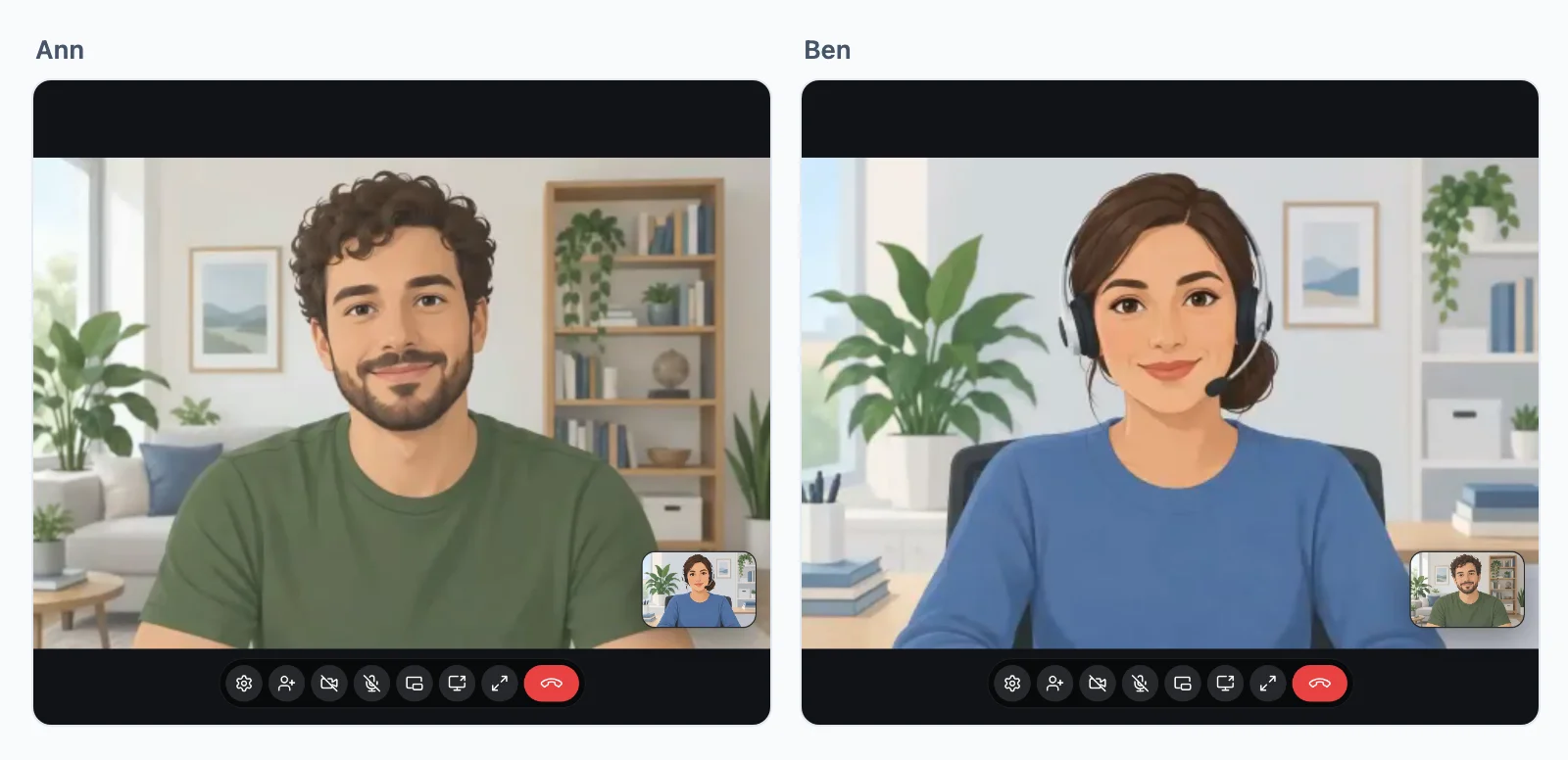
Wypróbuj rozmowę wideo
Rozpocznij rozmowę tutaj, a odbierz ją na telefonie lub w drugim oknie. Konto nie jest potrzebne.
To ekrany, które SDK daje Twojej aplikacji. Przeglądarka poprosi o kamerę i mikrofon, nic nie jest nagrywane, a demo kończy się po 10 minutach.
Rozmowy między dwiema osobami
Każda rozmowa się łączy
Rozmowa dzwoni w każdej karcie i aplikacji, którą osoba wywoływana ma otwartą, i przestaje dzwonić wszędzie, gdy tylko odbierze w jednej z nich. Potem wybiera najlepszą drogę, na jaką pozwalają obie sieci, bez Twojego serwera TURN do utrzymania.
- BezpośrednioMiędzy dwoma urządzeniami, w większości sieci. Najszybsza droga.
- Przez nasze przekaźnikiGdy zapora blokuje drogę bezpośrednią. Odpowiadają na portach sieci WWW, więc rozmowa przechodzi wszędzie tam, gdzie przechodzą strony internetowe.
- Przez nasze serwery mediówGdy nawet przekaźniki nie docierają. Rozmowa przenosi się tam i trwa dalej, bez rozłączania.
Szyfrowane end-to-end na każdej drodze i wliczone w każdy plan.
Gdzie łączą się rozmowy
Nasze przekaźniki i serwery mediów działają blisko Twoich użytkowników, a każda rozmowa idzie przez ten najbliższy jej uczestnikom.
Decyduje Twój serwer
Zainicjuj, odbierz i prowadź rozmowę
Kto może dzwonić do kogo, zależy od Twojej aplikacji. Twój serwer daje stronie token na każdą rozmowę, na którą pozwala, a strona rozpoczyna z nim rozmowę, przyciskiem albo Twoim własnym kodem. Oto rozmowa z Ann, zadanie po zadaniu.
Next.js na serwerze i React na stronie.
Daj stronie token
Kto może dzwonić do kogo, to własna logika Twojej aplikacji, więc trafia do Twojej własnej trasy. Sprawdź wszystko, czego potrzebuje Twoja aplikacja, a potem odpowiedz tokenem. Token rozpoczyna jedną rozmowę, a bez niego nic nie dzwoni. mayCall to Twoja własna funkcja sprawdzająca.
export async function GET( request: Request ) {
    const me = await currentUserId();
    const ask = new URL( request.url ).searchParams;
    const to = ask.get( 'to' )!;

    // Your own check, whatever your app needs.
    if ( ! me || ! await mayCall( me, to ) ) {
        return new Response( null, { status: 403 } );
    }

    const token = await realtime.callToken( me, to, {
        type: ask.get( 'type' ),
    } );

    return Response.json( { token } );
}app.get( '/api/call-token', async ( req, res ) => {
const me = userOf( req );
const { to, type } = req.query;
// Your own check, whatever your app needs.
if ( ! me || ! await mayCall( me, to ) ) {
return res.sendStatus( 403 );
}
const token = await realtime.callToken( me, to, { type } );
res.json( { token } );
} );import { createServer } from 'node:http';
createServer( async ( req, res ) => {
const url = new URL( req.url, 'http://localhost' );
if ( url.pathname === '/api/call-token' ) {
const me = userOf( req );
const to = url.searchParams.get( 'to' );
// Your own check, whatever your app needs.
if ( ! me || ! await mayCall( me, to ) ) {
res.writeHead( 403 );
return res.end();
}
const token = await realtime.callToken( me, to, {
type: url.searchParams.get( 'type' ),
} );
res.writeHead( 200, { 'Content-Type': 'application/json' } );
return res.end( JSON.stringify( { token } ) );
}
// Your pages, and realtime.node( userOf ) for the SDK's routes.
} ).listen( 3000 );use Illuminate\Http\Request;
use WordPlus\Realtime\Laravel\Facades\Realtime;
Route::get( '/api/call-token', function ( Request $request ) {
$me = $request->user()->id;
$to = $request->query( 'to' );
// Your own check, whatever your app needs.
abort_unless( may_call( $me, $to ), 403 );
return [ 'token' => Realtime::callToken( $me, $to, [
'type' => $request->query( 'type' ),
] ) ];
} )->middleware( 'auth' );require __DIR__ . '/../src/realtime.php';
$me = current_user_id();
$to = $_GET['to'] ?? '';
// Your own check, whatever your app needs.
if ( ! $me || ! may_call( $me, $to ) ) {
http_response_code( 403 );
exit;
}
header( 'Content-Type: application/json' );
echo json_encode( [
'token' => $realtime->callToken( $me, $to, [
'type' => $_GET['type'] ?? null,
] ),
] );from django.contrib.auth.decorators import login_required
from django.http import HttpResponseForbidden, JsonResponse
from .realtime import realtime
# In urls.py: path("api/call-token", views.call_token)
@login_required
def call_token(request):
me = request.user.id
to = request.GET["to"]
# Your own check, whatever your app needs.
if not may_call(me, to):
return HttpResponseForbidden()
token = realtime.call_token(me, to, type=request.GET.get("type"))
return JsonResponse({"token": token})from fastapi import Depends, HTTPException
from realtime import realtime
@app.get("/api/call-token")
def call_token(
to: str,
type: str = "video",
me: int = Depends(current_user_id),
):
# Your own check, whatever your app needs.
if not me or not may_call(me, to):
raise HTTPException(403)
return {"token": realtime.call_token(me, to, type=type)}from flask import abort, request, session
from realtime import realtime
@app.get("/api/call-token")
def call_token():
me = session.get("user_id")
to = request.args["to"]
# Your own check, whatever your app needs.
if not me or not may_call(me, to):
abort(403)
kind = request.args.get("type")
return {"token": realtime.call_token(me, to, type=kind)}// http.HandleFunc("GET /api/call-token", callToken)
func callToken(w http.ResponseWriter, r *http.Request) {
me := userOf(r)
to := r.URL.Query().Get("to")
// Your own check, whatever your app needs.
if me == "" || !mayCall(me, to) {
w.WriteHeader(403)
return
}
kind := r.URL.Query().Get("type")
reply(w, map[string]string{
"token": app.CallToken(me, to, kind, profile(me)),
})
}Dodaj przycisk rozmowy
Gotowy ekran: przycisk, dzwonek z przyciskami Odbierz i Odrzuć oraz okno rozmowy, bez kodu rozmowy. Przycisk prosi Twoją trasę o swój token. Uruchom ekran na każdej stronie, na której ktoś może odebrać rozmowę, bo rozmowa dzwoni tylko tam, gdzie on działa.
Hooki i komponenty dla każdej aplikacji React, z dowolnym serwerem powyżej.
import { connect } from '@wordplus/realtime';

const rt = await connect();

// The ring and the call window, on every page someone may be called on.
await rt.callScreen();

// And in the page. The button asks your route for its token.
// <call-button to="34" token-url="/api/call-token" type="video" name="Ann">
//     Call Ann
// </call-button>import { connect } from '@wordplus/realtime';
const rt = await connect();
// The ring and the call window, on every page someone may be called on.
await rt.callScreen();
// And in the page. The button asks your route for its token.
// <call-button to="34" token-url="/api/call-token" type="video" name="Ann">
// Call Ann
// </call-button>import { connect } from '@wordplus/realtime';
const rt = await connect();
// The ring and the call window, on every page someone may be called on.
await rt.callScreen();
// And in the page. The button asks your route for its token.
// <call-button to="34" token-url="/api/call-token" type="video" name="Ann">
// Call Ann
// </call-button>import { connect } from '@wordplus/realtime';
const rt = await connect();
// The ring and the call window, on every page someone may be called on.
await rt.callScreen();
// And in the page. The button asks your route for its token.
// <call-button to="34" token-url="/api/call-token" type="video" name="Ann">
// Call Ann
// </call-button>import { connect } from '@wordplus/realtime';
const rt = await connect();
// The ring and the call window, on every page someone may be called on.
await rt.callScreen();
// And in the page. The button asks your route for its token.
// <call-button to="34" token-url="/api/call-token" type="video" name="Ann">
// Call Ann
// </call-button>import { connect } from '@wordplus/realtime';
const rt = await connect();
// The ring and the call window, on every page someone may be called on.
await rt.callScreen();
// And in the page. The button asks your route for its token.
// <call-button to="34" token-url="/api/call-token" type="video" name="Ann">
// Call Ann
// </call-button>import { connect } from '@wordplus/realtime';
const rt = await connect();
// The ring and the call window, on every page someone may be called on.
await rt.callScreen();
// And in the page. The button asks your route for its token.
// <call-button to="34" token-url="/api/call-token" type="video" name="Ann">
// Call Ann
// </call-button>import { connect } from '@wordplus/realtime';
const rt = await connect();
// The ring and the call window, on every page someone may be called on.
await rt.callScreen();
// And in the page. The button asks your route for its token.
// <call-button to="34" token-url="/api/call-token" type="video" name="Ann">
// Call Ann
// </call-button>import { connect } from '@wordplus/realtime';
const rt = await connect();
// The ring and the call window, on every page someone may be called on.
await rt.callScreen();
// And in the page. The button asks your route for its token.
// <call-button to="34" token-url="/api/call-token" type="video" name="Ann">
// Call Ann
// </call-button><call-button to="34" token-url="/api/call-token" type="video" name="Ann">
Call Ann
</call-button>
<script type="module">
// The ring and the call window, on every page someone may be called on.
await window.Echo.connector.rt.callScreen();
</script>'use client'; // in Next.js
import { CallButton, CallScreen } from '@wordplus/realtime/react';
// Inside <RealtimeProvider>, once for the whole app.
export function CallAnn() {
return (
<>
<CallScreen />
<CallButton to={ 34 } tokenUrl="/api/call-token" type="video" name="Ann">
Call Ann
</CallButton>
</>
);
}<script setup>
import { watchEffect } from 'vue';
import { useRealtime } from '@wordplus/realtime/vue';
// provideRealtime() once, in your root component.
const rt = useRealtime();
// The ring and the call window, on every page someone may be called on.
watchEffect( () => rt.value?.callScreen() );
</script>
<!-- isCustomElement for this tag, in vite.config.js -->
<template>
<call-button to="34" token-url="/api/call-token" type="video" name="Ann">
Call Ann
</call-button>
</template><script>
import { useRealtime } from '@wordplus/realtime/svelte';
// provideRealtime() once, in your root component.
const rt = useRealtime();
// The ring and the call window, on every page someone may be called on.
$effect( () => { rt.current?.callScreen(); } );
</script>
<call-button to="34" token-url="/api/call-token" type="video" name="Ann">
Call Ann
</call-button>import { Component, CUSTOM_ELEMENTS_SCHEMA } from '@angular/core';
// realtime.ts, one connection for the whole app:
// export const realtime = connect();
import { realtime } from './realtime';
@Component( {
selector: 'app-call-ann',
schemas: [ CUSTOM_ELEMENTS_SCHEMA ],
template: `<call-button to="34" token-url="/api/call-token" type="video" name="Ann">Call Ann</call-button>`,
} )
export class CallAnnComponent {
async ngOnInit() {
const rt = await realtime;
// The ring and the call window, on every page someone may be called on.
await rt.callScreen();
}
}import WordPlusRealtimeCalls
import WordPlusRealtimeUI
// Rings for every call coming in, and shows it once answered.
CallScreen.shared.attach(rt.calls)
let token = try await api.callToken(to: "34") // your own request to your route
let call = try await rt.startCall(token)
CallScreen.shared.show(call, name: "Ann")import cloud.wordplus.realtime.calls.calls
import cloud.wordplus.realtime.calls.startCall
import cloud.wordplus.realtime.ui.CallScreen
// Rings for every call coming in, and shows it once answered.
CallScreen.attach(context, rt.calls(context))
val token = api.callToken(to = "34") // your own request to your route
val call = rt.startCall(context, token)
CallScreen.show(context, call, name = "Ann")import {
CallButton, CallScreen, RealtimeProvider,
} from '@wordplus/realtime-react-native';
// Your server, in full, as an app has no address of its own.
const API = 'https://app.example.com/api';
const options = {
app: 's1500000007',
endpoint: API + '/realtime',
headers: { Authorization: 'Bearer ' + session.token },
};
export function App() {
return (
<RealtimeProvider options={ options }>
<CallScreen />
<CallButton to="34" tokenUrl={ API + '/call-token' }
type="video" name="Ann">
Call Ann
</CallButton>
</RealtimeProvider>
);
}import 'package:flutter/material.dart';
import 'package:wordplus_realtime/wordplus_realtime.dart';
// Your server, in full, as an app has no address of its own.
const api = 'https://app.example.com/api';
// Once, as your app starts.
final rt = await WordPlusRealtime.connect(
app: 's1500000007',
endpoint: '$api/realtime',
headers: {'Authorization': 'Bearer ${session.token}'},
);
// Rings for every call coming in, and shows it once answered.
await rt.callScreen();
// In your build:
CallButton(
rt: rt,
to: '34',
tokenUrl: '$api/call-token',
name: 'Ann',
child: const Text('Call Ann'),
)Dzwoń z własnego kodu
Dla ekranu, który rysujesz sam: pobierz token ze swojej trasy i rozpocznij z nim rozmowę. Rozmowa dzwoni w każdej karcie i aplikacji, którą druga osoba ma otwartą, i przestaje dzwonić wszędzie, gdy tylko odbierze w jednej z nich.
Hooki i komponenty dla każdej aplikacji React, z dowolnym serwerem powyżej.
import { connect } from '@wordplus/realtime';

const rt = await connect();

// Asks your server for a token: your route from the first step.
async function callToken( to ) {
    const answer = await fetch( '/api/call-token?to=' + to );
    if ( ! answer.ok ) throw new Error( 'Your server said no' );

    return ( await answer.json() ).token;
}

const call = await rt.startCall( await callToken( 34 ) );

call.on( 'state', ( state ) => showState( state ) );   // ringing, connecting, connected, ended
call.on( 'remote', () => {
    call.remote.camera?.attach( video );               // a <video> of yours
    call.remote.microphone?.attach( audio );           // an <audio> of yours
} );

await call.setMicrophone( true );
await call.setCamera( true );

hangUp.onclick = () => call.end();import { connect } from '@wordplus/realtime';
const rt = await connect();
// Asks your server for a token: your route from the first step.
async function callToken( to ) {
const answer = await fetch( '/api/call-token?to=' + to );
if ( ! answer.ok ) throw new Error( 'Your server said no' );
return ( await answer.json() ).token;
}
const call = await rt.startCall( await callToken( 34 ) );
call.on( 'state', ( state ) => showState( state ) ); // ringing, connecting, connected, ended
call.on( 'remote', () => {
call.remote.camera?.attach( video ); // a <video> of yours
call.remote.microphone?.attach( audio ); // an <audio> of yours
} );
await call.setMicrophone( true );
await call.setCamera( true );
hangUp.onclick = () => call.end();import { connect } from '@wordplus/realtime';
const rt = await connect();
// Asks your server for a token: your route from the first step.
async function callToken( to ) {
const answer = await fetch( '/api/call-token?to=' + to );
if ( ! answer.ok ) throw new Error( 'Your server said no' );
return ( await answer.json() ).token;
}
const call = await rt.startCall( await callToken( 34 ) );
call.on( 'state', ( state ) => showState( state ) ); // ringing, connecting, connected, ended
call.on( 'remote', () => {
call.remote.camera?.attach( video ); // a <video> of yours
call.remote.microphone?.attach( audio ); // an <audio> of yours
} );
await call.setMicrophone( true );
await call.setCamera( true );
hangUp.onclick = () => call.end();import { connect } from '@wordplus/realtime';
const rt = await connect();
// Asks your server for a token: your route from the first step.
async function callToken( to ) {
const answer = await fetch( '/api/call-token?to=' + to );
if ( ! answer.ok ) throw new Error( 'Your server said no' );
return ( await answer.json() ).token;
}
const call = await rt.startCall( await callToken( 34 ) );
call.on( 'state', ( state ) => showState( state ) ); // ringing, connecting, connected, ended
call.on( 'remote', () => {
call.remote.camera?.attach( video ); // a <video> of yours
call.remote.microphone?.attach( audio ); // an <audio> of yours
} );
await call.setMicrophone( true );
await call.setCamera( true );
hangUp.onclick = () => call.end();import { connect } from '@wordplus/realtime';
const rt = await connect();
// Asks your server for a token: your route from the first step.
async function callToken( to ) {
const answer = await fetch( '/api/call-token?to=' + to );
if ( ! answer.ok ) throw new Error( 'Your server said no' );
return ( await answer.json() ).token;
}
const call = await rt.startCall( await callToken( 34 ) );
call.on( 'state', ( state ) => showState( state ) ); // ringing, connecting, connected, ended
call.on( 'remote', () => {
call.remote.camera?.attach( video ); // a <video> of yours
call.remote.microphone?.attach( audio ); // an <audio> of yours
} );
await call.setMicrophone( true );
await call.setCamera( true );
hangUp.onclick = () => call.end();import { connect } from '@wordplus/realtime';
const rt = await connect();
// Asks your server for a token: your route from the first step.
async function callToken( to ) {
const answer = await fetch( '/api/call-token?to=' + to );
if ( ! answer.ok ) throw new Error( 'Your server said no' );
return ( await answer.json() ).token;
}
const call = await rt.startCall( await callToken( 34 ) );
call.on( 'state', ( state ) => showState( state ) ); // ringing, connecting, connected, ended
call.on( 'remote', () => {
call.remote.camera?.attach( video ); // a <video> of yours
call.remote.microphone?.attach( audio ); // an <audio> of yours
} );
await call.setMicrophone( true );
await call.setCamera( true );
hangUp.onclick = () => call.end();import { connect } from '@wordplus/realtime';
const rt = await connect();
// Asks your server for a token: your route from the first step.
async function callToken( to ) {
const answer = await fetch( '/api/call-token?to=' + to );
if ( ! answer.ok ) throw new Error( 'Your server said no' );
return ( await answer.json() ).token;
}
const call = await rt.startCall( await callToken( 34 ) );
call.on( 'state', ( state ) => showState( state ) ); // ringing, connecting, connected, ended
call.on( 'remote', () => {
call.remote.camera?.attach( video ); // a <video> of yours
call.remote.microphone?.attach( audio ); // an <audio> of yours
} );
await call.setMicrophone( true );
await call.setCamera( true );
hangUp.onclick = () => call.end();import { connect } from '@wordplus/realtime';
const rt = await connect();
// Asks your server for a token: your route from the first step.
async function callToken( to ) {
const answer = await fetch( '/api/call-token?to=' + to );
if ( ! answer.ok ) throw new Error( 'Your server said no' );
return ( await answer.json() ).token;
}
const call = await rt.startCall( await callToken( 34 ) );
call.on( 'state', ( state ) => showState( state ) ); // ringing, connecting, connected, ended
call.on( 'remote', () => {
call.remote.camera?.attach( video ); // a <video> of yours
call.remote.microphone?.attach( audio ); // an <audio> of yours
} );
await call.setMicrophone( true );
await call.setCamera( true );
hangUp.onclick = () => call.end();import { connect } from '@wordplus/realtime';
const rt = await connect();
// Asks your server for a token: your route from the first step.
async function callToken( to ) {
const answer = await fetch( '/api/call-token?to=' + to );
if ( ! answer.ok ) throw new Error( 'Your server said no' );
return ( await answer.json() ).token;
}
const call = await rt.startCall( await callToken( 34 ) );
call.on( 'state', ( state ) => showState( state ) ); // ringing, connecting, connected, ended
call.on( 'remote', () => {
call.remote.camera?.attach( video ); // a <video> of yours
call.remote.microphone?.attach( audio ); // an <audio> of yours
} );
await call.setMicrophone( true );
await call.setCamera( true );
hangUp.onclick = () => call.end();const rt = window.Echo.connector.rt; // the connection Echo made
// Asks your server for a token: your route from the first step.
async function callToken( to ) {
const answer = await fetch( '/api/call-token?to=' + to );
if ( ! answer.ok ) throw new Error( 'Your server said no' );
return ( await answer.json() ).token;
}
const call = await rt.startCall( await callToken( 34 ) );
call.on( 'state', ( state ) => showState( state ) ); // ringing, connecting, connected, ended
call.on( 'remote', () => {
call.remote.camera?.attach( video ); // a <video> of yours
call.remote.microphone?.attach( audio ); // an <audio> of yours
} );
await call.setMicrophone( true );
await call.setCamera( true );
hangUp.onclick = () => call.end();'use client'; // in Next.js
import { AudioTrack, useCall, VideoTrack } from '@wordplus/realtime/react';
// Asks your server for a token: your route from the first step.
async function callToken( to ) {
const answer = await fetch( '/api/call-token?to=' + to );
if ( ! answer.ok ) throw new Error( 'Your server said no' );
return ( await answer.json() ).token;
}
// Inside <RealtimeProvider>, once for the whole app.
export function Call() {
const { call, state, remote, camera, start, end } = useCall();
if ( ! call ) {
return <button onClick={ async () => start( await callToken( 34 ) ) }>Call Ann</button>;
}
return (
<>
<p>{ state }</p>
<VideoTrack track={ remote?.camera } />
<AudioTrack track={ remote?.microphone } />
<VideoTrack track={ camera } />
<button onClick={ end }>Hang up</button>
</>
);
}<script setup>
import { AudioTrack, useCall, VideoTrack } from '@wordplus/realtime/vue';
// Asks your server for a token: your route from the first step.
async function callToken( to ) {
const answer = await fetch( '/api/call-token?to=' + to );
if ( ! answer.ok ) throw new Error( 'Your server said no' );
return ( await answer.json() ).token;
}
// provideRealtime() once, in your root component.
const { call, state, remote, camera, start, end } = useCall();
</script>
<template>
<button v-if="! call" @click="async () => start( await callToken( 34 ) )">Call Ann</button>
<template v-else>
<p>{{ state }}</p>
<VideoTrack :track="remote?.camera" />
<AudioTrack :track="remote?.microphone" />
<VideoTrack :track="camera" />
<button @click="end">Hang up</button>
</template>
</template><script>
import { track, useCall } from '@wordplus/realtime/svelte';
// Asks your server for a token: your route from the first step.
async function callToken( to ) {
const answer = await fetch( '/api/call-token?to=' + to );
if ( ! answer.ok ) throw new Error( 'Your server said no' );
return ( await answer.json() ).token;
}
// provideRealtime() once, in your root component.
const current = useCall();
</script>
{#if ! current.call}
<button onclick={ async () => current.start( await callToken( 34 ) ) }>Call Ann</button>
{:else}
<p>{ current.state }</p>
<video use:track={ current.remote?.camera } muted autoplay playsinline></video>
<audio use:track={ current.remote?.microphone } autoplay></audio>
<video use:track={ current.camera } muted autoplay playsinline></video>
<button onclick={ current.end }>Hang up</button>
{/if}import { Component, CUSTOM_ELEMENTS_SCHEMA } from '@angular/core';
// realtime.ts, one connection for the whole app:
// export const realtime = connect();
import { realtime } from './realtime';
@Component( {
selector: 'app-call',
schemas: [ CUSTOM_ELEMENTS_SCHEMA ],
template: `<video #video autoplay playsinline></video>`,
} )
export class CallComponent {
async ngOnInit() {
const rt = await realtime;
// Asks your server for a token: your route from the first step.
async function callToken( to ) {
const answer = await fetch( '/api/call-token?to=' + to );
if ( ! answer.ok ) throw new Error( 'Your server said no' );
return ( await answer.json() ).token;
}
const call = await rt.startCall( await callToken( 34 ) );
call.on( 'state', ( state ) => showState( state ) ); // ringing, connecting, connected, ended
call.on( 'remote', () => {
call.remote.camera?.attach( video ); // a <video> of yours
call.remote.microphone?.attach( audio ); // an <audio> of yours
} );
await call.setMicrophone( true );
await call.setCamera( true );
hangUp.onclick = () => call.end();
}
}let token = try await api.callToken(to: "34") // your own request to your route
let call = try await rt.startCall(token)
call.onState { state in label.text = state.rawValue } // ringing, connecting, connected, ended
call.onRemote { remoteView.show(call.remoteCamera) } // a CallVideoView of yours
ownView.show(call.localCamera)
hangUp.addAction(UIAction { _ in call.end() }, for: .touchUpInside)val token = api.callToken(to = "34") // your own request to your route
val call = rt.startCall(context, token)
call.onState { state -> label.text = state.wire } // ringing, connecting, connected, ended
call.onRemote { remoteView.show(call.remoteCamera) } // a CallVideoView of yours
ownView.show(call.localCamera)
hangUp.setOnClickListener { call.end() }import { Button, Text, View } from 'react-native';
import { CallVideo, useCall, useRealtime } from '@wordplus/realtime-react-native';
const API = 'https://app.example.com/api'; // your server, in full
// Inside <RealtimeProvider>, once for the whole app.
export function Call() {
const rt = useRealtime();
const { call, state, start, end } = useCall();
// Asks your route from the first step, then starts with its token.
const callAnn = async () => {
start( await rt.tokenFrom( API + '/call-token', { to: 34, type: 'video' } ) );
};
if ( ! call ) return <Button title="Call Ann" disabled={ ! rt } onPress={ callAnn } />;
return (
<View style={ { flex: 1 } }>
<Text>{ state?.state }</Text>
<CallVideo call={ call } style={ { flex: 1 } } />
<CallVideo call={ call } source="own" mirrored style={ { height: 120 } } />
<Button title="Hang up" onPress={ end } />
</View>
);
}// Asks your route from the first step, then starts with its token.
final token = await rt.tokenFrom('$api/call-token', {'to': 34, 'type': 'video'});
final call = await rt.startCall(token);
// ringing, connecting, connected, reconnecting, ended
call.onState((state) => showState(state));
// In your build, where you lay them out:
CallVideo(call: call) // the other side
CallVideo(call: call, source: CallVideoSource.own, mirrored: true) // your own
FilledButton(onPressed: call.end, child: const Text('Hang up'))Odbierz rozmowę
Strona, która czeka na rozmowy, trzyma linię swojego użytkownika, na której jego rozmowy dzwonią przez 45 sekund. Odebranie nie wymaga tokenu, bo token dzwoniącego już pokazuje, że Twój serwer się zgodził. Odbierz lub odrzuć, a jego inne karty przestaną dzwonić.
Hooki i komponenty dla każdej aplikacji React, z dowolnym serwerem powyżej.
import { connect } from '@wordplus/realtime';

const rt = await connect();

// From now on their calls ring on this page.
rt.onIncomingCall( ( incoming ) => {
    showRing( incoming.info?.name, incoming.type );

    answer.onclick = () => incoming.accept();    // gives the call, as rt.startCall() does
    decline.onclick = () => incoming.decline();  // or decline( 'busy' )

    incoming.on( 'over', hideRing );             // answered elsewhere, or the caller gave up
} );import { connect } from '@wordplus/realtime';
const rt = await connect();
// From now on their calls ring on this page.
rt.onIncomingCall( ( incoming ) => {
showRing( incoming.info?.name, incoming.type );
answer.onclick = () => incoming.accept(); // gives the call, as rt.startCall() does
decline.onclick = () => incoming.decline(); // or decline( 'busy' )
incoming.on( 'over', hideRing ); // answered elsewhere, or the caller gave up
} );import { connect } from '@wordplus/realtime';
const rt = await connect();
// From now on their calls ring on this page.
rt.onIncomingCall( ( incoming ) => {
showRing( incoming.info?.name, incoming.type );
answer.onclick = () => incoming.accept(); // gives the call, as rt.startCall() does
decline.onclick = () => incoming.decline(); // or decline( 'busy' )
incoming.on( 'over', hideRing ); // answered elsewhere, or the caller gave up
} );import { connect } from '@wordplus/realtime';
const rt = await connect();
// From now on their calls ring on this page.
rt.onIncomingCall( ( incoming ) => {
showRing( incoming.info?.name, incoming.type );
answer.onclick = () => incoming.accept(); // gives the call, as rt.startCall() does
decline.onclick = () => incoming.decline(); // or decline( 'busy' )
incoming.on( 'over', hideRing ); // answered elsewhere, or the caller gave up
} );import { connect } from '@wordplus/realtime';
const rt = await connect();
// From now on their calls ring on this page.
rt.onIncomingCall( ( incoming ) => {
showRing( incoming.info?.name, incoming.type );
answer.onclick = () => incoming.accept(); // gives the call, as rt.startCall() does
decline.onclick = () => incoming.decline(); // or decline( 'busy' )
incoming.on( 'over', hideRing ); // answered elsewhere, or the caller gave up
} );import { connect } from '@wordplus/realtime';
const rt = await connect();
// From now on their calls ring on this page.
rt.onIncomingCall( ( incoming ) => {
showRing( incoming.info?.name, incoming.type );
answer.onclick = () => incoming.accept(); // gives the call, as rt.startCall() does
decline.onclick = () => incoming.decline(); // or decline( 'busy' )
incoming.on( 'over', hideRing ); // answered elsewhere, or the caller gave up
} );import { connect } from '@wordplus/realtime';
const rt = await connect();
// From now on their calls ring on this page.
rt.onIncomingCall( ( incoming ) => {
showRing( incoming.info?.name, incoming.type );
answer.onclick = () => incoming.accept(); // gives the call, as rt.startCall() does
decline.onclick = () => incoming.decline(); // or decline( 'busy' )
incoming.on( 'over', hideRing ); // answered elsewhere, or the caller gave up
} );import { connect } from '@wordplus/realtime';
const rt = await connect();
// From now on their calls ring on this page.
rt.onIncomingCall( ( incoming ) => {
showRing( incoming.info?.name, incoming.type );
answer.onclick = () => incoming.accept(); // gives the call, as rt.startCall() does
decline.onclick = () => incoming.decline(); // or decline( 'busy' )
incoming.on( 'over', hideRing ); // answered elsewhere, or the caller gave up
} );import { connect } from '@wordplus/realtime';
const rt = await connect();
// From now on their calls ring on this page.
rt.onIncomingCall( ( incoming ) => {
showRing( incoming.info?.name, incoming.type );
answer.onclick = () => incoming.accept(); // gives the call, as rt.startCall() does
decline.onclick = () => incoming.decline(); // or decline( 'busy' )
incoming.on( 'over', hideRing ); // answered elsewhere, or the caller gave up
} );const rt = window.Echo.connector.rt; // the connection Echo made
// From now on their calls ring on this page.
rt.onIncomingCall( ( incoming ) => {
showRing( incoming.info?.name, incoming.type );
answer.onclick = () => incoming.accept(); // gives the call, as rt.startCall() does
decline.onclick = () => incoming.decline(); // or decline( 'busy' )
incoming.on( 'over', hideRing ); // answered elsewhere, or the caller gave up
} );// In the component that holds the call, on the same useCall().
const { incoming } = useCalls(); // those ringing now
const ring = incoming[ 0 ];
if ( ! call && ring ) {
return (
<>
<p>{ ring.info?.name } is calling</p>
<button onClick={ () => answer( ring ) }>Answer</button>
<button onClick={ () => ring.decline() }>Decline</button>
</>
);
}<script setup>
// In the component that holds the call, on the same useCall().
const { incoming } = useCalls(); // those ringing now
</script>
<template>
<template v-if="! call && incoming[ 0 ]">
<p>{{ incoming[ 0 ].info?.name }} is calling</p>
<button @click="answer( incoming[ 0 ] )">Answer</button>
<button @click="incoming[ 0 ].decline()">Decline</button>
</template>
</template><script>
// In the component that holds the call, on the same useCall().
const calls = useCalls(); // those ringing now
</script>
{#if ! current.call && calls.incoming[ 0 ]}
<p>{ calls.incoming[ 0 ].info?.name } is calling</p>
<button onclick={ () => current.answer( calls.incoming[ 0 ] ) }>Answer</button>
<button onclick={ () => calls.incoming[ 0 ].decline() }>Decline</button>
{/if}import { Component, CUSTOM_ELEMENTS_SCHEMA } from '@angular/core';
// realtime.ts, one connection for the whole app:
// export const realtime = connect();
import { realtime } from './realtime';
@Component( {
selector: 'app-ring',
schemas: [ CUSTOM_ELEMENTS_SCHEMA ],
template: `<!-- Your ring here -->`,
} )
export class RingComponent {
async ngOnInit() {
const rt = await realtime;
// From now on their calls ring on this page.
rt.onIncomingCall( ( incoming ) => {
showRing( incoming.info?.name, incoming.type );
answer.onclick = () => incoming.accept(); // gives the call, as rt.startCall() does
decline.onclick = () => incoming.decline(); // or decline( 'busy' )
incoming.on( 'over', hideRing ); // answered elsewhere, or the caller gave up
} );
}
}rt.calls.onIncoming { incoming in
showRing(incoming.info["name"], incoming.type)
incoming.onOver { _ in hideRing() } // answered elsewhere, or the caller gave up
Task { @MainActor in
switch try await incoming.accept() { // or try await incoming.decline(busy: true)
case let .call(call): show(call)
case let .group(group): show(group)
}
}
}calls.onIncoming { incoming ->
showRing(incoming.info["name"], incoming.type)
incoming.onOver { hideRing() } // answered elsewhere, or the caller gave up
viewModelScope.launch {
when (val answered = incoming.accept()) { // or incoming.decline(busy = true)
is IncomingCall.Answered.ToCall -> show(answered.call)
is IncomingCall.Answered.ToGroup -> show(answered.group)
}
}
}// In the component that holds the call, on the same useCall().
const { incoming } = useCalls(); // those ringing now
const ring = incoming[ 0 ];
if ( ! call && ring ) {
return (
<View>
<Text>{ ring.info?.name } is calling</Text>
<Button title="Answer" onPress={ () => answer( ring ) } />
<Button title="Decline" onPress={ () => ring.decline() } />
</View>
);
}rt.onIncomingCall((incoming) async {
showRing(incoming.info?['name'], incoming.type);
incoming.onOver((reason) => hideRing()); // answered elsewhere, or the caller gave up
// On your Answer button, or incoming.decline(), decline(busy: true) if busy.
switch (await incoming.accept()) {
case ToCall(:final call):
showCall(call);
case ToGroup(:final group):
showGroup(group);
}
});Kamera, mikrofon i ekran
Te same polecenia w rozmowie, rozmowie grupowej i transmisji na żywo, więc Twój ekran nie musi śledzić żadnego urządzenia. Kamera zatrzymuje się, a jej lampka gaśnie, gdy zostanie wyłączona lub gdy rozmowa się skończy.
Hooki i komponenty dla każdej aplikacji React, z dowolnym serwerem powyżej.
import { connect } from '@wordplus/realtime';

const rt = await connect();

await call.setMicrophone( false );                  // muted
await call.setCamera( false );                      // stopped, and the light goes off
const shared = await call.setScreenShare( true );   // false if they picked nothing

// Move to another camera with no gap on the other side.
const { cameras } = await ( await rt.calls() ).devices();
await call.setCamera( true, { deviceId: cameras[ 1 ].id } );import { connect } from '@wordplus/realtime';
const rt = await connect();
await call.setMicrophone( false ); // muted
await call.setCamera( false ); // stopped, and the light goes off
const shared = await call.setScreenShare( true ); // false if they picked nothing
// Move to another camera with no gap on the other side.
const { cameras } = await ( await rt.calls() ).devices();
await call.setCamera( true, { deviceId: cameras[ 1 ].id } );import { connect } from '@wordplus/realtime';
const rt = await connect();
await call.setMicrophone( false ); // muted
await call.setCamera( false ); // stopped, and the light goes off
const shared = await call.setScreenShare( true ); // false if they picked nothing
// Move to another camera with no gap on the other side.
const { cameras } = await ( await rt.calls() ).devices();
await call.setCamera( true, { deviceId: cameras[ 1 ].id } );import { connect } from '@wordplus/realtime';
const rt = await connect();
await call.setMicrophone( false ); // muted
await call.setCamera( false ); // stopped, and the light goes off
const shared = await call.setScreenShare( true ); // false if they picked nothing
// Move to another camera with no gap on the other side.
const { cameras } = await ( await rt.calls() ).devices();
await call.setCamera( true, { deviceId: cameras[ 1 ].id } );import { connect } from '@wordplus/realtime';
const rt = await connect();
await call.setMicrophone( false ); // muted
await call.setCamera( false ); // stopped, and the light goes off
const shared = await call.setScreenShare( true ); // false if they picked nothing
// Move to another camera with no gap on the other side.
const { cameras } = await ( await rt.calls() ).devices();
await call.setCamera( true, { deviceId: cameras[ 1 ].id } );import { connect } from '@wordplus/realtime';
const rt = await connect();
await call.setMicrophone( false ); // muted
await call.setCamera( false ); // stopped, and the light goes off
const shared = await call.setScreenShare( true ); // false if they picked nothing
// Move to another camera with no gap on the other side.
const { cameras } = await ( await rt.calls() ).devices();
await call.setCamera( true, { deviceId: cameras[ 1 ].id } );import { connect } from '@wordplus/realtime';
const rt = await connect();
await call.setMicrophone( false ); // muted
await call.setCamera( false ); // stopped, and the light goes off
const shared = await call.setScreenShare( true ); // false if they picked nothing
// Move to another camera with no gap on the other side.
const { cameras } = await ( await rt.calls() ).devices();
await call.setCamera( true, { deviceId: cameras[ 1 ].id } );import { connect } from '@wordplus/realtime';
const rt = await connect();
await call.setMicrophone( false ); // muted
await call.setCamera( false ); // stopped, and the light goes off
const shared = await call.setScreenShare( true ); // false if they picked nothing
// Move to another camera with no gap on the other side.
const { cameras } = await ( await rt.calls() ).devices();
await call.setCamera( true, { deviceId: cameras[ 1 ].id } );import { connect } from '@wordplus/realtime';
const rt = await connect();
await call.setMicrophone( false ); // muted
await call.setCamera( false ); // stopped, and the light goes off
const shared = await call.setScreenShare( true ); // false if they picked nothing
// Move to another camera with no gap on the other side.
const { cameras } = await ( await rt.calls() ).devices();
await call.setCamera( true, { deviceId: cameras[ 1 ].id } );const rt = window.Echo.connector.rt; // the connection Echo made
await call.setMicrophone( false ); // muted
await call.setCamera( false ); // stopped, and the light goes off
const shared = await call.setScreenShare( true ); // false if they picked nothing
// Move to another camera with no gap on the other side.
const { cameras } = await ( await rt.calls() ).devices();
await call.setCamera( true, { deviceId: cameras[ 1 ].id } );// In the component that holds the call, on the same useCall().
const { camera, microphone, screen, setCamera, setMicrophone, setScreenShare } = useCall();
return (
<>
<button onClick={ () => setMicrophone( ! microphone ) }>Microphone</button>
<button onClick={ () => setCamera( ! camera ) }>Camera</button>
<button onClick={ () => setScreenShare( ! screen ) }>Share screen</button>
</>
);<script setup>
// In the component that holds the call, on the same useCall().
const { camera, microphone, screen, setCamera, setMicrophone, setScreenShare } = useCall();
</script>
<template>
<button @click="setMicrophone( ! microphone )">Microphone</button>
<button @click="setCamera( ! camera )">Camera</button>
<button @click="setScreenShare( ! screen )">Share screen</button>
</template><!-- In the component that holds the call, on the same useCall(). -->
<button onclick={ () => current.setMicrophone( ! current.microphone ) }>Microphone</button>
<button onclick={ () => current.setCamera( ! current.camera ) }>Camera</button>
<button onclick={ () => current.setScreenShare( ! current.screen ) }>Share screen</button>import { Component, CUSTOM_ELEMENTS_SCHEMA } from '@angular/core';
// realtime.ts, one connection for the whole app:
// export const realtime = connect();
import { realtime } from './realtime';
@Component( {
selector: 'app-controls',
schemas: [ CUSTOM_ELEMENTS_SCHEMA ],
template: `<!-- Your buttons here -->`,
} )
export class ControlsComponent {
async ngOnInit() {
const rt = await realtime;
await call.setMicrophone( false ); // muted
await call.setCamera( false ); // stopped, and the light goes off
const shared = await call.setScreenShare( true ); // false if they picked nothing
// Move to another camera with no gap on the other side.
const { cameras } = await ( await rt.calls() ).devices();
await call.setCamera( true, { deviceId: cameras[ 1 ].id } );
}
}call.microphone = false // muted
call.camera = false // stops sending the camera
call.flipCamera() // the front one to the back, and back
// Puts up the system's picker, in an app built with the broadcast extension.
await call.setScreenShare(true)call.microphone = false // muted
call.camera = false // stops sending the camera
call.flipCamera() // the front one to the back, and back
// answer is what the system's dialog gave: ScreenShare.permissionIntent(activity).
call.setScreenShare(true, answer.data)// In the component that holds the call, on the same useCall().
const { call, state } = useCall();
// Sharing the phone's screen isn't in React Native yet.
return (
<>
<Button title="Microphone" onPress={ () => call.setMicrophone( ! state.microphone ) } />
<Button title="Camera" onPress={ () => call.setCamera( ! state.camera ) } />
<Button title="Flip camera" onPress={ () => call.flipCamera() } />
</>
);await call.setMicrophone(false); // muted
await call.setCamera(false); // stopped, and the light goes off
await call.flipCamera(); // the front one to the back, and back
// Android asks with the system's dialog, iOS needs the broadcast extension.
final shared = await call.setScreenShare(true); // false if they said noDodaj trzecią osobę
Gdy rozmowa już trwa, każda ze stron może zadzwonić do kogoś jeszcze, a rozmowa toczy się dalej jako grupowa i nikt się nie rozłącza. Twoja trasa decyduje, do kogo, jak przy każdej rozmowie, a strona mówi jej, o którą rozmowę chodzi. mayAdd to Twoja własna funkcja sprawdzająca.
// Your route from the first step. call is the page's call.ref.
if ( ! await mayAdd( me, to ) ) return refuse();

const token = await realtime.callToken( me, to, { into: call } );// Your route from the first step. call is the page's call.ref.
if ( ! await mayAdd( me, to ) ) return refuse();
const token = await realtime.callToken( me, to, { into: call } );// Your route from the first step. call is the page's call.ref.
if ( ! await mayAdd( me, to ) ) return refuse();
const token = await realtime.callToken( me, to, { into: call } );// Your route from the first step. The page's call.ref comes as call.
abort_unless( may_add( $me, $to ), 403 );
$token = Realtime::callToken( $me, $to, [ 'into' => $request->query( 'call' ) ] );// Your route from the first step. The page's call.ref comes as call.
if ( ! may_add( $me, $to ) ) {
http_response_code( 403 );
exit;
}
$token = $realtime->callToken( $me, $to, [ 'into' => $_GET['call'] ] );# Your route from the first step. call is the page's call.ref.
if not may_add(me, to):
return refuse()
token = realtime.call_token(me, to, into=call)# Your route from the first step. call is the page's call.ref.
if not may_add(me, to):
return refuse()
token = realtime.call_token(me, to, into=call)# Your route from the first step. call is the page's call.ref.
if not may_add(me, to):
return refuse()
token = realtime.call_token(me, to, into=call)// Your route from the first step. The page's call.ref comes as call.
if !mayAdd(me, to) {
w.WriteHeader(403)
return
}
token, err := app.AddToCallToken(me, to, r.URL.Query().Get("call"), profile(me))Hooki i komponenty dla każdej aplikacji React, z dowolnym serwerem powyżej.
import { connect } from '@wordplus/realtime';

const rt = await connect();

// Asks your route with the call, so it rings them into this one.
const answer = await fetch( '/api/call-token?to=56&call=' + call.ref );
const invite = await call.add( ( await answer.json() ).token );   // rings them everywhere they are

// Both sides go on in a group call, with no one hanging up.
call.on( 'group', ( group ) => showGroup( group ) );

invite.on( 'state', ( state ) => showState( state ) ); // answered, rejected, busy, no_answerimport { connect } from '@wordplus/realtime';
const rt = await connect();
// Asks your route with the call, so it rings them into this one.
const answer = await fetch( '/api/call-token?to=56&call=' + call.ref );
const invite = await call.add( ( await answer.json() ).token ); // rings them everywhere they are
// Both sides go on in a group call, with no one hanging up.
call.on( 'group', ( group ) => showGroup( group ) );
invite.on( 'state', ( state ) => showState( state ) ); // answered, rejected, busy, no_answerimport { connect } from '@wordplus/realtime';
const rt = await connect();
// Asks your route with the call, so it rings them into this one.
const answer = await fetch( '/api/call-token?to=56&call=' + call.ref );
const invite = await call.add( ( await answer.json() ).token ); // rings them everywhere they are
// Both sides go on in a group call, with no one hanging up.
call.on( 'group', ( group ) => showGroup( group ) );
invite.on( 'state', ( state ) => showState( state ) ); // answered, rejected, busy, no_answerimport { connect } from '@wordplus/realtime';
const rt = await connect();
// Asks your route with the call, so it rings them into this one.
const answer = await fetch( '/api/call-token?to=56&call=' + call.ref );
const invite = await call.add( ( await answer.json() ).token ); // rings them everywhere they are
// Both sides go on in a group call, with no one hanging up.
call.on( 'group', ( group ) => showGroup( group ) );
invite.on( 'state', ( state ) => showState( state ) ); // answered, rejected, busy, no_answerimport { connect } from '@wordplus/realtime';
const rt = await connect();
// Asks your route with the call, so it rings them into this one.
const answer = await fetch( '/api/call-token?to=56&call=' + call.ref );
const invite = await call.add( ( await answer.json() ).token ); // rings them everywhere they are
// Both sides go on in a group call, with no one hanging up.
call.on( 'group', ( group ) => showGroup( group ) );
invite.on( 'state', ( state ) => showState( state ) ); // answered, rejected, busy, no_answerimport { connect } from '@wordplus/realtime';
const rt = await connect();
// Asks your route with the call, so it rings them into this one.
const answer = await fetch( '/api/call-token?to=56&call=' + call.ref );
const invite = await call.add( ( await answer.json() ).token ); // rings them everywhere they are
// Both sides go on in a group call, with no one hanging up.
call.on( 'group', ( group ) => showGroup( group ) );
invite.on( 'state', ( state ) => showState( state ) ); // answered, rejected, busy, no_answerimport { connect } from '@wordplus/realtime';
const rt = await connect();
// Asks your route with the call, so it rings them into this one.
const answer = await fetch( '/api/call-token?to=56&call=' + call.ref );
const invite = await call.add( ( await answer.json() ).token ); // rings them everywhere they are
// Both sides go on in a group call, with no one hanging up.
call.on( 'group', ( group ) => showGroup( group ) );
invite.on( 'state', ( state ) => showState( state ) ); // answered, rejected, busy, no_answerimport { connect } from '@wordplus/realtime';
const rt = await connect();
// Asks your route with the call, so it rings them into this one.
const answer = await fetch( '/api/call-token?to=56&call=' + call.ref );
const invite = await call.add( ( await answer.json() ).token ); // rings them everywhere they are
// Both sides go on in a group call, with no one hanging up.
call.on( 'group', ( group ) => showGroup( group ) );
invite.on( 'state', ( state ) => showState( state ) ); // answered, rejected, busy, no_answerimport { connect } from '@wordplus/realtime';
const rt = await connect();
// Asks your route with the call, so it rings them into this one.
const answer = await fetch( '/api/call-token?to=56&call=' + call.ref );
const invite = await call.add( ( await answer.json() ).token ); // rings them everywhere they are
// Both sides go on in a group call, with no one hanging up.
call.on( 'group', ( group ) => showGroup( group ) );
invite.on( 'state', ( state ) => showState( state ) ); // answered, rejected, busy, no_answerconst rt = window.Echo.connector.rt; // the connection Echo made
// Asks your route with the call, so it rings them into this one.
const answer = await fetch( '/api/call-token?to=56&call=' + call.ref );
const invite = await call.add( ( await answer.json() ).token ); // rings them everywhere they are
// Both sides go on in a group call, with no one hanging up.
call.on( 'group', ( group ) => showGroup( group ) );
invite.on( 'state', ( state ) => showState( state ) ); // answered, rejected, busy, no_answer// In the component that holds the call, on the same useCall().
const { call, group } = useCall(); // group: the call goes on as this group call
async function addCara() {
// Asks your route with the call, so it rings them into this one.
const answer = await fetch( '/api/call-token?to=56&call=' + call.ref );
await call.add( ( await answer.json() ).token );
}
return <button onClick={ addCara }>Add Cara</button>;<script setup>
// In the component that holds the call, on the same useCall().
const { call, group } = useCall(); // group: the call goes on as this group call
async function addCara() {
// Asks your route with the call, so it rings them into this one.
const answer = await fetch( '/api/call-token?to=56&call=' + call.value.ref );
await call.value.add( ( await answer.json() ).token );
}
</script>
<template>
<button @click="addCara">Add Cara</button>
</template><script>
// In the component that holds the call, on the same useCall(). current.group: the call goes on as this group call.
async function addCara() {
// Asks your route with the call, so it rings them into this one.
const answer = await fetch( '/api/call-token?to=56&call=' + current.call.ref );
await current.call.add( ( await answer.json() ).token );
}
</script>
<button onclick={ addCara }>Add Cara</button>import { Component, CUSTOM_ELEMENTS_SCHEMA } from '@angular/core';
// realtime.ts, one connection for the whole app:
// export const realtime = connect();
import { realtime } from './realtime';
@Component( {
selector: 'app-add-person',
schemas: [ CUSTOM_ELEMENTS_SCHEMA ],
template: `<!-- Your button here -->`,
} )
export class AddPersonComponent {
async ngOnInit() {
const rt = await realtime;
// Asks your route with the call, so it rings them into this one.
const answer = await fetch( '/api/call-token?to=56&call=' + call.ref );
const invite = await call.add( ( await answer.json() ).token ); // rings them everywhere they are
// Both sides go on in a group call, with no one hanging up.
call.on( 'group', ( group ) => showGroup( group ) );
invite.on( 'state', ( state ) => showState( state ) ); // answered, rejected, busy, no_answer
}
}// Both sides go on in a group call, with no one hanging up.
call.onGroup { group in follow(group) }
// Your own request to your route, with the call.
let token = try await api.callToken(to: "56", call: call.ref)
let invite = try await call.add(token) // rings them everywhere they are
invite.onState { state in label.text = state } // answered, rejected, busy, no_answer// Both sides go on in a group call, with no one hanging up.
call.onGroup { group -> follow(group) }
// Your own request to your route, with the call.
val token = api.callToken(to = "56", call = call.ref)
val invite = call.add(token) // rings them everywhere they are
invite.onState { state -> label.text = state } // answered, rejected, busy, no_answer// In the component that holds the call, on the same useCall().
const rt = useRealtime();
const { call, group } = useCall(); // group: the call goes on as this group call
async function addCara() {
// Asks your route with the call, so it rings them into this one.
await call.add( await rt.tokenFrom( API + '/call-token', { to: 56, call: call.ref } ) );
}
return <Button title="Add Cara" onPress={ addCara } />;// Both sides go on in a group call, with no one hanging up.
call.onGroup((group) => showGroup(group));
// Asks your route with the call, so it rings them into this one.
final token = await rt.tokenFrom('$api/call-token', {'to': 56, 'call': call.ref});
final invite = await call.add(token); // rings them everywhere they are
invite.onState((state) => showInvite(state)); // answered, rejected, busy, no_answerZobacz, dlaczego rozmowa się skończyła
Każda rozmowa mówi, dlaczego się skończyła, aby Twój ekran mógł zaproponować właściwy następny krok, na przykład zostawienie wiadomości, gdy nikt nie odebrał.
Hooki i komponenty dla każdej aplikacji React, z dowolnym serwerem powyżej.
import { connect } from '@wordplus/realtime';

const rt = await connect();

call.on( 'state', ( state ) => {
    if ( state !== 'ended' ) return;

    // hangup, cancelled, rejected, busy, no_answer, page_closed, peer_lost, group
    if ( call.endReason === 'no_answer' ) offerMessage();
} );import { connect } from '@wordplus/realtime';
const rt = await connect();
call.on( 'state', ( state ) => {
if ( state !== 'ended' ) return;
// hangup, cancelled, rejected, busy, no_answer, page_closed, peer_lost, group
if ( call.endReason === 'no_answer' ) offerMessage();
} );import { connect } from '@wordplus/realtime';
const rt = await connect();
call.on( 'state', ( state ) => {
if ( state !== 'ended' ) return;
// hangup, cancelled, rejected, busy, no_answer, page_closed, peer_lost, group
if ( call.endReason === 'no_answer' ) offerMessage();
} );import { connect } from '@wordplus/realtime';
const rt = await connect();
call.on( 'state', ( state ) => {
if ( state !== 'ended' ) return;
// hangup, cancelled, rejected, busy, no_answer, page_closed, peer_lost, group
if ( call.endReason === 'no_answer' ) offerMessage();
} );import { connect } from '@wordplus/realtime';
const rt = await connect();
call.on( 'state', ( state ) => {
if ( state !== 'ended' ) return;
// hangup, cancelled, rejected, busy, no_answer, page_closed, peer_lost, group
if ( call.endReason === 'no_answer' ) offerMessage();
} );import { connect } from '@wordplus/realtime';
const rt = await connect();
call.on( 'state', ( state ) => {
if ( state !== 'ended' ) return;
// hangup, cancelled, rejected, busy, no_answer, page_closed, peer_lost, group
if ( call.endReason === 'no_answer' ) offerMessage();
} );import { connect } from '@wordplus/realtime';
const rt = await connect();
call.on( 'state', ( state ) => {
if ( state !== 'ended' ) return;
// hangup, cancelled, rejected, busy, no_answer, page_closed, peer_lost, group
if ( call.endReason === 'no_answer' ) offerMessage();
} );import { connect } from '@wordplus/realtime';
const rt = await connect();
call.on( 'state', ( state ) => {
if ( state !== 'ended' ) return;
// hangup, cancelled, rejected, busy, no_answer, page_closed, peer_lost, group
if ( call.endReason === 'no_answer' ) offerMessage();
} );import { connect } from '@wordplus/realtime';
const rt = await connect();
call.on( 'state', ( state ) => {
if ( state !== 'ended' ) return;
// hangup, cancelled, rejected, busy, no_answer, page_closed, peer_lost, group
if ( call.endReason === 'no_answer' ) offerMessage();
} );const rt = window.Echo.connector.rt; // the connection Echo made
call.on( 'state', ( state ) => {
if ( state !== 'ended' ) return;
// hangup, cancelled, rejected, busy, no_answer, page_closed, peer_lost, group
if ( call.endReason === 'no_answer' ) offerMessage();
} );// In the component that holds the call, on the same useCall().
const { endReason } = useCall();
// hangup, cancelled, rejected, busy, no_answer, page_closed, peer_lost, group
return endReason === 'no_answer' ? <OfferMessage /> : null;<script setup>
// In the component that holds the call, on the same useCall().
const { endReason } = useCall();
</script>
<template>
<!-- hangup, cancelled, rejected, busy, no_answer, page_closed, peer_lost, group -->
<OfferMessage v-if="endReason === 'no_answer'" />
</template><!-- In the component that holds the call, on the same useCall(). -->
<!-- hangup, cancelled, rejected, busy, no_answer, page_closed, peer_lost, group -->
{#if current.endReason === 'no_answer'}
<OfferMessage />
{/if}import { Component, CUSTOM_ELEMENTS_SCHEMA } from '@angular/core';
// realtime.ts, one connection for the whole app:
// export const realtime = connect();
import { realtime } from './realtime';
@Component( {
selector: 'app-call-end',
schemas: [ CUSTOM_ELEMENTS_SCHEMA ],
template: `<!-- Your message here -->`,
} )
export class CallEndComponent {
async ngOnInit() {
const rt = await realtime;
call.on( 'state', ( state ) => {
if ( state !== 'ended' ) return;
// hangup, cancelled, rejected, busy, no_answer, page_closed, peer_lost, group
if ( call.endReason === 'no_answer' ) offerMessage();
} );
}
}// hangup, cancelled, rejected, busy, no_answer, page_closed, peer_lost, group
call.onEnded { reason in
if reason == "no_answer" { offerMessage() }
}// hangup, cancelled, rejected, busy, no_answer, page_closed, peer_lost, group
call.onEnded { reason ->
if (reason == "no_answer") offerMessage()
}// In the component that holds the call, on the same useCall().
const { endReason } = useCall();
// hangup, cancelled, rejected, busy, no_answer, page_closed, peer_lost, group
return endReason === 'no_answer' ? <OfferMessage /> : null;// hangup, cancelled, rejected, busy, no_answer, page_closed, peer_lost, group
call.onEnded((reason) {
if (reason == 'no_answer') offerMessage();
});Rozliczaj za minutę
Twój serwer wie, jak długo trwała każda rozmowa, liczone na naszych serwerach, więc możesz rozliczać swoich użytkowników. Zdarzenie może przyjść dwa razy, więc rozliczaj raz dla każdego id. charge to Twoja własna funkcja.
// The caller, for the time talked, by the minute begun. Charge once for each id.
realtime.on( 'call.ended', async ( { id, from, seconds } ) => {
    if ( seconds > 0 ) await charge( id, from, Math.ceil( seconds / 60 ) );
} );// The caller, for the time talked, by the minute begun. Charge once for each id.
realtime.on( 'call.ended', async ( { id, from, seconds } ) => {
if ( seconds > 0 ) await charge( id, from, Math.ceil( seconds / 60 ) );
} );// The caller, for the time talked, by the minute begun. Charge once for each id.
realtime.on( 'call.ended', async ( { id, from, seconds } ) => {
if ( seconds > 0 ) await charge( id, from, Math.ceil( seconds / 60 ) );
} );$this->callAfterResolving( Realtime::class, function ( Realtime $realtime ) {
// The caller, for the time talked, by the minute begun. Charge once for each id.
$realtime->on( 'call.ended', function ( array $e ) {
    if ( $e['seconds'] > 0 ) {
        charge( $e['id'], $e['from'], (int) ceil( $e['seconds'] / 60 ) );
    }
} );
} );// The caller, for the time talked, by the minute begun. Charge once for each id.
$realtime->on( 'call.ended', function ( array $e ) {
if ( $e['seconds'] > 0 ) {
charge( $e['id'], $e['from'], (int) ceil( $e['seconds'] / 60 ) );
}
} );# The caller, for the time talked, by the minute begun. Charge once for each id.
def call_ended(e):
if e["seconds"] > 0:
charge(e["id"], e["from"], math.ceil(e["seconds"] / 60))
realtime.on("call.ended", call_ended)# The caller, for the time talked, by the minute begun. Charge once for each id.
def call_ended(e):
if e["seconds"] > 0:
charge(e["id"], e["from"], math.ceil(e["seconds"] / 60))
realtime.on("call.ended", call_ended)# The caller, for the time talked, by the minute begun. Charge once for each id.
def call_ended(e):
if e["seconds"] > 0:
charge(e["id"], e["from"], math.ceil(e["seconds"] / 60))
realtime.on("call.ended", call_ended)// In your webhook route, once its signature is checked as the docs say.
// The caller, for the time talked, by the minute begun. Charge once for each id.
if event.Type == "call.ended" && event.Seconds > 0 {
charge(event.ID, event.From, (event.Seconds+59)/60)
}Rozmowy w każdym stacku, z całą konfiguracją:
Rozmowy wideo w Next.js
Rozmowy wideo w Express
Rozmowy wideo w Laravel
Rozmowy wideo w PHP
Rozmowy wideo w Django
Rozmowy wideo w FastAPI
Rozmowy wideo w Flask
Rozmowy wideo w iOS
Rozmowy wideo w Android
Albo krok po kroku, w prawdziwej aplikacji: Jak wdrożyć rozmowy wideo w Next.js
Gotowe albo Twoje
Ekran rozmowy gotowy do użycia albo Twój własny
Ekran rozmowy jest gotowy do użycia: przyciski rozmów, dzwonek i okno rozmowy, w przeglądarce, na iOS i Androidzie. Zmień jego kolory i teksty, zastąp jego część własną albo zbuduj własny interfejs na tym samym SDK.
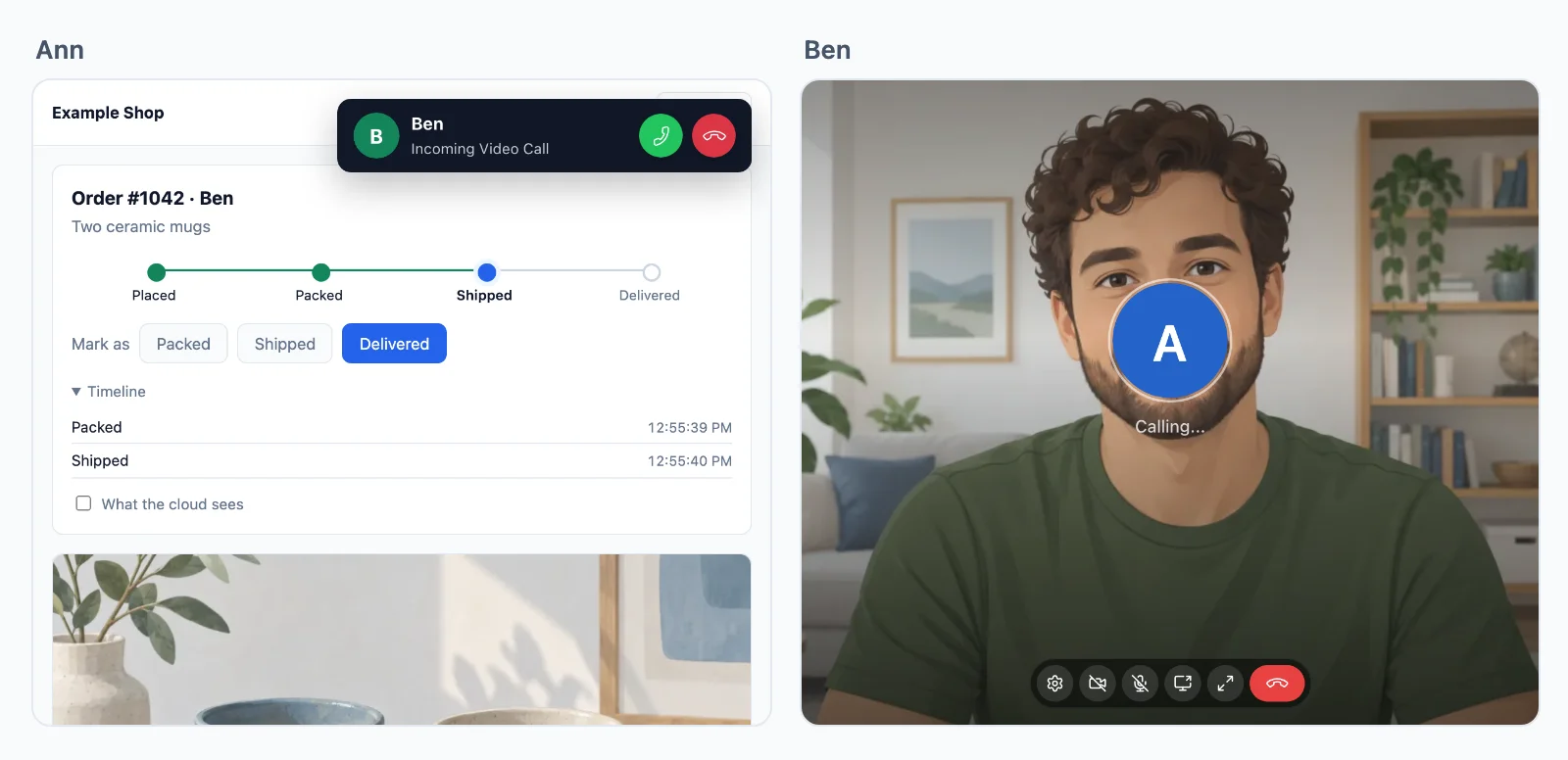
Rozmowy między dwiema osobami są szyfrowane end-to-end na każdej drodze, a rozmowa grupowa wtedy, gdy mówi tak Twój serwer.
Więcej niż dwie osoby? Rozmowy grupowe działają na naszych serwerach mediów, z gospodarzami, mówcami i słuchaczami.
Zastosowania
Co się buduje z rozmowami
Każde to cała aplikacja w dokumentacji, z serwerem w Node.js, PHP i Pythonie.
Rozmowy z przycisku
Przycisk Zadzwoń do wsparcia, który dzwoni u konsultanta w każdej otwartej przez niego karcie.
Konsultacje na wizytę
Wizyta wideo u lekarki, prawnika, korepetytorki czy coacha, otwarta tylko dla dwóch umówionych osób, o swojej porze.
Spotkania zespołu
Spotkanie wideo dla każdego zespołu lub wydarzenia, z udostępnianiem ekranu, które prowadzący kończy dla wszystkich.
Lekcje i pokoje audio
Nauczyciel lub panel mówi, a reszta słucha i podnosi rękę, by zabrać głos.
Poczekalnie i pokoje grupowe
Goście czekają, aż gospodarz ich wpuści, a gospodarz wysyła osoby do mniejszych pokoi i z powrotem.
Rozliczanie rozmów
Twój serwer wie, jak długo mówiła każda osoba, liczone na naszych serwerach, by rozliczać za minutę.
Cennik
Cena według połączeń, nigdy według wiadomości
Od $11.99 miesięcznie za 1000 jednoczesnych połączeń przy rozliczeniu rocznym lub $14.99 przy rozliczeniu miesięcznym.
Rozmowy grupowe ponad Twój plan: $0.20 za 1000 minut, $0.10 z samym dźwiękiem.
Jedna cena przy każdej rozdzielczości. Przepustowość, przekaźniki i wiadomości nigdy nie są naliczane, a rozmowy we dwoje są w cenie. Sami utrzymujemy przekaźniki i serwery mediów, dzięki czemu te ceny pozostają niskie.
Cena według jednoczesnych połączeń, od 1000 wzwyż, rozliczana miesięcznie lub rocznie. Rozmowy we dwoje są bez limitu.
Przy 1000 połączeń rozmowy grupowe nie są naliczane do 32 osób z wideo jednocześnie, osoba z samym dźwiękiem liczy się za pół, bez limitu osób w rozmowie. Każde kolejne 1000 połączeń dodaje 12 osób z wideo. Powyżej każda dodatkowa osoba z wideo zużywa kredyt na minutę, z dźwiękiem połowę, a Twój plan dodaje 5000 kredytów miesięcznie na każde 1000 połączeń.
Pytania
Najczęstsze pytania
Czy potrzebuję własnych serwerów TURN lub serwerów mediów?
Nie. Rozmowa między dwiema osobami idzie bezpośrednio między dwoma urządzeniami, gdy się da, przez nasze przekaźniki, gdy zapora blokuje drogę bezpośrednią, i przez nasze serwery mediów, gdy nawet przekaźniki do niej nie docierają. Rozmowy grupowe działają na naszych serwerach mediów w kilku regionach. Nie musisz niczego hostować.
Które stacki mogą korzystać z SDK do rozmów wideo?
Next.js i Express, Laravel i czyste PHP, Django, FastAPI i Flask, Capacitor, iOS i Android, każdy z przewodnikiem. Serwer w innym języku korzysta z HTTP API. Aplikacje Flutter mają rozmowy na iOS i Androidzie, a aplikacje React Native na razie na iOS.
Ile osób może dołączyć do rozmowy grupowej?
Nie ma limitu osób w rozmowie. Przy 1000 połączeń do 32 osób z wideo jednocześnie nie zużywa kredytów, osoba z samym dźwiękiem liczy się za pół, a każde kolejne 1000 połączeń dodaje 12. Powyżej każda dodatkowa osoba z wideo zużywa kredyt na minutę.
Czy rozmowy są szyfrowane?
Tak. Media rozmowy między dwiema osobami są szyfrowane end-to-end na każdej drodze, także gdy przenoszą je nasze przekaźniki lub serwery mediów. Rozmowa grupowa jest szyfrowana end-to-end, gdy mówi tak Twój serwer, kluczem, który wydaje tylko Twój serwer.
Gdzie są Wasze serwery?
Nasze przekaźniki i serwery mediów działają w tych krajach: Niemcy, Francja, Wielka Brytania, Polska, Kanada i Singapur. Każda rozmowa idzie przez ten najbliższy jej uczestnikom. Wkrótce: Stany Zjednoczone, Australia, Indie i Włochy. Serwery czasu rzeczywistego, które przenoszą Twoje zdarzenia, działają w Niemczech.
Kto decyduje, kto może dzwonić do kogo?
Twoja aplikacja. Twój serwer daje stronie token na każdą rozmowę, na którą pozwala, i dla każdej osoby dołączającej do rozmowy grupowej, z informacją, kto mówi, a kto tylko słucha, i kto jest gospodarzem. Kto co może, to więc Twoja własna logika, a bez tokenu nic się nie zaczyna. Chmura egzekwuje każdy token, a Twój serwer może w każdej chwili odebrać dostęp.
Czy mogę zbudować własny interfejs rozmów?
Tak. Ekran rozmowy jest opcjonalny. Zmień jego kolory i teksty albo sam inicjuj, odbieraj i wyświetlaj rozmowy w SDK, aż po każdą osobę w rozmowie grupowej.
Czy mogę rozliczać rozmowy z moimi użytkownikami?
Tak. WordPlus Cloud przekazuje Twojemu serwerowi przez webhook, ile trwała każda rozmowa i kiedy każda osoba dołączyła do rozmowy grupowej i ją opuściła, liczone na własnych serwerach, aby Twoja aplikacja mogła rozliczać za minutę.
Pytania o Twoją integrację? Napisz do nas: pomagamy z SDK, ekranem rozmowy i Twoim stackiem.