
 Deutsch
 Español
 Français
 Italiano
 Nederlands
 Polski
' d='M48 28h24v18a12 12 0 0 1-24 0z'/%3E%3Cpath fill='%230093DD' d='M47.5 21.5h4.6V28h-4.6zm10.2-2.5h4.6v9h-4.6zm10.2 2.5h4.6V28h-4.6z'/%3E%3Cpath fill='%23171796' d='M52.6 20h4.6v8h-4.6zm10.2 0h4.6v8h-4.6z'/%3E%3C/svg%3E) Hrvatski
Hrvatski עברית
עבריתFastAPI websockets past one worker: reaching every connection
FastAPI makes websockets look like a few lines. You add an endpoint with @app.websocket, keep the open connections in a list, and send to each of them when something happens. On your laptop it works the first time: the order turns to shipped and every open page sees it.
Then you deploy with more than one worker, and some pages stop updating. Not all of them, which is what makes it hard to find. This post explains why, what it takes to make websockets work across workers and servers, and how to send live updates from FastAPI without running a websocket server at all.
Why one worker works and four do not
The usual first version keeps the connections in memory:
connections: list[WebSocket] = []

@app.websocket("/ws")
async def updates(websocket: WebSocket):
    await websocket.accept()
    connections.append(websocket)
    try:
        while True:
            await websocket.receive_text()
    except WebSocketDisconnect:
        connections.remove(websocket)

async def broadcast(message: str):
    for connection in connections:
        await connection.send_text(message)
That list lives inside one process. In production you run several, as workers of one server or as copies of your app behind a load balancer, and each has a list of its own. A browser connects to whichever worker the load balancer picked. When a request on worker 2 calls broadcast(), only the browsers connected to worker 2 get it. The others never hear about it.
With one worker the bug is invisible. With four, roughly three pages in four miss each update, and which ones changes every time someone reconnects.
What it takes across workers
To reach every connection, the workers have to share each event:
- A shared channel between workers. Each worker subscribes to a pub/sub channel, usually Redis, and every broadcast is published there. Each worker then sends it to the browsers it holds. That is one more service to run, and every event now takes an extra hop.
- Sticky sessions or not. A websocket stays on the worker it opened on, but the HTTP requests around it do not. Anything a worker keeps about a connection, such as who the user is or which rooms they joined, has to work no matter which worker answers next.
- Knowing who is connecting. A browser cannot set headers on a websocket, so the endpoint has to read the session cookie or a token in the address, check it, and decide which rooms this user may hear.
- Deploys and restarts. Restarting a worker drops every connection it holds, and they all reconnect at once. A page that was away misses what was sent meanwhile, unless something keeps recent events for it to catch up on.
- Timeouts in the way. Load balancers and proxies close connections that look idle, so the endpoint needs a heartbeat, and the proxy needs to be set up to pass websockets through at all.
None of it is exotic. It is a realtime layer to build and keep running beside your app, and every service that wants live updates builds it again.
Or let a realtime cloud hold the connections
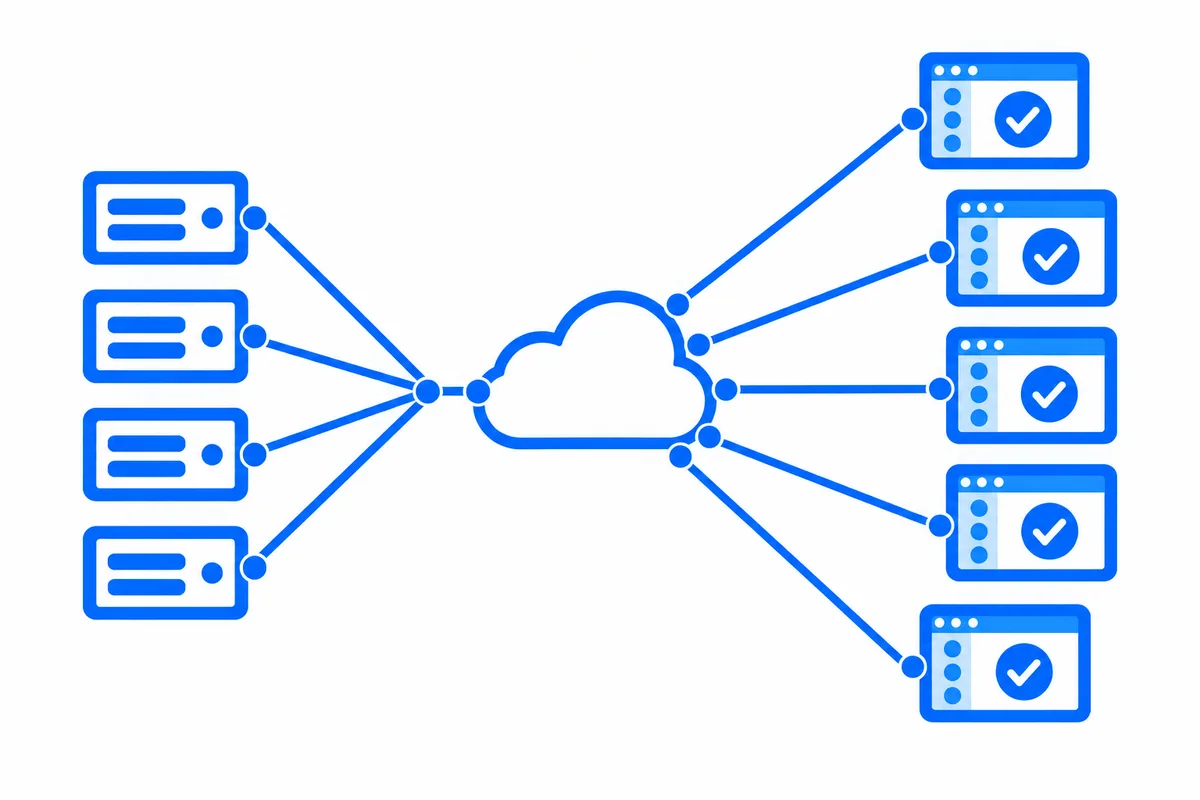
A hosted realtime service takes the connections out of your workers. The browsers connect to the service. Your FastAPI endpoints send each event in one short HTTP request, from whichever worker handles the request, and the service delivers it to every page that should get it. Add workers, restart them or move them, and nothing about delivery changes.
FastAPI on WordPlus Cloud
With WordPlus Cloud, your app declares its rooms once, with a rule for who may join each, and mounts one router:
from fastapi import FastAPI, Request
from starlette.middleware.sessions import SessionMiddleware
from wordplus_realtime import Realtime
import wordplus_realtime.fastapi as wr

realtime = Realtime.from_environment()   # WORDPLUS_SITE, WORDPLUS_SECRET, WORDPLUS_LOCAL_KEY

# The room of an order, order:1042: its customer may join, and the last 20 updates are kept.
realtime.room("order:{id}", lambda user, p: user is not None and owner_of(p["id"]) == user, history=20)

async def current_user(request: Request):
    return request.session.get("user")   # your sign-in

app = FastAPI()
app.add_middleware(SessionMiddleware, secret_key=SESSION_SECRET)
app.include_router(wr.router(realtime, current_user), prefix="/api/realtime")
The router answers the pages when they ask to join a room, with the user your app finds, and serves the browser files of the SDK, so there is no Node and no bundler to add. A page renders realtime.head() for its user, then joins the room in plain JavaScript:
import { connect } from '@wordplus/realtime';

const rt = await connect( window.wordplusRealtimeConfig );
rt.join( 'order:1042' ).on( 'updated', ( data ) => showStatus( data.status ) );
And any endpoint, on any worker, sends:
@app.post("/orders/{pk}/ship")
async def ship(pk: int):
    order = await mark_shipped(pk)
    await realtime.to(f"order:{pk}").aemit("updated", {"status": order.status})
    return {"ok": True}
That runs the same with one worker or forty. Beyond it:
- Your rules never block the event loop. They are plain functions, run on a worker thread, so a database query in one is fine.
- Nothing lost on a reconnect. A room keeps its last events, so a page that comes back gets what it missed, in order.
- One connection for every tab. The tabs of a browser share one connection, so a person with three tabs open counts once.
- Sealed on the way. What your app sends travels encrypted with keys only your server and your users hold.
- More than events. Who is online, calls that ring in every tab, group calls and live streams come on the same connection, with a ready-made call screen, chat and player from Better Messages, or your own interface on the same API.
The FastAPI guide has the whole setup, and the live demo is a small shop built on it, where an order turns to shipped in another window as you click.
WordPlus Cloud for Apps is priced by concurrent connections, starting from 1,000, billed monthly or yearly. See what it does for apps, or the apps pricing. Questions about your integration? Write to us.