
 Deutsch
 Español
 Français
 Italiano
 Nederlands
 Polski
' d='M48 28h24v18a12 12 0 0 1-24 0z'/%3E%3Cpath fill='%230093DD' d='M47.5 21.5h4.6V28h-4.6zm10.2-2.5h4.6v9h-4.6zm10.2 2.5h4.6V28h-4.6z'/%3E%3Cpath fill='%23171796' d='M52.6 20h4.6v8h-4.6zm10.2 0h4.6v8h-4.6z'/%3E%3C/svg%3E) Hrvatski
Hrvatski עברית
עבריתFor apps
Live streaming for your app
A live streaming API and SDK for Next.js, Laravel, Django and any other stack. A host goes live from the browser, a phone or OBS, our media servers carry the picture to everyone watching, and the player with its chat is ready to use, so there is no media server for you to run.
Hosts and moderators
Go live from the browser, a phone or OBS
The studio and the chat come with the player, for the host and the moderators your rule names.
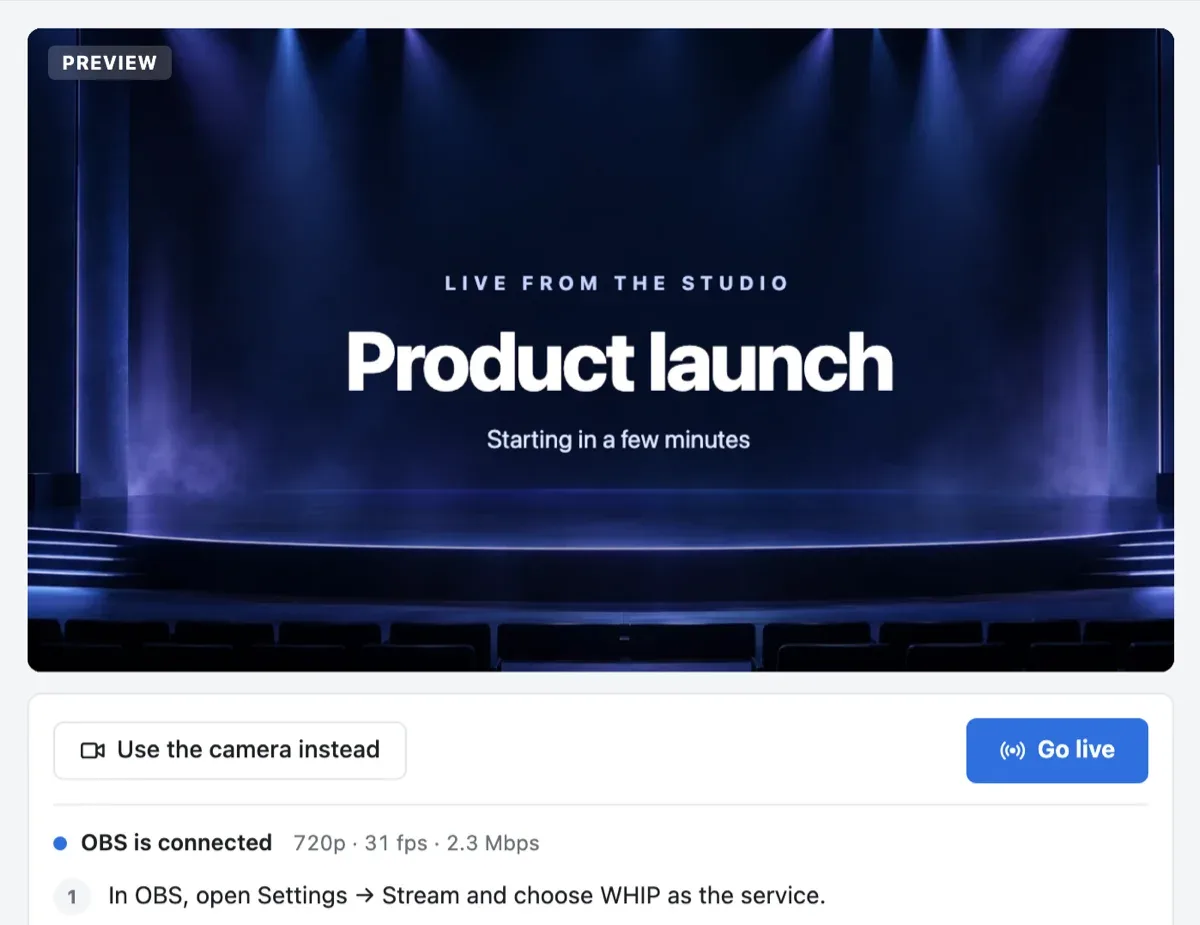
The camera, a screen or OBS
The host sees the picture before going live, then goes live with a click and ends the stream for everyone. They stream from the camera and microphone of the browser or a phone, share a screen, or send the picture from OBS or any other encoder over WHIP.
A chat that stays tidy
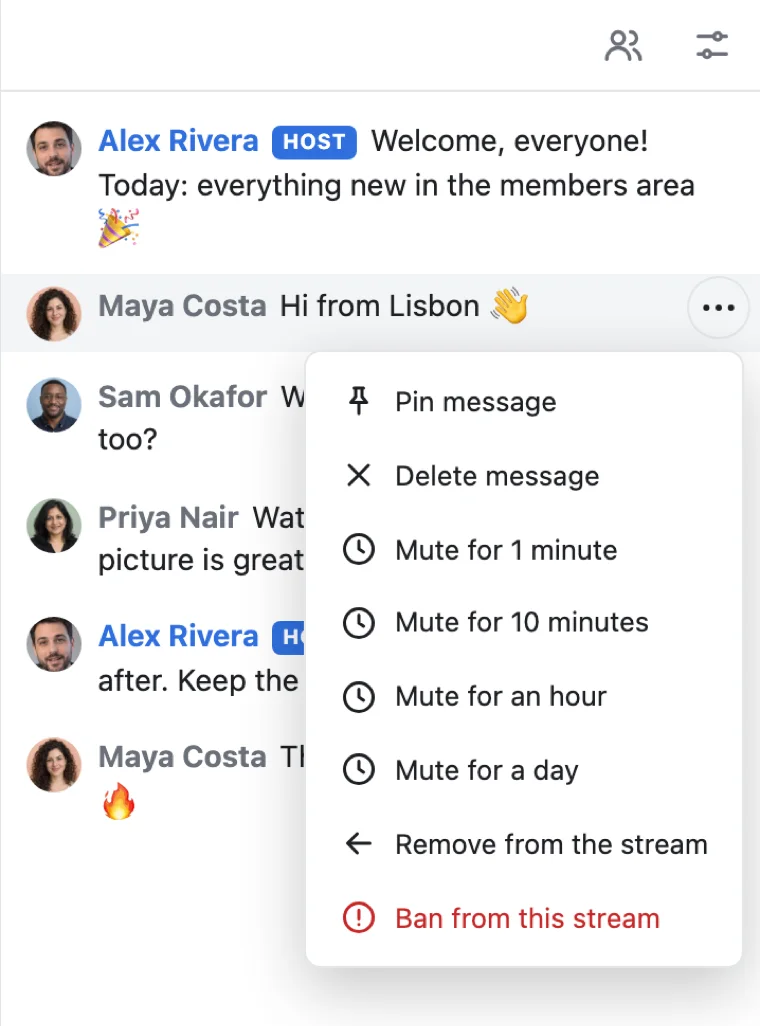
Viewers write in the chat beside the picture and send reactions over it. The host and the moderators your rule names pin and delete messages, slow the chat down, mute someone for a while, and remove or ban them. Your server can do the same, and write in the chat under a name of its own.
Viewers
Everyone watching, signed in or not
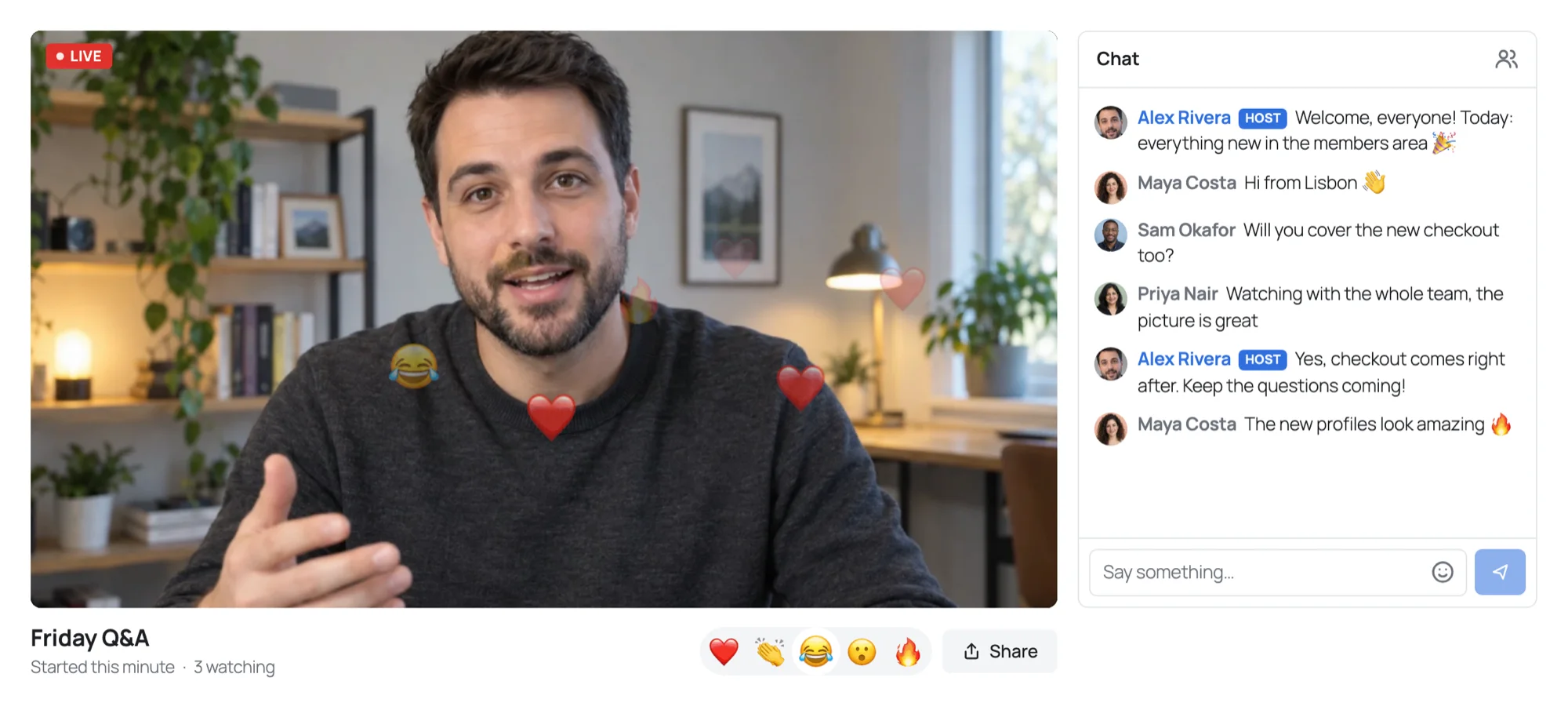
A link to the page is all a viewer needs. They watch, write in the chat and react, and everyone sees how many watch.
No account to watch
Your rule makes a visitor a viewer, so anyone with the link watches, and signs in to write in the chat. Or keep a stream for members only.
A picture for each screen
Each viewer gets the picture in the size their screen and connection carry, on the web, iOS and Android, with a live count of who watches.
Guests on stage
A viewer raises a hand, and the host brings them on stage with their camera and microphone, for a question, an interview or a panel.
Your server decides
A few lines in your stack
Your server says who hosts each stream, who watches and who keeps the chat. The page shows the stream with one element, or with your own code.
// A live stream for each event, live:12: its host goes live,
// and everyone else watches, signed in or not.
realtime.streams( 'live:{id}', async ( user, { id } ) => {
    if ( user === null ) return 'viewer';
    if ( await isHostOf( id, user ) ) return 'host';

    // Your moderators keep the chat.
    return ( await isModerator( user ) ) ? { role: 'viewer', mod: true } : 'viewer';
}, { reactions: true } );'use client';
import { LiveStream } from '@wordplus/realtime/react';
export function Stream( { id, title }: { id: string; title: string } ) {
return <LiveStream name={ `live:${ id }` } title={ title } />;
}Live streams in each stack, with the whole setup:
Use cases
What people build with live streams
Each is a whole app in the docs, with its server in Node.js, PHP and Python.
Live events
A launch, a class, a talk or a concert, live to everyone who opens the page.
Members-only streams
A stream only the members of a club, the holders of a ticket or the students of a course may watch.
Interviews and questions on stage
Viewers raise a hand, and the host brings them on stage beside them, in the layout the host chooses.
Pricing
Priced by connections, never by messages
Priced by concurrent connections, starting from 1,000, billed monthly or yearly.
With 1,000 connections, live streams are unmetered up to 50 viewers at once, and each further 1,000 connections add 20 viewers. Above that, each extra viewer takes a credit a minute, counted only while the stream is live, and your plan adds 5,000 credits a month for each 1,000 connections.
Questions
Frequently asked
Do I need my own media server?
No. The host sends the picture to our media servers, which carry it to everyone watching. OBS and other encoders send it over WHIP. There is nothing for you to host.
Which stacks can use the live streaming SDK?
Next.js and Express, Laravel and plain PHP, Django, FastAPI and Flask, React Native and Capacitor, iOS and Android, each with a guide. A server in any other language uses the HTTP API.
Can people watch without an account?
Yes. Your rule makes a visitor who is not signed in a viewer, so anyone with the link watches, and signs in to write in the chat. Or keep a stream for members only, and a link passed around opens nothing.
Can I stream from OBS?
Yes. The studio gives the host an address and a key for OBS or any other encoder that sends over WHIP, and the picture from the encoder takes the place of the camera. A new key cuts off the old one.
How many people can watch?
With 1,000 connections, up to 50 viewers at once take no credits, and each further 1,000 connections add 20. Above that, each extra viewer takes a credit a minute, counted only while the stream is live.
Who keeps the chat?
The host, and anyone your rule makes a moderator. They pin and delete messages, slow the chat down, mute someone for a minute up to a day, and remove someone or ban them from the stream. Your server can do all of it too, with no page open.
Can I build my own player?
Yes. The player, the chat and the studio are optional. Place each part where your page wants it, or draw the stream yourself on the SDK: the picture, the viewers, the chat and the reactions.
Can I charge for watching?
Yes. Your rule decides who may watch, so a ticket or a membership opens the stream. WordPlus Cloud tells your server by webhook when each signed-in viewer starts and stops watching, counted on its own servers, so your app can bill by the view or by the minute.
Questions about your integration? Write to us: we help with the SDKs, the player and your stack.