
 Deutsch
 Español
 Français
 Italiano
 Nederlands
 Polski
' d='M48 28h24v18a12 12 0 0 1-24 0z'/%3E%3Cpath fill='%230093DD' d='M47.5 21.5h4.6V28h-4.6zm10.2-2.5h4.6v9h-4.6zm10.2 2.5h4.6V28h-4.6z'/%3E%3Cpath fill='%23171796' d='M52.6 20h4.6v8h-4.6zm10.2 0h4.6v8h-4.6z'/%3E%3C/svg%3E) Hrvatski
Hrvatski עברית
עבריתWebsockets in Laravel without running a websocket server
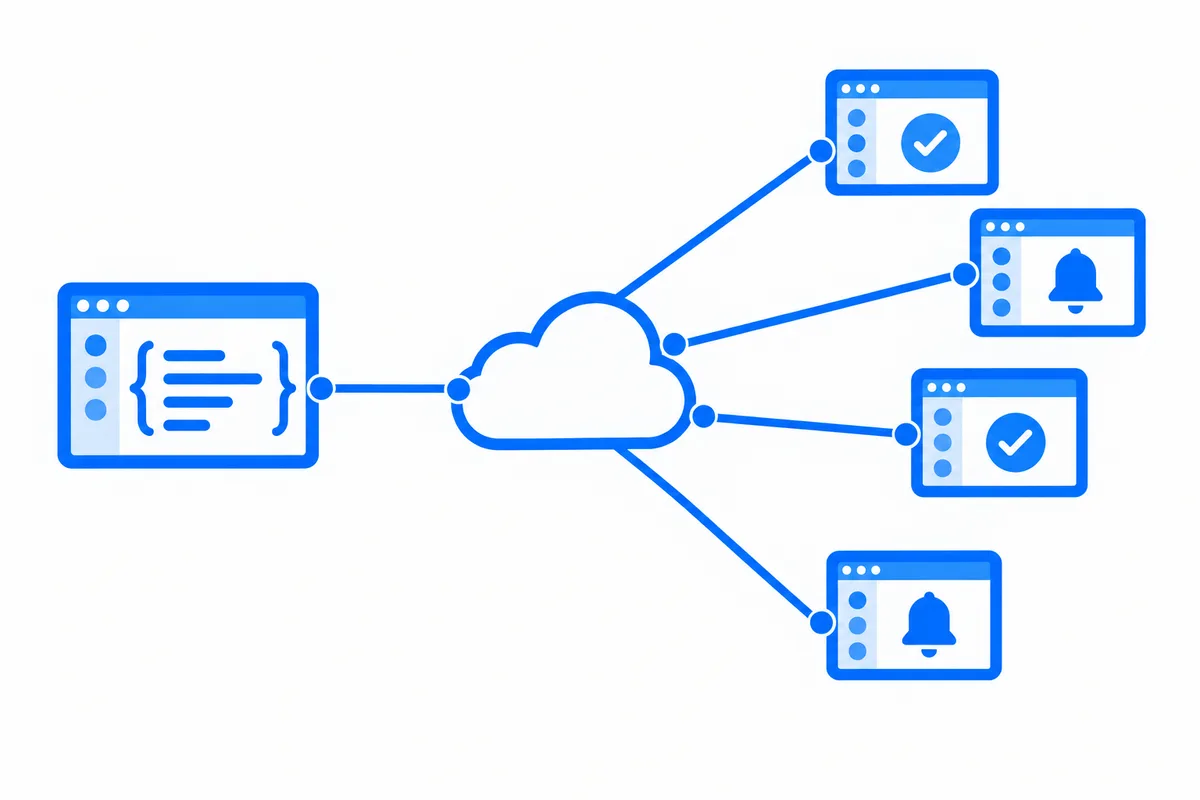
Laravel makes live updates look easy. An event implements ShouldBroadcast, routes/channels.php says who may listen, and Laravel Echo in the browser hears it. An order turns to shipped, and the customer sees it without a reload.
What the docs mention in passing is that something has to hold the connection to every open browser. Laravel itself answers requests and stops, so broadcasting always needs a websocket server beside your app. This post explains why, what it takes to run one in production, and how to keep your events and Echo exactly as they are while a realtime cloud holds the connections for you.
Why Laravel needs a websocket server
A Laravel request is short. PHP takes the request, Laravel boots, your controller answers, and the process is free for the next request. That is what makes Laravel fast and easy to host, and it is also why a request cannot stay open for hours to push updates to one browser.
So broadcasting has two halves:
- Your app sends. When you call
broadcast( new OrderUpdated( $order ) ), Laravel hands the event to a broadcaster, which sends it on in a short request. WithShouldBroadcastthat happens in a queued job, so a queue worker runs it. - Something else delivers. A websocket server holds an open connection to every browser, checks with your app who may join each private channel, and passes each event to the browsers that listen.
The first half is ordinary Laravel. The second half is a separate, long-running service, and that is where the work is.
Running your own websocket server
Laravel has a websocket server you can run yourself, and so do other projects. Starting one on your laptop takes a minute. Running it for real users takes more:
- A long-running process, kept alive by a process manager, restarted when it crashes, with its own logs and monitoring. Shared hosting and serverless platforms cannot run one at all.
- A port, a certificate and a proxy, so browsers can connect over
wss://on your domain, with the proxy set up to pass websockets through and not to cut long connections. - Room for many connections. Each open browser is an open connection, and the server and the operating system need limits set for thousands of them at once.
- More than one server, as you grow. One server is one place for every connection to drop. Two or more need a shared channel, usually Redis, so an event sent to one reaches the browsers connected to the others.
- Deploys without a storm. Restarting the websocket server drops every connection, and every browser reconnects at once. Pages that were away also miss what was sent meanwhile, unless something keeps it for them.
None of this is exotic, and plenty of teams do it well. But it is a second system to run beside your app, for as long as the app has live features.
Or let a realtime cloud hold the connections
The other way is a hosted service as your broadcaster. Your app sends each event in one short HTTP request, as it already does with a broadcaster, and the service holds the connections, checks your channel rules through your app, and delivers. Your Laravel app stays a normal Laravel app, on any host, serverless included.
What matters is that the switch stays inside Laravel's own broadcasting, so your events, your channels and your Echo code do not change.
Laravel broadcasting on WordPlus Cloud
With WordPlus Cloud, the change is a broadcasting connection. Your .env names it:
BROADCAST_CONNECTION=wordplus
WORDPLUS_SITE=s1500000007
WORDPLUS_SECRET=…
WORDPLUS_LOCAL_KEY=…
Your channels stay in routes/channels.php, with one optional argument for what each room keeps:
// The room of an order, orders.1042, for its customer, the last 20 updates kept.
Broadcast::channel( 'orders.{order}', fn ( User $user, Order $order ) => $user->id === $order->customer_id, [ 'history' => 20 ] );
Your events stay as they are, and broadcast( new OrderUpdated( $order ) ) sends them. In the browser, Echo gets our connector in place of its usual one:
import Echo from 'laravel-echo';
import { WordplusConnector } from '@wordplus/realtime/echo';

window.Echo = new Echo( { broadcaster: WordplusConnector, ...window.wordplusRealtimeConfig } );

Echo.private( 'orders.1042' ).listen( '.updated', ( data ) => showStatus( data.status ) );
The @wordplusRealtime directive in your layout writes that config, with the signed-in user, so the page connects with no request first. Then everything you know from Echo works:
- Private and presence channels, with
here(),joining()andleaving()for who is in a room,whisper()for typing indicators, andnotification()for Laravel notifications. - Livewire hears events the same way, with
#[On( 'echo-private:orders.{order.id},.updated' )]. - React and Vue use
useEcho()from Laravel's own Echo packages, as the starter kits do. toOthers()skips the tab that sent the request.
And what a websocket server alone does not give you:
- No websocket server to run. Our servers hold the connections, more of them start as your app grows, and a page moves from one to another without a drop when one restarts.
- Nothing lost on a reconnect. A room keeps its last events, so a page that comes back gets what it missed, in order.
- Sealed on the way. What your app sends travels encrypted with keys only your app and your users hold.
- Calls and live streams on the same connection. Calls between two people, group calls and live streams, with a ready-made call screen and player, or your own.
The Laravel guide has the whole setup, and the live demo is a small shop built on it, where an order turns to shipped in another window as you click.
WordPlus Cloud for Apps is priced by concurrent connections, starting from 1,000, billed monthly or yearly. See what it does for apps, or the apps pricing. Questions about your integration? Write to us.