
 Deutsch
 Español
 Français
 Italiano
 Nederlands
 Polski
' d='M48 28h24v18a12 12 0 0 1-24 0z'/%3E%3Cpath fill='%230093DD' d='M47.5 21.5h4.6V28h-4.6zm10.2-2.5h4.6v9h-4.6zm10.2 2.5h4.6V28h-4.6z'/%3E%3Cpath fill='%23171796' d='M52.6 20h4.6v8h-4.6zm10.2 0h4.6v8h-4.6z'/%3E%3C/svg%3E) Hrvatski
Hrvatski עברית
עבריתHow to connect users across regions: calls that stay close to everyone
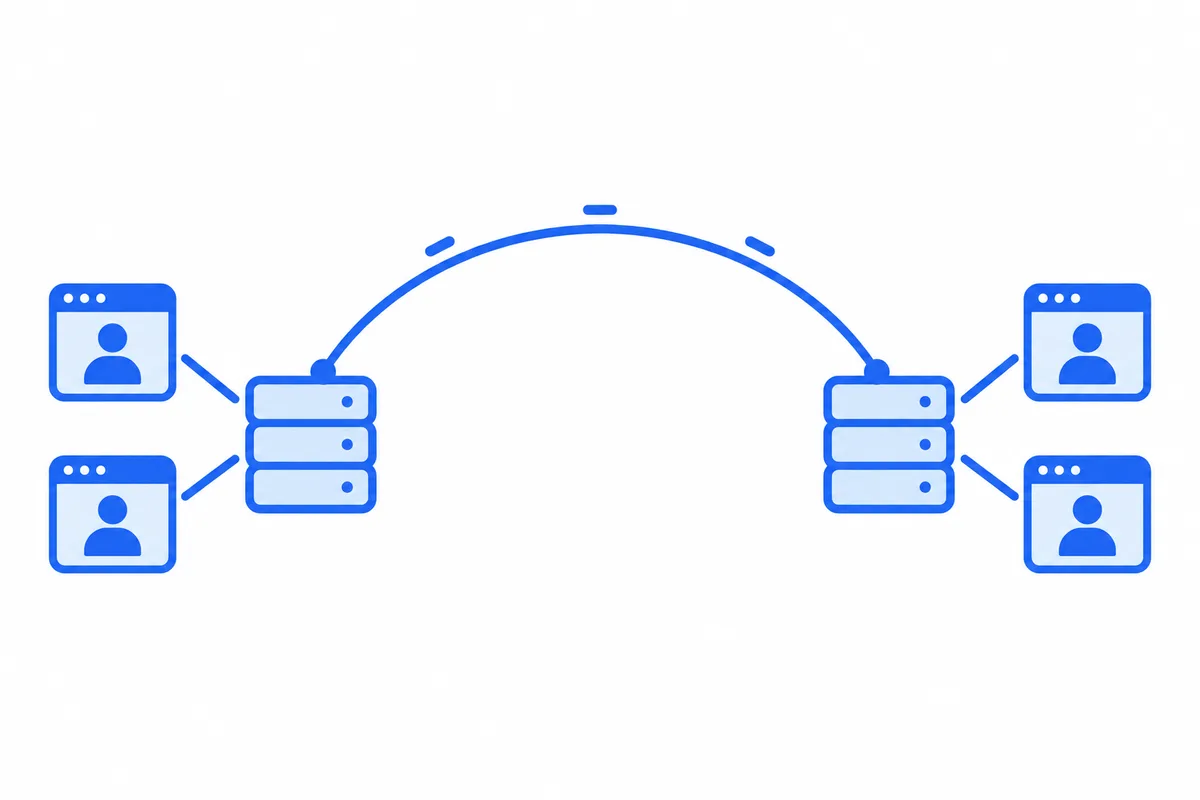
A video call that works well in testing can feel different once your users are spread over the world. Two people in Singapore talk over each other, a group call with someone in Canada freezes for them alone, and a live stream buffers for viewers on the other side of an ocean. The code is the same for all of them. What differs is the distance between each person and the server the call goes through.
This post explains why distance matters in a call, what it takes to keep every person close to a server, for calls between two people, group calls and live streams, and what can stay in one place.
Why distance matters in a call
Light in an optical fibre covers about 200 kilometres a millisecond, and real routes are longer than a straight line. A packet from Singapore to Frankfurt and back takes around 160 milliseconds, and from Sydney to Frankfurt and back around 280.
Conversation is sensitive to that. When what someone says takes more than about 150 milliseconds to reach the other ear, people start to talk over each other and wait for answers that are already on their way. Encoding, the network and the jitter buffer on each device add their own share before distance adds any.
A call that goes through a server takes two legs: from the first person to the server, then from the server to the second. Put the server in Frankfurt, and two people in Singapore each send everything to Europe and back, so what they say arrives well past that comfortable limit, although they live in the same city. Put the server in Singapore, and the same call takes a few milliseconds.
So the question for any app with users in more than one region is which server each call goes through, and how close it is to the people in it.
Calls between two people
A call between two people goes straight between their devices when it can, with no server in the middle. Distance between the two of them is then the only delay, and nothing shortens it.
When a firewall blocks the direct path, the call goes through a TURN relay (STUN and TURN servers explains why). With one relay in one region, every relayed call goes there, so two people in Asia whose networks need a relay talk through Europe.
The way out is a relay in each region your users are in, with each device using the one nearest to it:
- One name, answered by region. The relay's name resolves to the nearest region for each device, by latency or by where the request comes from. The device needs no setting, and a new region serves its users as soon as its relays answer that name.
- Credentials every region accepts. Relay credentials are usually made by your server from a secret it shares with the relays. Every region checks them the same way, so a device can use whichever relay it reaches.
- The ports of the web in every region. Port 3478 over UDP for most networks, and 443 with TLS for networks that allow only web traffic, with a certificate for each name.
With a relay near each device, a relayed call stays close to the direct one, whichever two countries it joins.
Group calls: one media server, or one per region
A group call runs on a media server: each person sends their voice and picture to it once, and it forwards them to everyone else, at the quality each screen shows (how group video calls work explains it). The simple way to run one is a server per call: the call opens on a server, in the region of whoever joined first, and everyone joins that server.
That works while everyone in the call is in the same part of the world. With people on two continents, one of them is far from the server, and every voice and picture they send and receive takes the long way.
The way out is to spread one call over servers in several regions:
- Each person joins a server in their own region, the nearest, and sends their voice and picture there once.
- The servers pass each track between them. A picture crosses between regions once for each server that needs it, not once for each person watching, and reaches everyone from their own region's server.
- Only what is watched travels. A track nobody in a region watches does not cross to it, and each region gets only the quality its people show it at.
- The servers keep one call. Who is in it, who speaks, who shares a screen and when it ends are the same on every server, so the people in it see one call, not several joined together.
- Links between regions that hold. The tracks between regions travel private links or encrypted tunnels, and lost packets are asked for again across them, so a link between continents does not turn into frozen pictures.
Two people in Warsaw and two in Montreal then each talk through a server near them, and only one copy of each track crosses the Atlantic.
Live streams
A live stream is the same problem with one sender and many receivers. The host sends the picture to a server near them, and each viewer watches from a server in their own region, which gets the stream once from the host's server and serves everyone watching there. An audience spread over many countries is then served close to each viewer, and no region's viewers wait on a server across the world.
What can stay in one region
Not everything needs to be close. Chat messages, presence, typing indicators and the other events of an app are small, and a message that arrives 100 milliseconds later than it could goes unnoticed. Keeping them in one region keeps their order and their history simple, which matters more than the milliseconds.
So the usual split is media near each person, and events in one place.
How to connect users across regions: a checklist
- See where your users are. The countries they call from tell you which regions you need first.
- Put relays in each of those regions, behind one name answered by region, with credentials every region accepts, on port 443 as well as 3478.
- Spread each group call and live stream over regions, with each person on a server near them and each track crossing between regions once, only while watched.
- Keep calls going while servers change. A server taken out for maintenance moves its calls to another one first, so nobody hangs up.
- Keep events in one region unless your app has a reason not to.
None of these is a small job: each region is servers to run, update, watch and grow, and the links between them are a network of their own.
How WordPlus Cloud connects your users
WordPlus Cloud runs all of it, so your app never picks a region:
- Our call relays and media servers run in Germany, France, the United Kingdom, Poland, Canada and Singapore, with the United States, Australia, India and Italy next. How we connect your users shows them on a map.
- Each device reaches the region nearest to it, by one name answered by latency. A call between two people goes straight between the devices when it can, through the relay nearest each person when a firewall blocks that, and through our media servers when even the relays cannot reach, without hanging up.
- Each person in a group call or a live stream joins a media server of their own region, and our servers pass each track between regions on private links, once for each server that needs it, and only while someone there watches it.
- A server taken out for maintenance moves its calls to another one first, and the people in them keep talking.
- Messages and events go through our realtime servers in Germany, which grow with the traffic. Edge servers in more regions are coming to bring events closer to your users too.
Calls between two people are encrypted end to end on every path, and your server still decides who may call whom. It works the same in Better Messages on WordPress and in your own apps, from Next.js, Laravel, Django and other stacks with our SDKs. Video calls and group calls for your app shows what the SDKs give you.