
 Deutsch
 Español
 Français
 Italiano
 Nederlands
 Polski
' d='M48 28h24v18a12 12 0 0 1-24 0z'/%3E%3Cpath fill='%230093DD' d='M47.5 21.5h4.6V28h-4.6zm10.2-2.5h4.6v9h-4.6zm10.2 2.5h4.6V28h-4.6z'/%3E%3Cpath fill='%23171796' d='M52.6 20h4.6v8h-4.6zm10.2 0h4.6v8h-4.6z'/%3E%3C/svg%3E) Hrvatski
Hrvatski עברית
עבריתHow group video calls work: signaling, mesh and SFU media servers
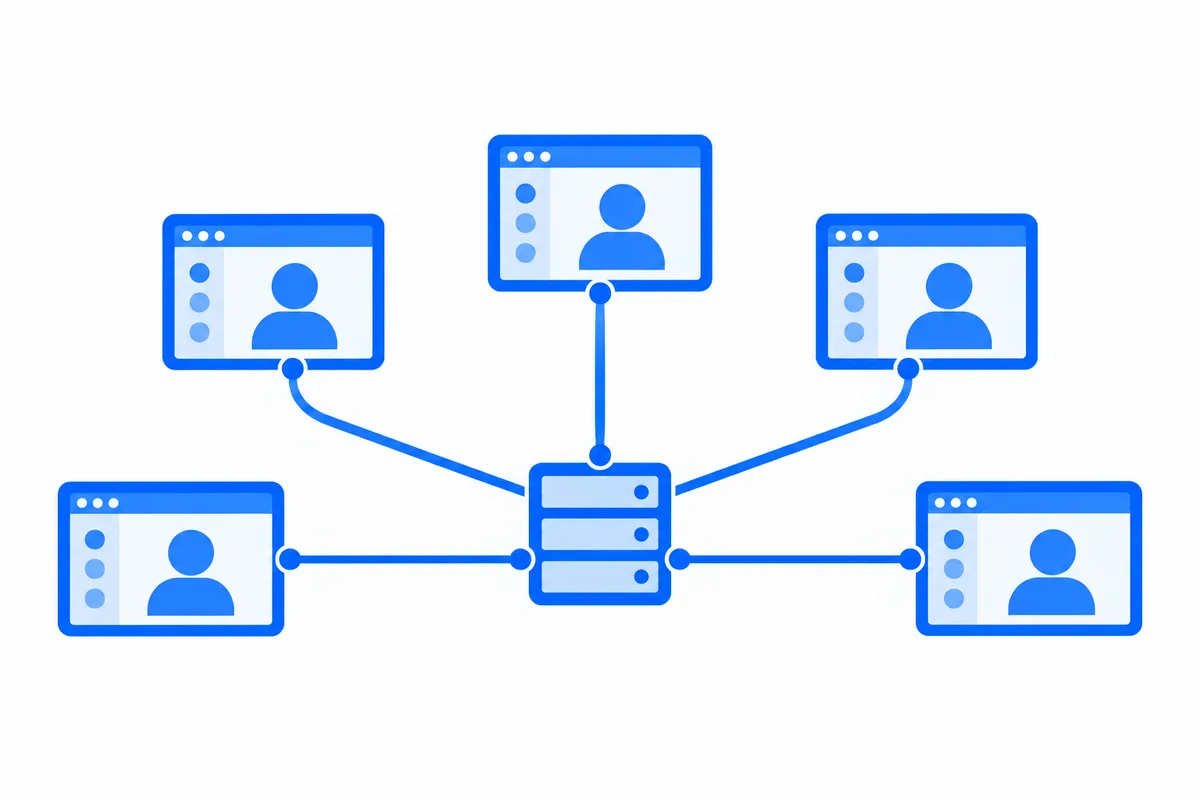
A video call between two people can go straight from one device to the other. WebRTC sends the camera and the microphone of each person directly to the other one, with a relay only when a firewall is in the way, as our post on STUN and TURN servers explains.
Add a third person and the same approach still works. Add a sixth and it starts to fall apart: the picture freezes, the laptop fan spins up, and the person on a phone drops out. Group calls need a different shape, and nearly every app that runs them ends up with the same one.
This post walks through the pieces: the signaling server every call needs, the mesh that works for a few people, the two kinds of media servers, and what changes for encryption when a server sits in the middle.
Every call needs signaling
Before any audio or video moves, the devices in a call have to agree on how. Each one describes what it can send and receive, the codecs, the resolutions and the addresses where it can be reached, and the other side answers. In WebRTC these are the offer, the answer and the ICE candidates.
WebRTC does not say how they travel. That is left to your app, and the part that carries them is the signaling server. In practice it is a WebSocket server that every page and app keeps a connection to, because a call needs more than the first exchange:
- Ringing. The person called has to hear about the call in every tab and on every device they have open, and stop hearing about it once they answer on one.
- Who is in the call. Everyone needs to learn when someone joins or leaves, starts their camera or shares their screen.
- Who may join. The signaling server is where a call is let in or refused, so it is where your app decides who may call whom and who joins each group call.
The signaling server carries little data, but it has to be up whenever a call might start, and it has to know your users.
Mesh: everyone sends to everyone
The simplest group call is a mesh. Every device opens a direct connection to every other device and sends its camera to each of them.
With three people, each device sends two copies of its picture and receives two. That is fine. The trouble is how it grows:
| People in the call | Copies each device sends | Connections in the call |
|---|---|---|
| 3 | 2 | 3 |
| 5 | 4 | 10 |
| 8 | 7 | 28 |
| 12 | 11 | 66 |
A camera picture in good quality is often sent at one to two megabits a second. In a call of eight, each device would send seven of them at once, more than many home and mobile connections can upload steadily. The device usually encodes the picture separately for each connection too, which is what spins up the fan and drains the phone.
Mesh is a good fit for three or four people on decent connections, with no server carrying any media. Past that, the call needs a server in the middle.
The MCU: one mixed picture for everyone
The older answer is a multipoint control unit, or MCU. Every device sends its picture to the server once. The server decodes all of them, draws them into one combined picture, encodes it again, and sends that single picture to each person.
Each device then sends one stream and receives one, which is easy on phones and slow networks. The cost moves to the server: decoding and encoding every picture of every call takes a lot of processing, mixing adds delay, and everyone sees the same layout, chosen by the server. MCUs are still found where a single picture is needed, such as a phone line joining a video meeting, but most group calls today use the other kind of server.
The SFU: send once, forward to everyone
A selective forwarding unit, or SFU, is the media server most group calls run on. Every device sends its picture to the SFU once, and the SFU forwards it to everyone else in the call, without decoding it.
Each device sends one stream, however many people are in the call. It receives one stream for each person it shows, and that is where the "selective" comes in. Because the SFU sits between every sender and every receiver, it can choose what each person gets:
- Several qualities from each sender. With simulcast, a device sends its picture at two or three sizes at once, and the SFU forwards the small one to someone who shows it as a thumbnail or is on a weak connection, and the large one to someone who shows it full screen.
- Only what is on screen. In a call of thirty, a page that shows nine tiles does not need the other twenty one pictures. The SFU stops forwarding them until they are shown.
- Who is speaking. The SFU sees the audio levels of everyone and can tell each page who is speaking now, so the page can make them large.
- Speakers and listeners. In a class or a panel, a few people send and everyone else only receives. The SFU forwards the speakers and takes nothing from the listeners, so a call can grow to many more people than are on camera.
Since the SFU never decodes the media, one server can forward a great many streams. A very large call can span several SFUs, each serving the people near it and passing the streams between them, so people on different continents each connect to a server close to them.
When one person presents to everyone and the audience only watches, the shape changes again: that is a live stream, built for an audience of any size with a chat beside it, which we cover in live streaming for your app.
Encryption with a server in the middle
Every WebRTC connection is encrypted, so nobody on the network between a device and the server can see or hear the call. In a direct call between two people, that is end to end: only the two devices hold the keys.
With an SFU, each device's connection ends at the server. The SFU decrypts what arrives and encrypts it again for each receiver, so the server could see and hear everything it forwards. For many apps that is acceptable. For a doctor and a patient, a lawyer and a client, or a team discussing something private, it is not.
The answer is to encrypt each frame of audio and video a second time, inside the device, before it leaves, with a key the server never has. Current browsers support this through WebRTC encoded transforms. The SFU still sees which stream is which and forwards them as before, but what it forwards is sealed. The keys come from your own server, which gives them only to the people allowed in the call.
The trade is that a server which cannot read the media cannot mix it, record it or change its format either. That is the point of it.
Running your own
Open-source SFUs exist and are solid. A team that runs its own takes on:
- Servers with public addresses and open UDP ports, in the regions where your users are, with bandwidth for every stream they forward.
- TURN relays as well, because some people still cannot reach the SFU directly, the same as in a call between two people.
- A signaling server that knows your users, rings their devices and decides who joins.
- Placing each call, so its people land on a server near them that has room, and spreading a large call across servers.
- Keeping it running: updates, monitoring, and calls that move to another server when one fails.
None of it is exotic, but it is a service to run for as long as your app has calls.
How WordPlus Cloud runs group calls
WordPlus Cloud runs all of it for you, from the signaling to the media servers:
- Signaling on the connection your pages already have. The same realtime connection that carries your rooms and who is online rings a call in every tab and app of the person called, and tells everyone in a group call who joins, leaves and speaks.
- Group calls on our media servers, in several regions. Each device sends its camera once, however many people are in the call, and there is no limit on people in a call.
- Your server decides. A rule on your server says who may join each group call, who speaks and who only listens, and who hosts. Hosts mute a microphone, let someone speak and remove someone, and your server can do the same with no page open.
- End to end encryption when your rule says so. Each frame is encrypted in the browser with a key your server derives, so our media servers forward what they cannot read. A call between two people that someone else joins becomes a group call and stays encrypted end to end.
- A call screen ready to use, or your own. Use the ready-made call window on the web, iOS and Android, or build your own interface on the same SDK.
It works from Next.js, Laravel, Django and other stacks with our SDKs, and Better Messages runs its group calls on the same media servers on WordPress. Video calls and group calls for your app shows what the SDKs give you, and how calls work in our docs shows the code.