
 Deutsch
 Español
 Français
 Italiano
 Nederlands
 Polski
' d='M48 28h24v18a12 12 0 0 1-24 0z'/%3E%3Cpath fill='%230093DD' d='M47.5 21.5h4.6V28h-4.6zm10.2-2.5h4.6v9h-4.6zm10.2 2.5h4.6V28h-4.6z'/%3E%3Cpath fill='%23171796' d='M52.6 20h4.6v8h-4.6zm10.2 0h4.6v8h-4.6z'/%3E%3C/svg%3E) Hrvatski
Hrvatski עברית
עבריתWhy WordPress cannot hold a websocket, and what to do instead
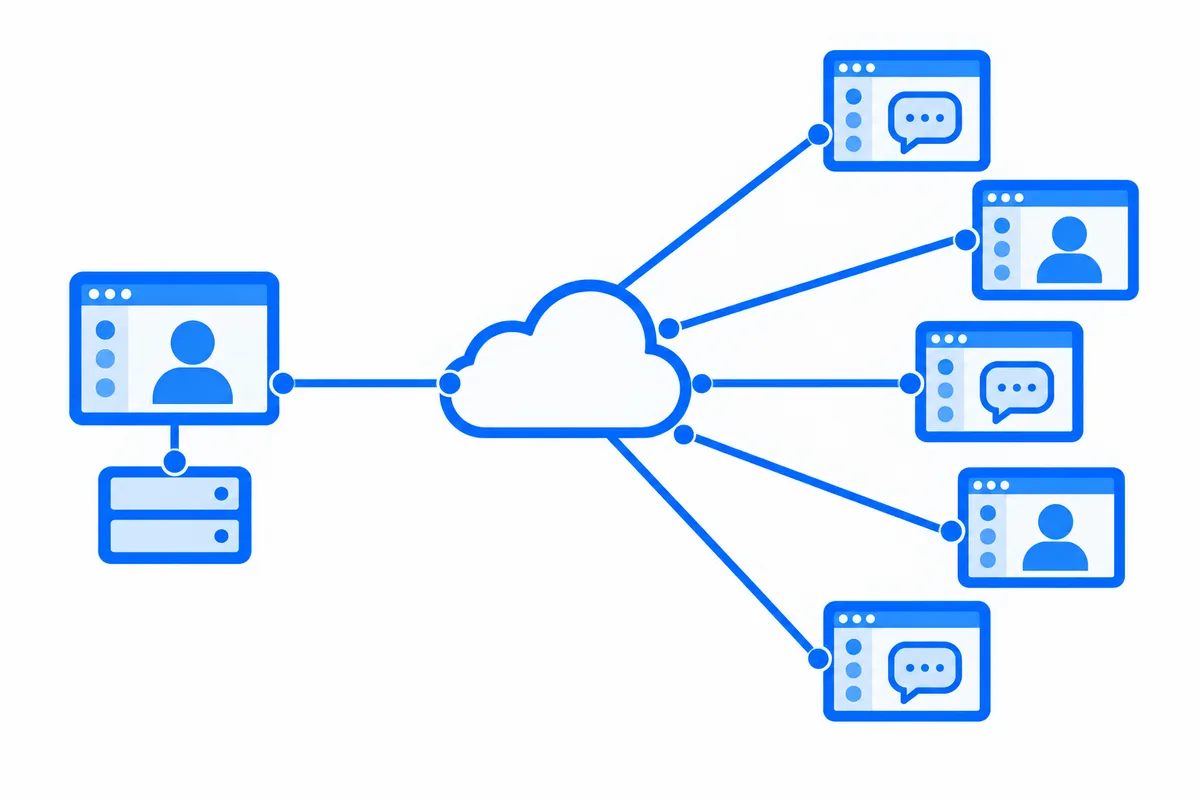
Sooner or later a WordPress site wants something to happen live: a new message that appears without a reload, a notification the moment an order comes in, a count of who is online, a call that rings. The tool for that on the web is a websocket, a connection between the browser and a server that stays open, so the server can send the moment something happens.
Then comes the surprise: WordPress has no websocket server, and the host it runs on cannot hold one. This post explains why, what sites usually do about it, and what it costs to run a websocket server of your own.
WordPress answers a request and stops
Every page of WordPress, every REST API call and every admin-ajax request works the same way. The web server hands the request to PHP, PHP loads WordPress with its plugins and theme, works out the answer, sends it and stops. The next request starts from nothing again.
That model is why WordPress runs almost anywhere. It is also why it cannot hold a websocket. A websocket is not one request but a connection that stays open for as long as the page does, often hours. Holding it would take a PHP process for every open page, doing nothing most of the time, and a host gives a site only a small number of PHP processes, enough for requests that finish in a fraction of a second. A handful of visitors with a page open would take all of them, and the site would stop answering everyone else.
Hosts protect themselves from that. They end requests that run too long, often after 30 to 60 seconds, and on most plans they do not let a site start a process of its own in the background or open a port for one. Even where the host allows it, the server in front of PHP, and any proxy in front of the server, has to be set up to pass a websocket through.
Polling: asking again and again
The usual way around it is polling. The page asks the server every few seconds: "anything new?" Usually the answer is no.
Each of those questions is a whole WordPress request: PHP starts, loads WordPress and its plugins, queries the database and answers. With 50 visitors on a page that polls every 5 seconds, that is 10 full WordPress requests a second, every second, for nothing most of the time. Ask less often and the site feels slow, with a message that takes half a minute to show. Ask more often and the host starts to struggle, or sends a warning about resource use.
WordPress has its own version of this, the Heartbeat API, which asks every 15 to 60 seconds. It is fine for saving drafts and showing who is editing a post. It is far too slow for a chat or a call.
Long polling and server-sent events, where the server holds the request open until something happens, look like a fix. They are not, on WordPress: each waiting request holds a PHP process, which runs straight into the same limit as a websocket.
A websocket server of your own
The real fix is a server built to hold many open connections, next to WordPress rather than inside it. Plenty of teams build one. What it takes:
- A server of its own, usually a small virtual server running Node.js or another runtime made for long connections, with its own updates and monitoring.
- A certificate and a proxy, so the browser can connect over
wss://on your domain. - Knowing your users. The websocket server does not see the WordPress login, so your site has to give each page a signed token, and the server has to check it and decide who may join which channel.
- A way for WordPress to send. When something happens in WordPress, a hook has to tell the websocket server, which then sends it to the right browsers.
- More than one, as you grow. One server is one place for every connection to drop. Two or more need a way to share messages between them, and pages have to reconnect smoothly when a server restarts.
None of this is exotic, but it is a second system to keep running beside WordPress, for as long as the site has live features. For calls it is only the start: a call also needs STUN and TURN servers, and group calls need media servers, as our post on how group video calls work explains.
Or let a realtime cloud hold the connections
The other way is a hosted realtime service. The browsers keep their open connections to the service, not to your host. When something happens on your site, WordPress sends one short request to the service, and the service delivers it to every page that should get it. Your host only answers ordinary requests, as it always has.
WordPress stays the place where your data lives. The service only carries events from the site to the pages and between pages, so nothing about how your site stores posts, users or orders changes.
How WordPlus Cloud does it for WordPress
WordPlus Cloud for WordPress is that cloud, for every plugin on a WordPress site:
- Nothing to run. The realtime servers, the call relays, the media servers and the AI run in the cloud. Your site needs only a subscription, priced per site, with no limits on members or messages.
- Every plugin on the site can use it. Better Messages and Live Stream use it out of the box. Plugins built for Pusher connect with our hosts and your site keys, and any other plugin, theme or custom code connects through our developer API.
- Your data stays in WordPress. Conversations, members and files stay in your database. Messages cross the cloud sealed with a key your site holds, so we relay them without reading them.
- More than websockets. The same subscription brings calls that always connect, group calls, push notifications to browsers and phones, live streaming, your own mobile apps and AI, on the same connection.
A page keeps one connection, shared by every plugin on the site, and it moves to another server without a drop when one restarts. Your host goes back to doing what it does well: answering requests.
See WordPlus Cloud for WordPress, or the pricing for your number of sites.