
 Deutsch
 Español
 Français
 Italiano
 Nederlands
 Polski
' d='M48 28h24v18a12 12 0 0 1-24 0z'/%3E%3Cpath fill='%230093DD' d='M47.5 21.5h4.6V28h-4.6zm10.2-2.5h4.6v9h-4.6zm10.2 2.5h4.6V28h-4.6z'/%3E%3Cpath fill='%23171796' d='M52.6 20h4.6v8h-4.6zm10.2 0h4.6v8h-4.6z'/%3E%3C/svg%3E) Hrvatski
 עברית
How to build an online community in Next.js
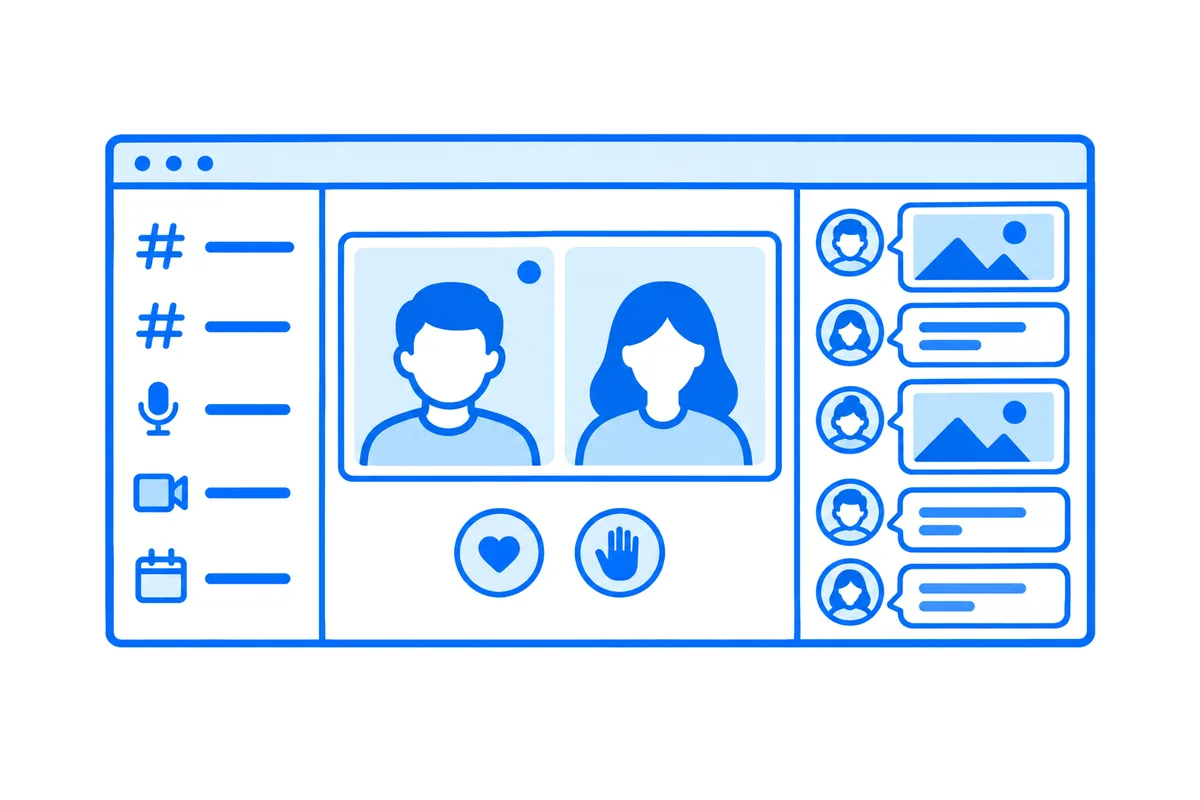
A forum keeps what its members wrote. A community that feels alive has more going on at once. Members share a photo and get an answer while they are still there, drop into a room to talk, by voice or on camera, watch the club's events live and come on stage with their own work, and see who is around right now. In a Next.js app, each of these is a connection that stays open, to many people at once.
This post goes through every part a real community app needs, with a whole working example: Community, the photography club of our Next.js guide, with its channels, its lounges to drop into and its live events. You can try it live: be Mia, a host, whose portfolio review starts now, open the studio and go live. Then open the club in a private window as Ava, watch the review, raise a hand and come on stage.
What an online community needs
- Channels that keep up. Messages and photos reach everyone reading at once, with typing and reactions, and are kept for those who come later. The photos open for members alone.
- Rooms to drop into. Voice chat rooms, and rooms with cameras and screens, that members join and leave as they like, many people at once through media servers (how media servers work). Hosts who can mute someone or take them out.
- Live events. One host to every member, with a chat and reactions beside the picture, and a member brought on stage to show their work (how live streaming works in Next.js).
- What is on now. Who is in which room and which event is live, current on every page with no reload.
- Who is around. Who is online, and a way to write to them or call.
All of it rides on connections that stay open as long as a member is on the site, which a serverless function can't keep (why, and what to do about it). You can build each part yourself, on websockets, WebRTC and media servers of your own. Or you let a realtime cloud run the connections, the calls and the streams, while your server keeps what is really yours: the members, the rules and the data. That is what the club does, through WordPlus Cloud.
The example: a photography club
Members share photos in channels for feedback, such as #critique and #trips. They drop into its lounges: Coffee lounge by voice, Editing hangout with cameras and screens. Its hosts run live events, a portfolio review or a night photography class, where members come on stage. It is a Next.js app with the App Router, Better Auth and Postgres, and its realtime part is a few files. Five steps make it.
1. Channels with photos, kept by your server
Each channel is a room named by its number, channel:2. The site declares them once, by that pattern, with the rule of who may be in one:
const MESSAGES = { history: 50, emit: ['message', 'typing', 'reaction', 'read'], webhook: ['message', 'reaction'] };
realtime.room('channel:{id}', MESSAGES, async (user, _params, room) => mayWrite(user, room));
Any member may be in a channel, and nobody else. Messages, typing, reactions and read ticks go from page to page through WordPlus Cloud, sealed, and the message and reaction webhooks bring each one to the site's server, which keeps it in its own database. The channel's page is the ready-made chat on that room:
<Chat
    rt={useRealtime()}
    room={room}
    people={people}
    messages={`/api/messages?room=${room}`}
    upload="/api/files"
    accept="image/jpeg,image/png,image/webp,image/gif"
    maxFileSize={15 * 1024 * 1024}
/>
messages is the site's own route for the older messages, paged back as a member scrolls up. upload gives the composer its paperclip, and takes photos pasted or dropped on the chat too: each goes to the site's own route as it is picked, and the message carries only where it opens. WordPlus Cloud never sees the photo. The route decides with the room's own rule:
if (!me || !(file instanceof File) || !/^(channel|chat):\d+$/.test(room) || !(await realtime.mayJoin(room, me))) {
    return Response.json({ error: 'This photo is not for this conversation.' }, { status: 403 });
}
realtime.mayJoin() runs the same rule as joining the room, so whoever may read a channel may share a photo there, and nobody else. Each photo opens at an address of its own, which asks again who opens it: someone outside the club gets nothing, whatever address they have.
2. Voice chat rooms that hosts look after
A lounge is a group call named by its number, lounge:3, which any member drops into. The rule makes the club's hosts its hosts:
realtime.groupCalls('lounge:{id}', async (user) => {
    if (!(await isMember(user))) return false;
    return (await isHost(user)) ? { admin: true } : true;
});
The lounge shows in its own page, with the button to drop in inside it:
<CallSpot rt={rt} call={room} className="h-[calc(100dvh-14rem)] rounded-2xl">
    <GroupCallButton rt={rt} room={room} type={kind} title={name}>
        {people.length > 0 ? 'Drop in' : `Open ${name}`}
    </GroupCallButton>
</CallSpot>
type is audio for a voice lounge and video for one with cameras. Before a member is in, CallSpot shows what is inside it: who is in the lounge now, and the button. Once in, the call takes its place: everyone's picture, or their cameras and screens, and the controls. A member comes in with the microphone and camera off and turns them on from the call, so dropping in never opens a microphone by surprise. On another page of the site the lounge goes on in a window in the corner, and comes back when its page opens again.
admin: true is all the hosts take. On a host's screen, each tile of the others has mute and remove, which the call screen asks through the same route, and which it takes only from a host.
3. Live events, with members on stage
An event is a live stream named by its number, event:5. Its rule says who is who: the host of the event goes live, and every other member watches:
realtime.streams(
    'event:{id}',
    async (user, { id }) => {
        const event = await eventOf(id);
        if (!event || !(await isMember(user))) return false;
        return String(user) === event.host ? { role: 'host', quality: '1080p' } : 'viewer';
    },
    { stage: true, reactions: true },
);
The host goes live from a studio of their own, a page of the site with the picture large, Go live under it, and beside it the chat and the hands raised:
<LiveStream
    name={`event:${event.id}`}
    view="studio-page"
    title={event.title}
    url={`/events/${event.id}`}
    backUrl={`/events/${event.id}`}
/>
The event's page gives every member the player with its chat, the same <LiveStream> on the same name. A host may go live from OBS instead, with the address and key the studio gives. stage: true is the stage: a member raises a hand from the player, the host sees it under Guests and invites them, and once they press Join stage, their camera and microphone go live beside the host, for everyone watching.
4. What is on now, on every page
Beside every page, a sidebar shows who is in each lounge and which event is live, with how many watch it. The site keeps no table of either. WordPlus Cloud knows:
export async function liveNow(): Promise<Map<string, number>> {
    const live = new Map<string, number>();
    for (const stream of await realtime.listStreams()) {
        const event = idIn(stream.name, 'event');
        if (event) live.set(event, stream.viewers);
    }
    return live;
}
realtime.listCalls() and realtime.call(name).get() say the same of the lounges and who is in each. To keep it current, WordPlus Cloud sends the site a webhook each time someone drops into a lounge or leaves it, or an event goes live or ends. The site says so in a room every page of a member joins, and when an event goes live, tells every member:
realtime.on('stream.live', async ({ stream }) => {
    const id = idIn(stream, 'event');
    const event = id ? await eventOf(id) : null;
    if (!event) return;
    await realtime.to('club').emit('changed');
    const everyone = (await members()).map((person) => person.id).filter((person) => person !== event.host);
    await realtime.toUser(everyone).emit('live', { event: event.id, title: event.title, host: event.hostName });
});
In the layout, every page hears both:
useRoom('club', { changed: () => router.refresh() });

useUserEvent('live', (data: { event: string; title: string; host: string }) => {
    if (path !== `/events/${data.event}`) show({ text: `${data.host} is live: ${data.title}`, href: `/events/${data.event}`, live: true });
});
The first has every page ask the server for itself again, with no reload, so the sidebar and the page open stay current. The second shows a notice on whatever page a member is: "Mia is live: Live portfolio review", which opens the event. group.joined, group.left and stream.ended say changed in the same room.
5. Who is online
WordPlus Cloud knows who is online: every page whose member the site vouched for makes that member online, and the page hears as they come and go, with no request to the site's server:
const { online } = useOnline(people.map((person) => person.id));
const here = people.filter((person) => online[person.id]);
const away = people.filter((person) => !online[person.id]);
The members list puts those online first, each with Message and Call, and beside every page the layout lists the club the same way, its hosts marked. A member's page says whether they are online, or when they were last seen.
What comes with it
- Conversations between two. A member's page holds your conversation with them, photos included, and its call shows beside the messages.
- Reactions and a chat on every event, beside the picture, and going live from OBS or any encoder that sends over WHIP.
- Screen sharing in a lounge with cameras, from the call's controls.
- Names and faces from your app. Every tile, message and stage shows a member's name and photo as the site's
profilegives them, with no list of users kept in WordPlus Cloud. - Taking access away. When someone leaves the club, the rules say no from then on, and
realtime.call(name).remove(user)takes them out of a lounge at once.
Try it, then build your own
On the live demo, the club is yours alone for a day, so whatever you share or whoever you meet there, nobody else sees, and an event or a lounge ends by itself after 10 minutes. Under each page, How this page works shows the code that makes it, a step at a time, with the values of the page you have open.
The community site guide builds the whole site, with every file of its realtime side in full. Live streams in Next.js and calls in Next.js have every way to put a stream or a call in your own app. For a team instead of a club, video conferencing in Next.js builds the meetings of a team intranet.
WordPlus Cloud for Apps is priced by concurrent connections, starting from 1,000, billed monthly or yearly. With 1,000 connections, live streams are unmetered up to 50 viewers at once, and group calls up to 32 people on video at once, a person on audio counting half. Each further 1,000 connections add 20 viewers and 12 people on video. Above that, each extra viewer or person on video takes a credit a minute, a stream counted only while it is live, and calls between two people take none. See live streaming for apps, video calls for apps, or the apps pricing. Questions about your integration? Write to us.