
 Deutsch
 Español
 Français
 Italiano
 Nederlands
 Polski
' d='M48 28h24v18a12 12 0 0 1-24 0z'/%3E%3Cpath fill='%230093DD' d='M47.5 21.5h4.6V28h-4.6zm10.2-2.5h4.6v9h-4.6zm10.2 2.5h4.6V28h-4.6z'/%3E%3Cpath fill='%23171796' d='M52.6 20h4.6v8h-4.6zm10.2 0h4.6v8h-4.6z'/%3E%3C/svg%3E) Hrvatski
 עברית
WebSockets in JavaScript: reconnects, order and what can be lost
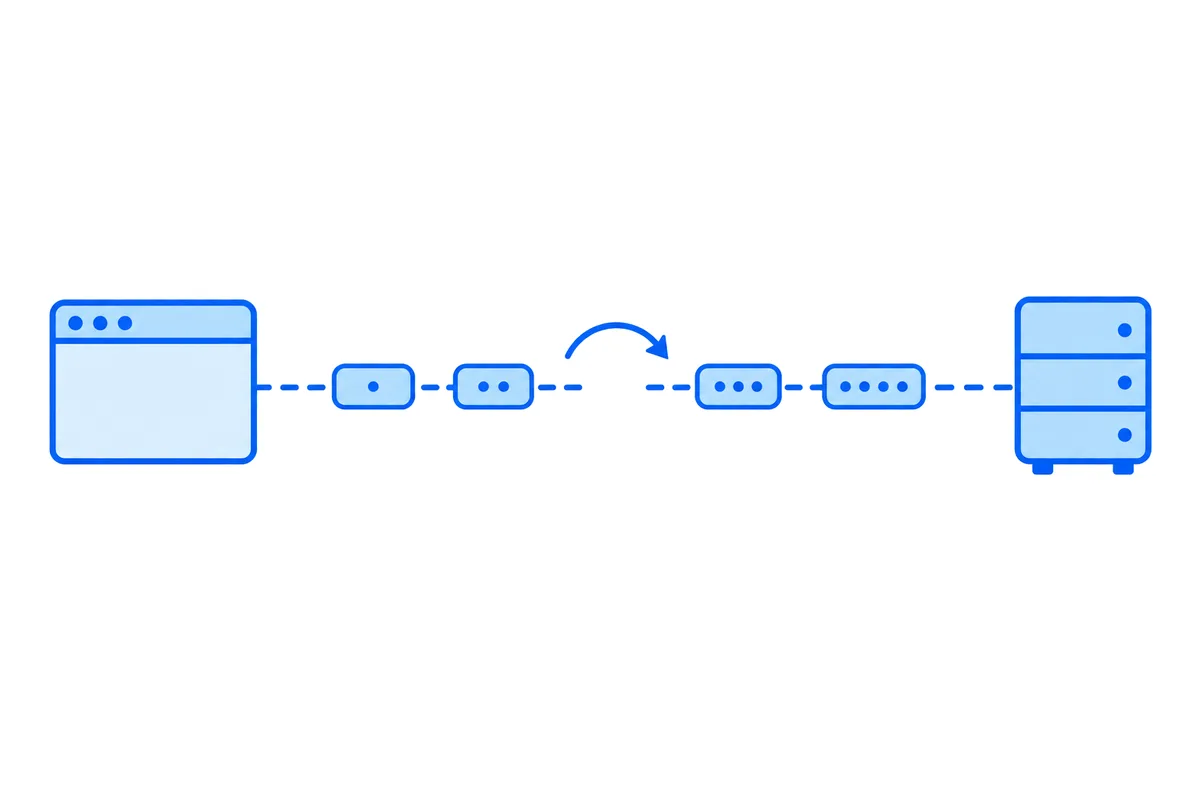
A WebSocket in JavaScript is one line, new WebSocket(url), and on a good network it just works: messages arrive in the order they were sent, both ways. What it doesn't do is come back after a drop, notice a connection that died quietly, or tell you whether a message got there, so every app that keeps one open writes those three parts itself.
This post shows what the browser does when a connection drops, measured in Chromium 156, then a client of about 60 lines that reconnects, catches up on what it missed and sends again what wasn't confirmed, with the small Node.js server it talks to. Both were run against a server that was cut off, restarted and silenced. At the end: how the same three parts look when a realtime cloud holds the connection.
What the browser gives you
The WebSocket API in every browser has four events, open, message, error and close, a send() method and a readyState:
// The whole API: open, send, hear, close.
const ws = new WebSocket('wss://example.com/live');

ws.onopen = () => ws.send(JSON.stringify({ hello: 'server' }));
ws.onmessage = ({ data }) => console.log('got', data);
ws.onclose = ({ code, reason }) => console.log('closed', code, reason);
Over one connection, nothing gets reordered: the protocol runs over a single TCP connection (RFC 6455), and TCP hands bytes over in the order they were sent. The trouble starts where that one connection ends.
What happens when the connection drops
We opened a connection from Chromium 156 to a Node.js server, cut it from the server side, and then called send() on it:
| What we did | What the browser did |
|---|---|
send() before open |
threw InvalidStateError |
| The server cut the connection | close with code 1006, wasClean false |
send() after the close |
no error, bufferedAmount up by 12 bytes, nothing sent |
The last row is the one that loses data. A message sent after the connection closed raises nothing: the WHATWG standard says bufferedAmount will "only increase with each call" once the connection is closed (WebSockets Standard), and the message itself goes nowhere. Code that calls send() without checking readyState throws away everything it sends between the drop and the moment it notices.
Three more gaps:
- No reconnect. A closed WebSocket stays closed. Nothing in the standard opens it again.
- No ping from your code. The protocol has ping and pong frames, and any endpoint may send a ping at any time, but the standard leaves them out of the API on purpose. The browser may send them for its own reasons. Your page can't, so it can't ask whether the other side is still there.
- No receipt.
send()returns nothing. A message can leave the page, sit in a buffer, and be lost with the connection, and the page never hears of it.
Code 1006 means the connection ended without a close frame: RFC 6455 forbids sending 1006 in one, so it is the browser saying what happened, never a code your server sent. What the other codes say, and how to test an address that won't connect at all, is in WebSocket connection failed.
A client that comes back by itself
The fix for each gap is small, and together they make one module. It:
- Reconnects after a drop, waiting longer after each failed try, a random part of the wait, up to 30 seconds.
- Catches up: it tells the server the id of the newest event it has, and the server sends what came after it.
- Sends again every message the server hasn't confirmed, each with an id of its own (
ref), so a message sent twice is still taken once. - Notices silence: the server sends a beat every 20 seconds, and with nothing heard for 45 the page opens a new connection rather than wait on a dead one.
// socket.js: a websocket to your own server that comes back by itself
export function connect(url, { onEvent, onGap, quiet = 45000 }) {
  let ws, retry, silence;
  let lastId = 0;   // the newest event this page has
  let attempt = 0;  // failed tries since the last good connection
  const unconfirmed = new Map(); // ref → data, until the server confirms it

  function open() {
    clearTimeout(retry);
    const mine = (ws = new WebSocket(`${url}?after=${lastId}`));

    mine.onopen = () => {
      if (mine !== ws) return mine.close(); // replaced while it was connecting
      attempt = 0;
      heard(mine);
      for (const [ref, data] of unconfirmed) mine.send(JSON.stringify({ ref, data }));
    };

    mine.onmessage = ({ data }) => {
      if (mine !== ws) return;
      heard(mine);
      const msg = JSON.parse(data);
      if (msg.ack) return void unconfirmed.delete(msg.ack);
      if (msg.gap) return void onGap?.();
      if (!msg.id || msg.id <= lastId) return; // a beat, or an event already shown
      lastId = msg.id;
      onEvent(msg);
    };

    mine.onclose = () => {
      if (mine !== ws) return;
      // Up to 0.5 s, 1 s, 2 s… at most 30 s, each a random part of it, so a crowd doesn't come back at once.
      const delay = Math.random() * Math.min(30000, 500 * 2 ** attempt++);
      retry = setTimeout(open, delay);
    };
  }

  // Nothing heard for too long: the connection is dead, even if the browser hasn't noticed.
  function heard(mine) {
    clearTimeout(silence);
    silence = setTimeout(() => {
      if (mine === ws) { open(); mine.close(); }
    }, quiet);
  }

  // Back on the network: try now rather than when the timer says.
  addEventListener('online', () => {
    if (ws.readyState === WebSocket.CLOSED) open();
  });

  open();

  return {
    send(data) {
      const ref = crypto.randomUUID();
      unconfirmed.set(ref, data);
      if (ws.readyState === WebSocket.OPEN) ws.send(JSON.stringify({ ref, data }));
    },
  };
}
A page uses it like this:
import { connect } from './socket.js';

const live = connect('wss://example.com/live', {
  onEvent: ({ id, data }) => showMessage(data),
  onGap: () => reloadFromApi(), // away too long: the server no longer has all of it
});

live.send({ text: 'Hi' });
Every socket checks mine !== ws before it acts, and that matters more than it looks. The silence timer and the online event both open a new socket while the old one may still be closing, and without the check an old socket that closes late would schedule a second reconnect, or one that opens late would send on top of the new one.
The random part of the wait is there for your server, not the page. When a server restarts, every page it held sees the drop in the same second. With a fixed wait they all come back in the same second too, again and again. A random share of a growing wait spreads them out.
The server it talks to
The server gives each event an id, keeps the last 500, and sends a page that comes back everything after the id it names. In Node.js with the ws package:
// server.mjs: each event gets an id, the last 500 are kept, and a page that comes back gets what it missed
import { WebSocketServer } from 'ws';

const KEEP = 500;
const log = [];         // the last KEEP events, oldest first
const seen = new Set(); // refs already taken: keep these for a day in Redis, not forever in memory
let lastId = 0;

const wss = new WebSocketServer({ port: 8080 });

wss.on('connection', (ws, req) => {
  const after = Number(new URL(req.url, 'http://localhost').searchParams.get('after')) || 0;

  // Gone longer than the log reaches: say so, and the page reloads from your API.
  if (after && log.length && log[0].id > after + 1) ws.send(JSON.stringify({ gap: true }));
  for (const event of log) if (event.id > after) ws.send(JSON.stringify(event));

  ws.on('message', (raw) => {
    const { ref, data } = JSON.parse(raw);
    ws.send(JSON.stringify({ ack: ref }));
    if (seen.has(ref)) return; // sent again after a drop, and already taken
    seen.add(ref);

    const event = { id: ++lastId, data };
    log.push(event);
    if (log.length > KEEP) log.shift();
    for (const client of wss.clients) client.send(JSON.stringify(event));
  });
});

// A beat every 20 seconds, so a page can tell a quiet connection from a dead one.
setInterval(() => {
  for (const client of wss.clients) client.send('{"beat":1}');
}, 20000);
The log and the set of refs live in memory here, so a restart forgets them. In production they go in Redis or your database, and with more than one server, every server has to read the same log, which websockets in Node.js past one server goes through.
What the test showed
We ran this client in two Chromium 156 pages, Ann and Ben, against this server, and broke things on purpose:
| What we broke | What the pages saw |
|---|---|
| Cut Ann off after the server took her message but before it confirmed it | Ann sent it again, the server took it once |
| Stopped the server, Ann sent two messages, then started it again | Both arrived, once each |
| The server went silent without closing | Both pages opened a new connection once the silence ran out (3 seconds in the test, 45 in the code) |
| A third page, offline while more came than the log kept | It got what the log still had, then onGap |
One result is worth a second look. Ann sent her two messages while the server was down, and Ben sent his just after it came back. Ben's came first: by the time Ann reconnected, his already had a lower id. Nothing was lost and every page saw the same order, but it was the server's order, not the order the two of them pressed send. That is the order a realtime app can promise across reconnects: one order, decided in one place, the same for everyone. A chat that must show messages by when they were written sorts by a time each page attaches, not by when they arrived.
What this client still can't save: a message typed into a tab that closes before it reconnects. The unconfirmed map lives in the page. To keep those, put them in IndexedDB and send them on the next visit.
When a realtime cloud holds the connection
Everything above is work your app owns: the reconnects, the ids, the log, the refs, the beat, and a log shared between servers once there is more than one. WordPlus Cloud holds the connections instead, and its @wordplus/realtime package does those parts on the page. Your server declares a room once, with a rule for who may join and how many events it keeps for pages that come back:
// server.mjs, beside your routes: the board of a team, board:7
realtime.room('board:{id}', async (user, { id }) => {
  return user !== null && (await db.boards.isMember(id, user));
}, {
  emit: ['card', 'cursor'], // what the pages may send
  history: 100,             // the last 100 kept for pages that reconnect
});import { connect } from '@wordplus/realtime';
const rt = await connect({ app: 's1500000007' });
const board = rt.join('board:7');
// Missed events come first, in order, marked replayed, then the new ones.
board.on('card', (card, meta) => drawCard(card, meta.replayed));
board.on('error', (e) => e.code === 'gap' && reloadBoard());
// Waits until WordPlus Cloud has checked the event, kept it and sent it on.
const { id } = await board.emitWithAck('card', { title: 'Ship it' });
// A cursor is worth nothing late: dropped while offline, never kept.
board.volatile.emit('cursor', { x: 120, y: 80 });- Reconnects happen by themselves, also onto another of our servers, and
rt.on('disconnected')andrt.on('connected')tell the page when. - Catching up: a page back within 5 minutes gets the events it missed first, in order, with
meta.replayed, from the room history (up to 1,000 events a room, each up to 64 KB). Away longer, it getsgapand asks your own API, as the server above does. - Confirmed sends:
emitWithAckresolves with the id and time the event got, or rejects with why, such asnot_allowed. - Every tab: the tabs of one browser share one connection.
How rooms keep history and what each option does: rooms and events in the docs. Before writing your own client, you can try your own server in the WebSocket test, a websocket client in the browser that logs each message sent and received and says what a close code means. On serverless hosting, where a function can't keep a connection at all, websockets in Next.js shows the same model.
Websockets for your app
WordPlus Cloud for Apps is priced by concurrent connections, starting from 1,000, billed monthly or yearly, with nothing to run on your servers. See websockets for apps, or the apps pricing. Questions about your integration? Write to us.