
 Deutsch
 Español
 Français
 Italiano
 Nederlands
 Polski
' d='M48 28h24v18a12 12 0 0 1-24 0z'/%3E%3Cpath fill='%230093DD' d='M47.5 21.5h4.6V28h-4.6zm10.2-2.5h4.6v9h-4.6zm10.2 2.5h4.6V28h-4.6z'/%3E%3Cpath fill='%23171796' d='M52.6 20h4.6v8h-4.6zm10.2 0h4.6v8h-4.6z'/%3E%3C/svg%3E) Hrvatski
 עברית
Websockets in Node.js: what changes past one server
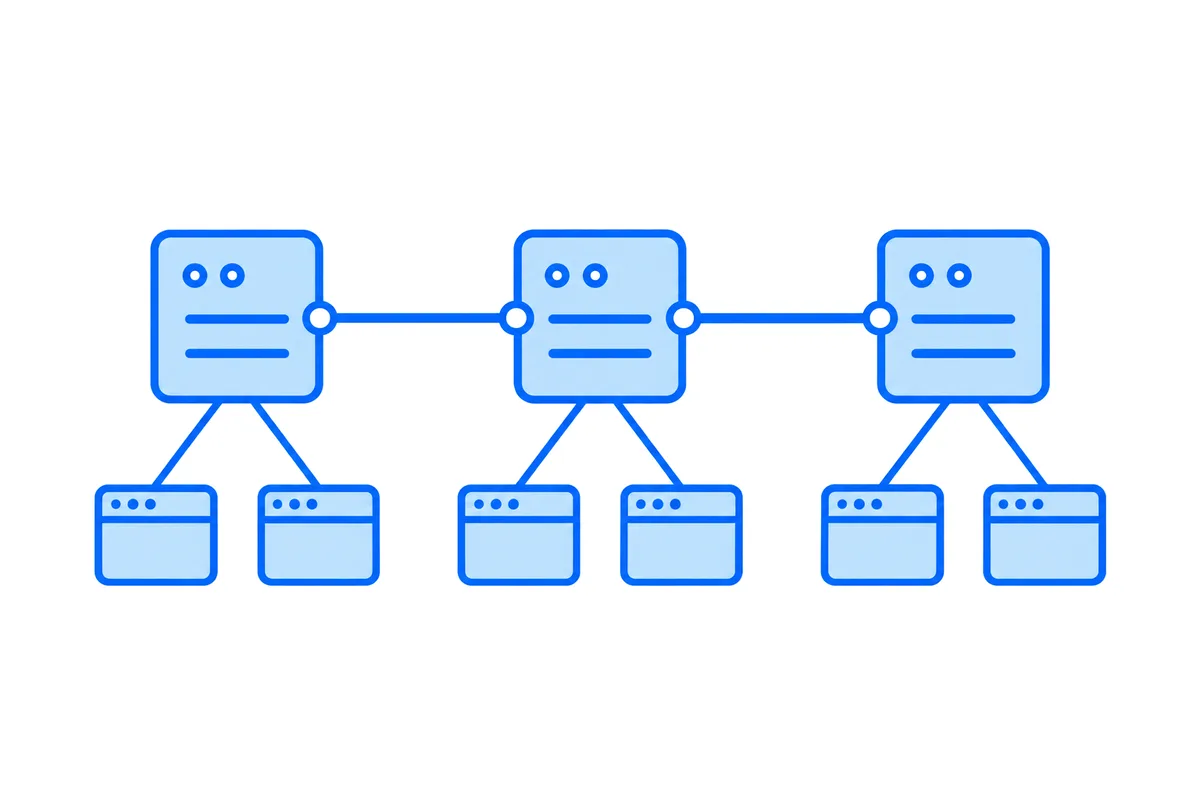
Node.js holds websockets well: one process keeps every connection open on a single event loop, and a server that passes each message to everyone connected is about fifteen lines with the ws library. Past one process or one server, each of them knows only its own connections, so every event has to cross a channel they share, and sign-in, restarts and proxies each need an answer of their own.
This post shows that small server, what the second process changes, what running several servers takes, and how to send events from Node.js with no websocket server at all.
A websocket server in Node.js
A websocket is a two-way connection between a browser and a server that stays open, so either side can send at any moment. Node.js has a websocket client built in since version 22, the same WebSocket a browser has. A server is another matter: the Node.js guide on websockets says that accepting connections still takes a library. The usual one is ws:
npm install wsimport WebSocket, { WebSocketServer } from 'ws';
const wss = new WebSocketServer( { port: 8080 } );
wss.on( 'connection', ( socket ) => {
socket.on( 'error', console.error );
// Pass each message to everyone connected.
socket.on( 'message', ( data, isBinary ) => {
for ( const client of wss.clients ) {
if ( client.readyState === WebSocket.OPEN ) {
client.send( data, { binary: isBinary } );
}
}
} );
} );A page connects with the WebSocket API every browser has:
const socket = new WebSocket( 'ws://localhost:8080' );
socket.onopen = () => socket.send( 'hello' );
socket.onmessage = ( event ) => console.log( event.data );
Start it with node server.mjs, open that page in two tabs, and each one prints what the other sends. Once the server runs on a public address, our WebSocket test connects to it from a browser and explains any close code. If the browser only reports that the connection failed, our post on WebSocket error 1006 shows how to find the cause.
Two things in that server decide everything that follows. Each connection stays open for as long as its page does, often hours. And wss.clients lives in the memory of this one process.
Why one process goes a long way
Node.js was built for connections that wait. Its event loop handles many of them at once, and a connection with nothing to say costs it no thread and no worker. That is the opposite of PHP and of Python on WSGI, where an open connection keeps a whole worker busy.
The limits are elsewhere. Your JavaScript runs on one thread, so a process uses one core of the CPU, and one process on one machine is one thing that can fail. For more cores you start more processes, with the cluster module or a process manager. For a machine that can fail you start a second server. Both bring the same change.
What the second process changes
With the cluster module, the primary process accepts each new connection and hands it to one of the workers in turn. Every worker runs the server above, each with a wss.clients of its own. A message that arrives in worker 1 goes to the browsers of worker 1, and the browsers of worker 2 never hear of it.
On your laptop this shows as two tabs that see each other some of the time, depending on where each one landed. The Node.js docs say it in one line: "Node.js does not provide routing logic." They go on to advise against leaning on objects in memory, and a set of open connections is exactly that.
The fix is a channel every process shares, usually Redis. Each process publishes what it gets, and delivers to its own browsers what any process published:
import { createClient } from 'redis';

const publisher = createClient( { url: process.env.REDIS_URL } );
const subscriber = publisher.duplicate();
await Promise.all( [ publisher.connect(), subscriber.connect() ] );

// What any process published goes to the browsers of this one.
await subscriber.subscribe( 'events', ( message ) => {
    for ( const client of wss.clients ) {
        if ( client.readyState === WebSocket.OPEN ) client.send( message );
    }
} );

wss.on( 'connection', ( socket ) => {
    socket.on( 'message', ( data ) => publisher.publish( 'events', data.toString() ) );
} );
That is the whole idea, and it holds for two processes on one machine and for twenty servers alike. Mind what it leaves open. Redis pub/sub delivers at most once, so a process that was reconnecting to Redis at that moment never gets the event, and neither does a browser that was reconnecting to you.
What several servers take
The shared channel is the first item. The rest of the list arrives with the load balancer:
- A proxy set up for the upgrade. A websocket starts as an HTTP request that asks to be upgraded. The nginx docs explain that a proxy does not pass the
UpgradeandConnectionheaders on by itself, so both are set by hand, and that a proxied connection with no data for 60 seconds is closed by default. - A heartbeat. So the server pings every connection on a timer. That keeps proxies from closing a quiet one, and it finds the connections that died without saying so. The ws README has the pattern: mark each socket, ping it, and terminate the ones that did not answer by the next round.
- Knowing who is connecting. The
WebSocketof a browser takes an address and subprotocols, with no way to set a header. So the server reads the session cookie, or a short-lived token in the address, in theupgradeevent of the HTTP server, before the connection exists. It checks theOriginheader there too, because a page on any other site can open a websocket to your server, and the standard leaves refusing it to you. - Sticky sessions, sometimes. A plain websocket is one connection, and it stays on the server it reached. A library that can fall back to HTTP long polling makes several requests for one session, and all of them have to reach the same process, so the balancer must pin each browser to one.
- Deploys. A restart drops every connection of that process. The
WebSocketof a browser does not reconnect by itself, so your page code does, after a delay that grows and differs for each browser, or they all come back in the same second. What was sent while a page was away is gone, unless you keep recent events and replay them from the last one it saw. - Slow readers.
send()returns at once, and what a slow connection has not taken yet waits in the memory of your process.bufferedAmountsays how much, so the server can skip or close a connection that has fallen too far behind.
None of this is unusual, and plenty of teams run it well. It is a second system beside your app all the same, with a Redis, proxy rules and bad days of its own.
Or keep no websocket server at all
A hosted realtime service takes the connections off your servers. The browsers connect to the service. Your Node.js code sends each event in one short HTTPS request, from whichever process or server handled the change, and the service delivers it to every page that should get it. No connection lives in your processes, so how many of them you run stops mattering.
| Setup | Where connections live | What you add |
|---|---|---|
| One process | In its memory | Nothing |
| Several processes or servers | In each of them | A shared channel, proxy rules, heartbeats, replay |
| A hosted service | On its servers | One request for each event |
Node.js on WordPlus Cloud
With WordPlus Cloud, one package is both halves, the server and the page:
npm install @wordplus/realtimeYour server declares its rooms once, each with a rule for who may join, and mounts one router. This is Express, with the user taken from the session:
import express from 'express';
import session from 'express-session';
import { createRealtime } from '@wordplus/realtime/server';

const realtime = createRealtime( {
    site: process.env.WORDPLUS_SITE,
    secret: process.env.WORDPLUS_SECRET,
    localKey: process.env.WORDPLUS_LOCAL_KEY,
} );

// The room of an order, order:1042: its customer may join, and the last 20 updates are kept.
realtime.room( 'order:{id}', { history: 20 }, async ( user, { id } ) => {
    if ( user === null ) return false;
    const order = await db.orders.find( id );
    return order?.customerId === user;
} );

const app = express();
app.use( session( { secret: process.env.SESSION_SECRET, resave: false, saveUninitialized: false } ) );

// Answers the pages that ask to join a room, and serves the browser files of the SDK.
app.use( '/api/realtime', realtime.node( ( req ) => req.session.userId ?? null ) );
app.use( express.json() );

// After your own work is saved, tell everyone in the room.
app.post( '/orders/:id/status', async ( req, res ) => {
    const order = await db.orders.setStatus( req.params.id, req.body.status );
    await realtime.to( `order:${ order.id }` ).emit( 'updated', { status: order.status } );
    res.json( { ok: true } );
} );
The page joins the room through your bundler, with the key of your app in place of this one:
import { connect } from '@wordplus/realtime';

const rt = await connect( { app: 's1500000007' } );

const order = rt.join( 'order:1042' );
order.on( 'updated', ( data ) => showStatus( data.status ) );
That emit is one HTTPS request, so it runs the same in one process, in eight cluster workers and in a serverless function. Beyond it:
- Nothing to share between your servers. Nothing realtime is kept on them, so any of them answers any request and sends to any room.
- Nothing lost on a reconnect. A room keeps its last events, so a page that comes back gets what it missed, in order.
- Every page of one user.
realtime.toUser( 42 ).emit( 'notice', { text: 'Your order shipped' } )reaches every tab and device they have open. A user with nothing open gets nothing, so send an email for what must reach them. - One connection for every tab. The tabs of a browser share one connection, so a person with three tabs open counts once.
- Sealed on the way. What your server sends to a room with a rule travels encrypted with keys only your server and your users hold.
- More than events. Who is online, calls that ring in every tab, group calls and live streams come on the same connection, with a ready-made call screen, chat and player from Better Messages, or your own interface on the same API.
The same package runs without Express too, in a plain Node.js server, Fastify or Hono. For Next.js, websockets on serverless hosting is a post of its own.
When your own server fits better
A hosted service is not right for every job. Your Node.js code hears what pages send through a webhook, an HTTP request that can arrive more than once, and not through a live loop with each connection. A game or a control system where your process has to answer each message within milliseconds belongs on its own server. So does a protocol of your own that other programs speak over a plain websocket. And a small tool with one process and a few hundred people may never need more than the fifteen lines at the top of this post.
Start with the guide
The Express guide has the whole setup, and the Express demo is a small shop built on it, where an order turns to shipped in another window as you click. The same list looks a little different in Python, where FastAPI meets it past one worker.
WordPlus Cloud for Apps is priced by concurrent connections, starting from 1,000, billed monthly or yearly, and our post on realtime pricing explains how counting by the connection works. Our WebSocket API page shows rooms, presence and events in each stack, and the apps pricing has the numbers. Questions about your integration? Write to us.