
 Deutsch
 Español
 Français
 Italiano
 Nederlands
 Polski
' d='M48 28h24v18a12 12 0 0 1-24 0z'/%3E%3Cpath fill='%230093DD' d='M47.5 21.5h4.6V28h-4.6zm10.2-2.5h4.6v9h-4.6zm10.2 2.5h4.6V28h-4.6z'/%3E%3Cpath fill='%23171796' d='M52.6 20h4.6v8h-4.6zm10.2 0h4.6v8h-4.6z'/%3E%3C/svg%3E) Hrvatski
 עברית
Websockets in Python: realtime in Django and Flask
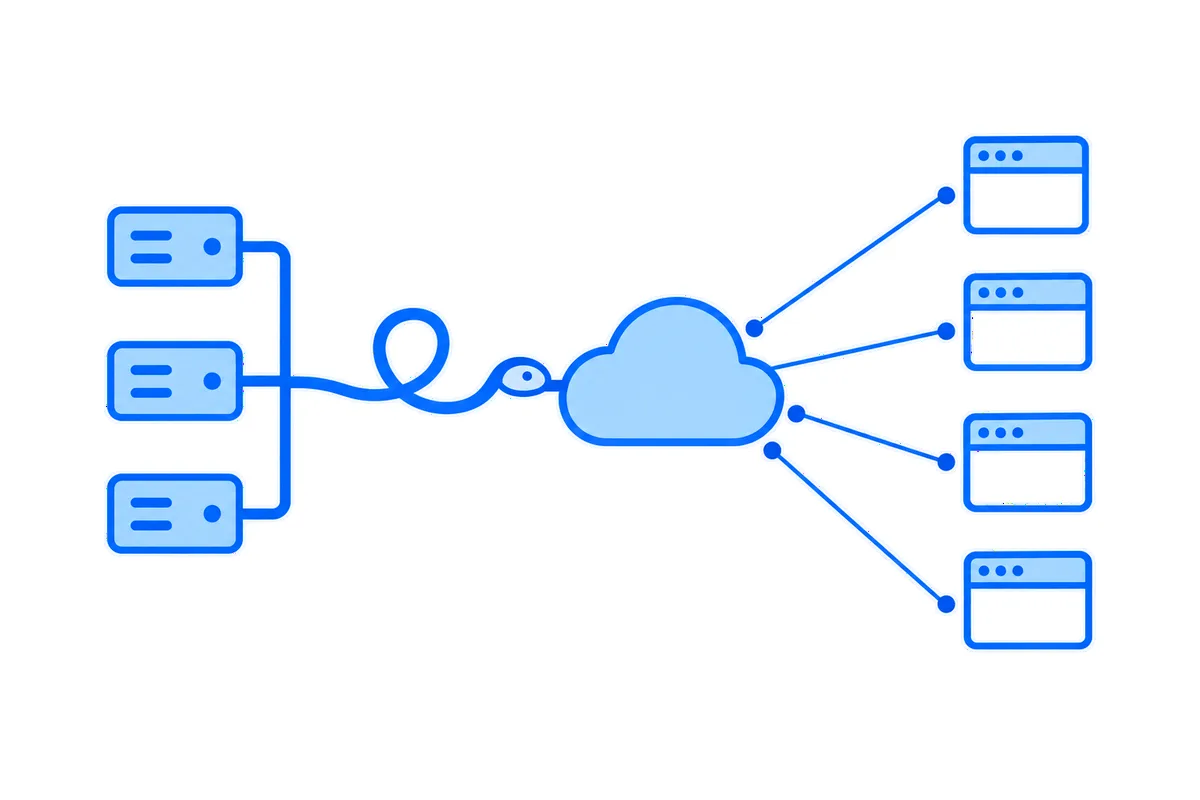
Python can run a websocket server in about fifteen lines, as an asyncio process that keeps every connection open. Django and Flask on WSGI cannot hold those connections themselves, so you either run a long-lived server beside your app or let a hosted service hold them while your views send each event in one short HTTP request.
This post shows the plain Python server, why a WSGI worker cannot do the same, what Django and Flask each take to do it on your own servers, and the hosted way with working code for both.
A websocket server in plain Python
A websocket is a two-way connection between a browser and a server that stays open, so either side can send at any moment. The websockets library gives you the server side on asyncio. This one passes each message it gets to everyone connected:
import asyncio
from websockets.asyncio.server import broadcast, serve

connections = set()

async def handler(websocket):
    connections.add(websocket)
    try:
        async for message in websocket:
            broadcast(connections, message)
    finally:
        connections.discard(websocket)

async def main():
    server = await serve(handler, "", 8001)
    await server.serve_forever()

asyncio.run(main())
A page connects with the WebSocket API every browser has:
const socket = new WebSocket( 'ws://localhost:8001' );
socket.onopen = () => socket.send( 'hello' );
socket.onmessage = ( event ) => console.log( event.data );
Open that in two tabs, and each one prints what the other sends. Once it runs on a public address, our WebSocket test connects to it from a browser and explains any close code. If the browser only reports that the connection failed, our post on WebSocket error 1006 shows how to find the cause. If your Python code is the one connecting to someone else's server, the same library has a client, connect() in websockets.asyncio.client.
Two things in the server above decide everything that follows. The handler keeps running for as long as the page stays open, often hours. And connections lives in the memory of this one process.
Why Django and Flask cannot hold one on WSGI
Most Django and Flask apps run on WSGI, the standard between Python web servers and apps. It is one function call per request: the server calls your app, and your app returns a response. It has no way to keep talking to the browser after that.
On Gunicorn, a usual server for these apps, that shows in practice:
- A sync worker handles one request at a time. A websocket held in one would keep it busy for as long as the page is open, so four open pages would leave a site with four workers unable to answer anyone else.
- A worker stuck on one request is restarted. A sync worker silent for longer than the timeout, 30 seconds by default, is killed and started again.
async defdoes not change this. The Flask docs put it plainly: "Each request still ties up one worker, even for async views." The Django docs say that under WSGI an async view runs in its own one-off event loop, without the benefits of an async stack.
What it takes on your own servers
In Django, moving to ASGI alone is not enough, as the ASGI handler Django ships takes HTTP only. The Django project keeps an official add-on for websockets. You add asgi.py, write consumers for connections beside your views, run an ASGI server, and put a proxy in front that sends websocket traffic to it. Your ordinary views can stay on WSGI.
In Flask, an extension gives you a websocket route, and each open connection holds a thread or a greenlet of a worker. With threads, Gunicorn's --threads 100 means at most 100 open pages a worker, ordinary requests included. Workers on gevent hold more, by patching the blocking functions of Python itself.
Either way, the same list follows you:
- Sharing each event. A
broadcast()over connections in memory reaches only the browsers on that one process. Past one process, every event has to go through a channel they all share, usually Redis. - Knowing who is connecting. The browser's
WebSockettakes an address and subprotocols, with no way to set a header. So your server reads the session cookie or a token in the address, and decides what this user may hear. - Deploys. A restart drops every connection, every browser reconnects at once, and a page that was away misses what was sent meanwhile unless something keeps it.
- Proxies. They close connections that look idle, so you need a heartbeat, and each proxy on the way has to be set up to pass websockets through.
FastAPI websockets past one worker goes through this list with code, and websockets in Laravel meets it from the PHP side. None of it is exotic, and plenty of teams run it well. It is still a second system beside your app, for as long as the app has live features.
Or keep your app as it is
A hosted realtime service takes the connections away from your workers. The browsers connect to the service. Your view sends each event in one short HTTPS request, and the service delivers it to every page that should get it. Short requests are exactly what WSGI is good at, so Gunicorn, your workers and your host stay as they are.
| Setup | What holds each connection | What you add |
|---|---|---|
| WSGI alone | Nothing, so no websockets | Nothing |
| WSGI with threads or gevent | A thread or greenlet of a worker | A shared channel past one worker |
| ASGI | A task on an event loop | An ASGI server, a proxy rule, a shared channel |
| A hosted service | The servers of the service | One request for each event |
Django on WordPlus Cloud
WordPlus Cloud comes to Django as one package, with no Node to install:
pip install 'wordplus-realtime[django]'Add "wordplus_realtime.django" to INSTALLED_APPS, set WORDPLUS_SITE, WORDPLUS_SECRET and WORDPLUS_LOCAL_KEY in the environment of your server, and declare your rooms once, each with a rule for who may join:
from wordplus_realtime.django import realtime

from .models import Order

# The room of an order, order:1042: its customer may join, and the last 20 updates are kept.
def may_follow_order(user, p):
    return user is not None and Order.objects.filter(pk=p["id"], customer_id=user).exists()

realtime.room("order:{id}", may_follow_order, history=20)
Import that file from your AppConfig.ready(), so the rooms exist before the first request. One line in urls.py adds the routes that answer pages asking to join a room and serve the browser files of the SDK:
path("api/realtime/", include("wordplus_realtime.django.routes")),The user comes from the session, and the Django CSRF check stays on for those routes. {% wordplus_realtime %} in the head of a template writes the settings of the page for its signed-in user, so the page connects with no request first.
Any view, on any worker, then sends once its transaction commits, so nobody sees a change that was rolled back:
from django.db import transaction

order.status = "shipped"
order.save()
transaction.on_commit(lambda: realtime.to(f"order:{order.pk}").emit("updated", {"status": order.status}))
That emit is one HTTPS request, made in the view. An async view does the same with await realtime.to(…).aemit(…). For many events at once, or where a request should not wait on them, send them from Celery or another task queue.
Flask on WordPlus Cloud
In Flask it is the same package, one call and the same kind of rule:
pip install 'wordplus-realtime[flask]'from flask import Flask
import wordplus_realtime.flask
from wordplus_realtime import Realtime
realtime = Realtime.from_environment() # WORDPLUS_SITE, WORDPLUS_SECRET, WORDPLUS_LOCAL_KEY
# The room of an order, order:1042: its customer may join, and the last 20 updates are kept.
realtime.room("order:{id}", lambda user, p: user is not None and owner_of(p["id"]) == user, history=20)
app = Flask(__name__)
wordplus_realtime.flask.init_app(app, realtime)
@app.post("/orders/<int:pk>/ship")
def ship(pk):
order = mark_shipped(pk)
realtime.to(f"order:{pk}").emit("updated", {"status": order.status})
return {"ok": True}The user is current_user from Flask-Login when your app has it, else session["user_id"]. {{ wordplus_realtime() }} in the head of a template writes the settings of the page.
The page is the same in both
Your JavaScript joins the room as it is, with no bundler, because those settings name the client your routes serve:
import { connect } from '@wordplus/realtime';

const rt = await connect( window.wordplusRealtimeConfig );
rt.join( 'order:1042' ).on( 'updated', ( data ) => showStatus( data.status ) );
That runs the same with one worker or forty. Beyond it:
- Nothing lost on a reconnect. A room keeps its last events, so a page that comes back gets what it missed, in order.
- Every page of one user.
realtime.to_user(42).emit("notice", {"text": "Your order shipped"})reaches every tab and device they have open, wherever they are in your app. A user with nothing open gets nothing, so send an email for what must reach them. - One connection for every tab. The tabs of a browser share one connection, so a person with three tabs open counts once.
- Sealed on the way. What your server sends to a room with a rule travels encrypted with keys only your server and your users hold.
- More than events. Who is online, calls that ring in every tab, group calls and live streams come on the same connection, with a ready-made call screen, chat and player from Better Messages, or your own interface on the same API.
When your own server fits better
A hosted service is not right for every job. Your Python code hears what pages send through a webhook, an HTTP request that can arrive more than once, and not through a live loop with each connection. A game or a control system where Python has to answer each message within milliseconds belongs on its own asyncio server, like the one at the top of this post.
Start with your framework
The Django guide and the Flask guide have the whole setup. The Django demo and the Flask demo are a small shop built on each, where an order turns to shipped in another window as you click.
WordPlus Cloud for Apps is priced by concurrent connections, starting from 1,000, billed monthly or yearly, and our post on realtime pricing explains how counting by the connection works. See what it does for apps, or the apps pricing. Our WebSocket API page shows rooms, presence and events in each stack. Questions about your integration? Write to us.