
 Deutsch
 Español
 Français
 Italiano
 Nederlands
 Polski
' d='M48 28h24v18a12 12 0 0 1-24 0z'/%3E%3Cpath fill='%230093DD' d='M47.5 21.5h4.6V28h-4.6zm10.2-2.5h4.6v9h-4.6zm10.2 2.5h4.6V28h-4.6z'/%3E%3Cpath fill='%23171796' d='M52.6 20h4.6v8h-4.6zm10.2 0h4.6v8h-4.6z'/%3E%3C/svg%3E) Hrvatski
 עברית
WebRTC in Python: what Python does in a video call
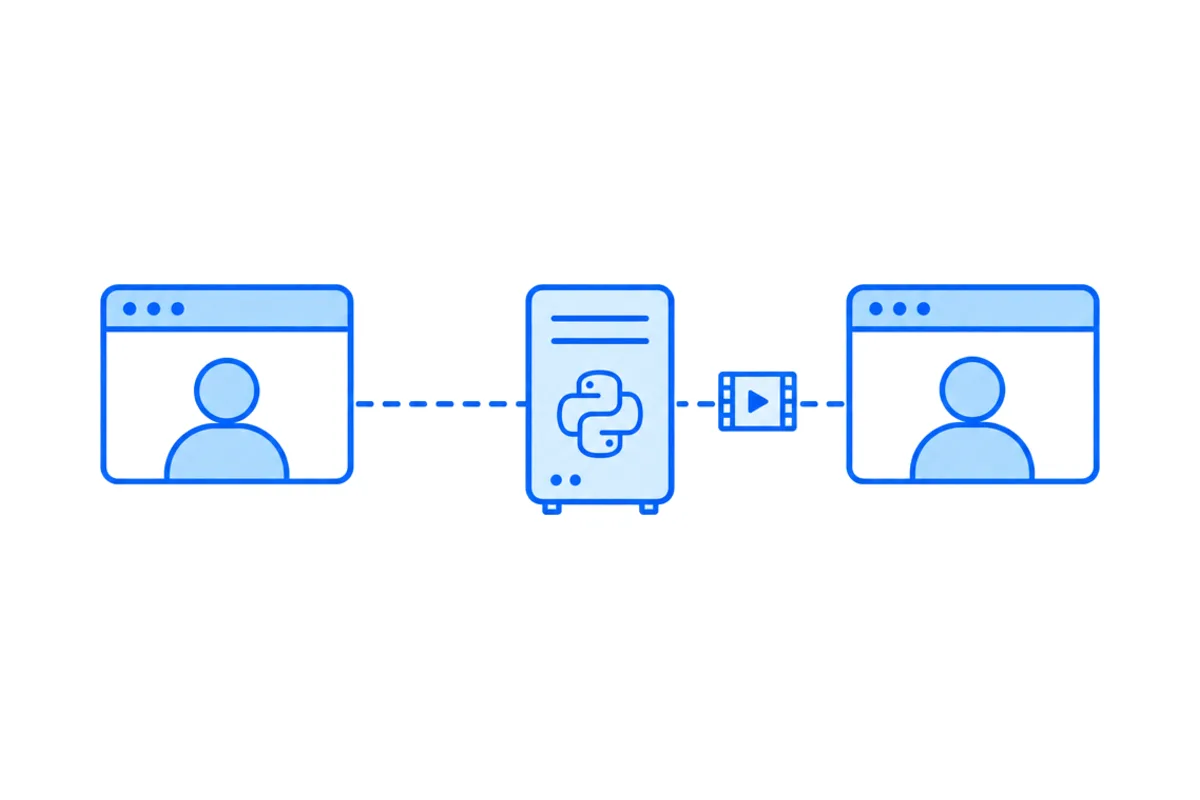
Python takes part in a WebRTC call in one of two ways. Most often it is the server behind the call: it passes the offers and network addresses between two browsers and decides who may call whom, while the browsers carry the picture and the sound. Less often it is a peer of its own, with the aiortc library, sending and receiving video and audio from a Python process, to record a call, run a bot in it or work on each picture.
This post shows both, each as a short program tested against Chromium, explains where each fits, and then shows how a Django, FastAPI or Flask app adds calls between its users without either one.
Two jobs Python can have in a call
| Job | Who carries the media | What Python needs |
|---|---|---|
| Signaling server | The two browsers | A websocket library |
| Peer in the call | Python itself | aiortc |
In the first, Python never sees a single picture. The call goes from browser to browser, and Python only helps them find each other. That is what a video chat between the users of a web app needs, and it is the same whatever the server is written in (how WebRTC connects two browsers shows the browser side in full).
In the second, Python is one end of the call. It answers the offer of a browser, decodes what arrives and encodes what it sends. That is for programs that need the media itself.
Python as the signaling server
Before any picture flows, two browsers have to swap an offer, an answer and a list of addresses each might be reached at, called candidates. WebRTC leaves the way they reach each other to the app (RFC 9429, which describes the browser API, says so). The smallest signaling server passes every message from one browser to the other. With the websockets package (pip install websockets):
import asyncio
from websockets.asyncio.server import serve

clients = set()

async def relay(websocket):
    clients.add(websocket)
    try:
        async for message in websocket:
            # Pass it on to everyone else connected: here, the other person.
            for other in clients - {websocket}:
                await other.send(message)
    finally:
        clients.discard(websocket)

async def main():
    async with serve(relay, "localhost", 8080) as server:
        await server.serve_forever()

asyncio.run(main())
It knows nothing about calls and only relays text. We ran it with the page from our post on video calls in JavaScript, unchanged, in two Chromium tabs with fake cameras, in both orders, and each tab showed the other. The page does the rest: it opens the camera, makes the offer and answers, and settles which side gives way when both offer at once.
What a real app adds is the same as on any stack. The relay above passes any message to anyone, so a real one checks who is signed in and whether they may call this person. The person called has to hear the ring in every tab they have open, which needs a connection held open for each user (websockets in Python explains why Django and Flask on WSGI can't hold one). And calls behind strict firewalls need a TURN relay (STUN and TURN servers, explained).
Python as a peer, with aiortc
aiortc implements WebRTC in Python on asyncio, with an API that follows the browser one, coroutines in place of promises. Its README lists audio in Opus, PCMU and PCMA, video in VP8 and H.264, and data channels, tested against Chrome and Firefox. Version 1.16 needs Python 3.11 or later.
The program below answers a browser and sends its video straight back, after Python has received each picture. It uses aiohttp for the one request the exchange needs (pip install aiortc aiohttp):
import asyncio
from aiohttp import web
from aiortc import RTCPeerConnection, RTCSessionDescription, MediaStreamTrack

peers = set()

class Mirror(MediaStreamTrack):
    """Sends back each picture it receives, after Python has seen it."""
    kind = "video"

    def __init__(self, source):
        super().__init__()
        self.source = source

    async def recv(self):
        frame = await self.source.recv()   # an av.VideoFrame, decoded
        # frame.to_ndarray(format="bgr24") gives the pixels, for NumPy or OpenCV.
        return frame

async def offer(request):
    params = await request.json()
    pc = RTCPeerConnection()
    peers.add(pc)

    @pc.on("track")
    def on_track(track):
        if track.kind == "video":
            pc.addTrack(Mirror(track))

    @pc.on("connectionstatechange")
    async def on_state():
        if pc.connectionState in ("failed", "closed"):
            await pc.close()
            peers.discard(pc)

    await pc.setRemoteDescription(RTCSessionDescription(sdp=params["sdp"], type=params["type"]))
    await pc.setLocalDescription(await pc.createAnswer())   # gathers every candidate first
    return web.json_response({"sdp": pc.localDescription.sdp, "type": pc.localDescription.type})

async def close_all(app):
    await asyncio.gather(*(pc.close() for pc in peers))

app = web.Application()
app.router.add_post("/offer", offer)
app.router.add_static("/", "static")
app.on_shutdown.append(close_all)
web.run_app(app, host="localhost", port=8081)
The page goes in static/index.html, with two video elements and the script:
<video id="me" autoplay playsinline muted></video>
<video id="back" autoplay playsinline></video>
<script type="module" src="/mirror.js"></script>const local = await navigator.mediaDevices.getUserMedia({ video: true });
document.getElementById('me').srcObject = local;
const pc = new RTCPeerConnection();
pc.addTrack(local.getVideoTracks()[0], local);
pc.ontrack = ({ track }) => {
document.getElementById('back').srcObject = new MediaStream([track]);
};
// The Python side takes one offer with every candidate in it, so wait for them all.
await pc.setLocalDescription(await pc.createOffer());
await new Promise((resolve) => {
if (pc.iceGatheringState === 'complete') return resolve();
pc.addEventListener('icegatheringstatechange', () => {
if (pc.iceGatheringState === 'complete') resolve();
});
});
const response = await fetch('/offer', {
method: 'POST',
headers: { 'Content-Type': 'application/json' },
body: JSON.stringify(pc.localDescription),
});
await pc.setRemoteDescription(await response.json());Run python peer.py and open http://localhost:8081/index.html. The browser asks for the camera, and a few seconds later the second video shows the first, back from Python. We ran it in Chromium with a fake camera: the picture came back at 640 pixels wide and kept coming.
Three things in it differ from a call between two browsers:
- One request is the whole exchange. The browser waits until it has every candidate, and sends them in its offer. aiortc gathers its own candidates in
setLocalDescription()and puts them in its answer, so no websocket is needed and a plain POST does it. - The track is a class. Each picture comes through
recv(), which awaits one from the browser and returns one to send. Between the two is where your code goes: read the pixels, draw on them, keep them, or send something else. - Python decodes and encodes. Every picture that passes through is decoded and encoded again on the CPU. That is fine for a few calls at a time, and it is why a media server that forwards video to many people doesn't decode it at all (how group video calls work).
The page must be on localhost or HTTPS for the camera to open. On a server of yours, the Python side also needs a STUN server, and a TURN server for people behind strict networks, given in RTCConfiguration(iceServers=[...]). If a call doesn't connect, why a WebRTC connection fails goes through what to check.
Which one you need
- Your users call each other. Python is the signaling server, or leaves that to a service. The browsers carry the call, and Python decides who may call whom.
- A program joins the call. A recorder, a bot that listens and answers, a camera on a small device, a test that places a call from a script. Here aiortc makes Python a peer, and you run it on servers of your own.
Most web apps need the first, and the work is less in the relay than around it: the ring in every tab, the relays, reconnecting when a phone changes networks, and group calls past four people. That is the part a service can carry, leaving to your app the one decision that is truly about it.
Calls in Django, FastAPI and Flask with WordPlus Cloud
With the wordplus-realtime package, a Python app places calls between its users with no signaling server, relay or call screen to write, and nothing Python has to decode. Your app decides who may call in a view of its own, which answers a token for the call. In Django:
# shop/views.py, at path("call-token", views.call_token): GET /call-token?to=34&type=video
from django.http import HttpResponse, JsonResponse
from wordplus_realtime.django import realtime

def call_token(request):
    # Your own check goes here: who may call whom.
    if not request.user.is_authenticated:
        return HttpResponse(status=401)
    return JsonResponse({
        "token": realtime.call_token(request.user.pk, request.GET["to"], type=request.GET.get("type")),
    })
The page starts the call screen and puts a button where people call from, which asks your view:
await rt.callScreen(); // the ring and the call window, on every page a call may ring on<call-button to="34" token-url="/call-token" type="video" name="Ann">Call Ann</call-button>The call rings in every tab and on every device Ann has open. It goes straight between the two browsers when their networks allow it, through our relays on ports 443 and 80 when they don't, and through our media servers when even the relays can't reach, moving from one to the next without hanging up. Calls between two people are encrypted end to end on every path, and group calls run on the same servers. With no token from your view nothing starts, so nobody gets around it.
The calls pages of our docs show the rest for Django, FastAPI and Flask: who may call, group calls and a call interface of your own.
Video calls for your Python app
WordPlus Cloud for Apps is priced by concurrent connections, starting from 1,000, billed monthly or yearly, and calls between two people take no credits on any path. See video calls and group calls for apps, or the apps pricing. Questions about your integration? Write to us.