
 Deutsch
 Español
 Français
 Italiano
 Nederlands
 Polski
' d='M48 28h24v18a12 12 0 0 1-24 0z'/%3E%3Cpath fill='%230093DD' d='M47.5 21.5h4.6V28h-4.6zm10.2-2.5h4.6v9h-4.6zm10.2 2.5h4.6V28h-4.6z'/%3E%3Cpath fill='%23171796' d='M52.6 20h4.6v8h-4.6zm10.2 0h4.6v8h-4.6z'/%3E%3C/svg%3E) Hrvatski
 עברית
WebRTC ports: which ones a video call needs and what a firewall must allow
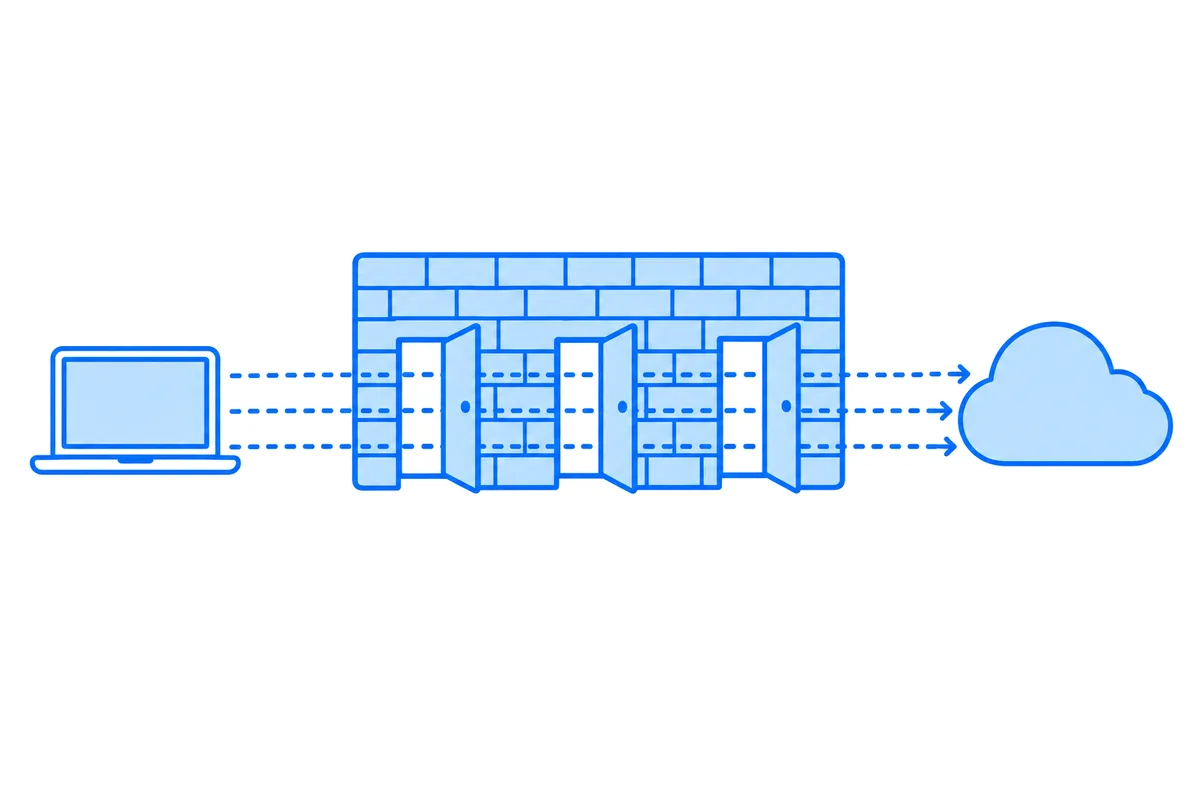
A browser video call needs outgoing TCP on port 443 for the page and its signaling, and outgoing UDP for sound and picture, to whatever ports the other side offers. On a network that can't allow that, one TURN relay over TLS on port 443 is usually enough, and nothing has to be opened for incoming traffic on the people's own networks.
This post goes through what travels where, what to allow on a strict network, what a TURN server of your own needs opened, and how to test the result.
What travels where
A call uses several connections, each with its own needs:
- The page and signaling: TCP 443. The web page, and the HTTPS requests or WebSocket that set up the call.
- STUN: usually UDP 3478. A short question to a server, to learn the public address a device has.
- A direct path: UDP, on changing high ports. Once two devices find each other, the sound and picture go straight between them. Each browser picks its own port for each call, so these can't be listed in advance.
- TURN: UDP or TCP 3478, TLS 5349. Those are the standard ports, and many services add TLS on 443, as firewalls leave that one open for web pages. A relay carries the call when no direct path works.
- A media server, in a group call. Everyone sends to a server instead of to each other, on ports that depend on the service. How group video calls work explains why.
All of these start from inside your network going out, so the replies come back through the same opening. A firewall that follows connections, as nearly all do, needs no rule for incoming traffic.
What to allow on a strict network
From the most open to the most closed, a network can allow:
- Outgoing UDP to anywhere. Calls go directly when they can, with the shortest delay. Most home networks work like this.
- Outgoing UDP to your relays only. Direct paths fail, but calls go through a relay over UDP, which still carries sound and picture well.
- TCP 443 only. Calls can go through a relay over TLS on port 443, and nothing else gets through. This works, and it can add some delay on a poor connection, as a lost packet holds up the ones behind it.
So the least a firewall has to allow is port 443 to a relay and to whatever hosts the page. A proxy that opens and inspects encrypted traffic can still break this, even with the port open.
Allow by name where the firewall can, as the addresses behind a service's names change.
If you run your own TURN server
A TURN server needs incoming traffic, the opposite of the people using it:
- 3478, UDP and TCP. The main port.
- 5349, or 443, TCP. TLS, for networks that block the rest.
- The relay range, UDP. Each relayed call takes a port from a range, by default 49152 to 65535 on coturn. Its
min-portandmax-portsettings narrow it, and the range has to stay large enough for your calls.
Forgetting the relay range is the classic mistake, as the server then looks healthy and carries nothing. A server behind NAT also has to know its public address. How to test a TURN server shows how to catch both.
Test it from the network itself
A list of ports only tells you what should work. To see what does, test from inside that network, on a device connected to it:
- The WebRTC test shows whether UDP gets out on ports 3478 and 443, how the network maps addresses, and whether a relay and a WebSocket get through. If calls are failing already, WebRTC connection failed goes through the rest of what to check.
- The TURN server test checks your own server on each port.
What WordPlus Cloud needs
For calls and live updates on WordPlus Cloud, these are the names and ports to allow:
ws.wordplus.cloudandrest.wordplus.cloud, TCP 443. Messages, presence and live updates.turn.rtc.wordplus.cloud, UDP 3478, UDP 443, TCP 443 and TCP 80. Our relays. Any one of these ports is enough for a call.*.rtc.wordplus.cloud, TCP 443. Our media servers, to join a group call or a live stream.*.rtc.wordplus.cloud, UDP and TCP 7900 to 7999. The sound and picture of group calls and live streams. When these are closed, they go through the relays instead.
The connection test checks all of this from any network but the media ports, which only answer in a real call, and measures the time to each of our regions. It is a good page to send to whoever runs a network. The docs on calls show how an app uses these servers.