
 Deutsch
 Español
 Français
 Italiano
 Nederlands
 Polski
' d='M48 28h24v18a12 12 0 0 1-24 0z'/%3E%3Cpath fill='%230093DD' d='M47.5 21.5h4.6V28h-4.6zm10.2-2.5h4.6v9h-4.6zm10.2 2.5h4.6V28h-4.6z'/%3E%3Cpath fill='%23171796' d='M52.6 20h4.6v8h-4.6zm10.2 0h4.6v8h-4.6z'/%3E%3C/svg%3E) Hrvatski
 עברית
WebRTC in Node.js: signaling, peers and the npm packages
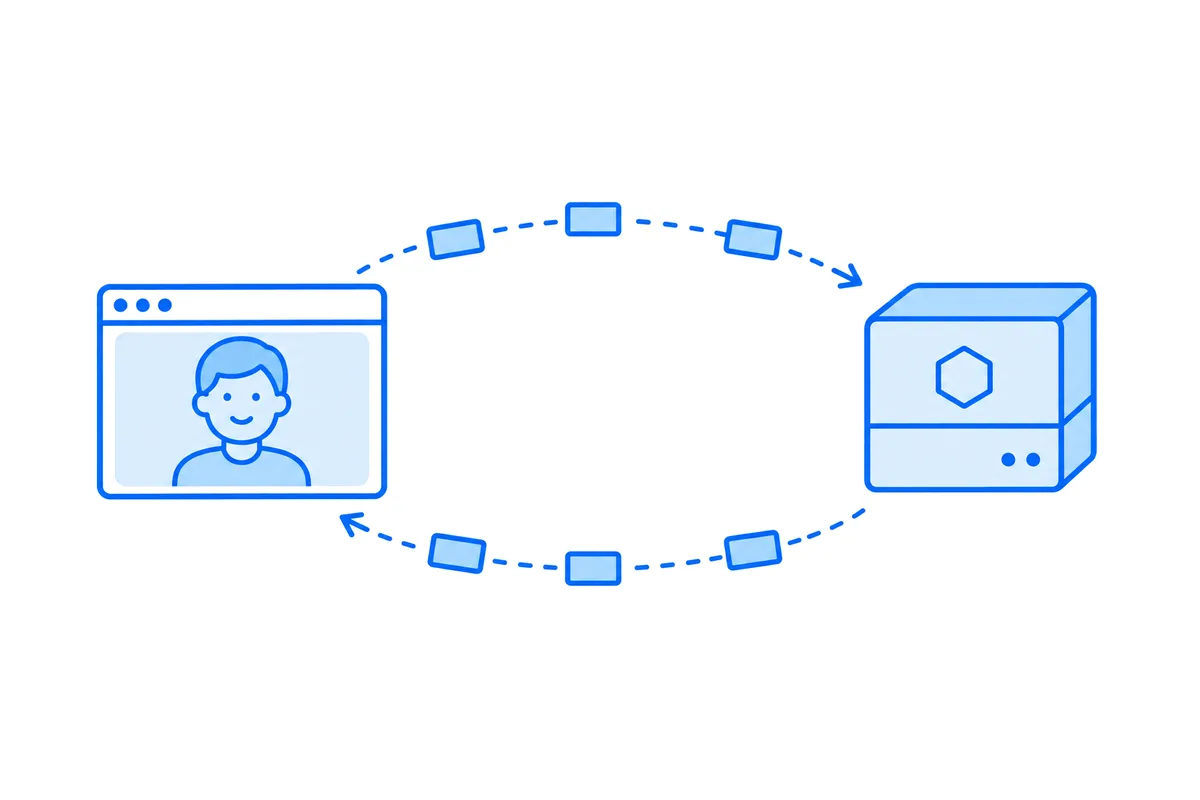
Node.js has no WebRTC of its own: it has a WebSocket client built in, but no RTCPeerConnection. So Node.js takes part in a call in one of two ways, either as the signaling server that passes offers and addresses between two browsers, which needs only a websocket library, or as a peer of its own through an npm package that brings the WebRTC stack with it.
This post shows where each fits, three packages that make Node.js a peer and what each one hands your code, two short programs tested against Chromium, and then how an Express app adds calls between its users without either.
Two jobs Node.js can have in a call
| Job | Who carries the media | What Node.js needs |
|---|---|---|
| Signaling server | The two browsers | A websocket library, such as ws |
| Peer in the call | Node.js itself | A WebRTC package from npm |
Run node -e "console.log(typeof RTCPeerConnection, typeof WebSocket)" on Node.js 22 and it prints undefined function. The browser API that carries calls is not there, so code written for the browser can't simply run on the server.
For a video chat between the users of a web app, the server needs none of it. The call goes from browser to browser, and Node.js only helps them find each other: how WebRTC connects two browsers has that whole relay in Node.js with the ws package, and the page that uses it. The relay is the easy part. Ringing the person in every tab they have open is not, as it needs a connection held for every user, and once you run more than one process those connections are split between them (websockets in Node.js past one server goes through what that takes).
A peer is for programs that need the media or the channel themselves: a recorder, a bot that joins a call, a test that places one from a script, a game server that talks to each player over a data channel.
The npm packages that make Node.js a peer
Each of these is open source and gives Node.js the browser's RTCPeerConnection, with the offer, the answer and the candidates exchanged as in a browser. They differ in what they are built on, and so in what your code gets:
| Package | What your code gets |
|---|---|
| werift 0.28 | Media as RTP packets, data channels |
| node-datachannel 0.33 | Data channels, and its own WebSocket |
| @roamhq/wrtc 0.10 | Decoded pictures and sound, data channels |
What each one says of itself, and what we saw running them:
- werift is written in TypeScript, needs Node.js 22 or later and installs nothing native. It hands you each packet of the video as it arrives, still encoded, and sends packets you give it. That is what forwarding needs, and it is how a media server for group calls works: it passes the video on without ever decoding it (how group video calls work).
- node-datachannel binds libdatachannel, a small C++ library, with prebuilt binaries for Linux, macOS and Windows on Node.js 18.20 or later. Its
node-datachannel/polyfillexport gives the browser API, and its README lists a WebSocket client and server of its own, for signaling. - @roamhq/wrtc is a fork of the older node-webrtc project, with bindings to release 106 of Google's WebRTC library, from 2022, and prebuilt binaries for Linux and macOS on x64 and arm64, and for Windows on x64. Beside the standard API it has nonstandard sinks and sources: we had it receive a browser's camera and it gave us each picture decoded, 640 by 480, as raw bytes.
The choice follows from the job. To pass media on, or record it as it came, packets are enough. To read what is in the picture, or draw on it, you need it decoded, at the cost of the CPU work for every frame. For data alone, a small library does it.
Node.js as a peer: a video that comes back
The program below answers a browser with werift and sends its video straight back, every packet passing through Node.js without being decoded (npm install werift). It uses the http module of Node.js for the one request the exchange needs:
import http from 'node:http';
import { readFile } from 'node:fs/promises';
import { RTCPeerConnection } from 'werift';

async function answer(offer) {
  const pc = new RTCPeerConnection();

  pc.ontrack = ({ track, transceiver }) => {
    // Each packet of the browser's video goes straight back, never decoded.
    track.onReceiveRtp.subscribe((rtp) => transceiver.sender.sendRtp(rtp));
    // Ask the browser for a full picture now and then, so the far side can start drawing.
    const timer = setInterval(() => transceiver.receiver.sendRtcpPLI(track.ssrc), 3000);
    pc.onconnectionstatechange = () => {
      if (['failed', 'closed'].includes(pc.connectionState)) clearInterval(timer);
    };
  };

  await pc.setRemoteDescription(offer);
  // Send as well as receive on the video line the browser offered.
  for (const transceiver of pc.getTransceivers()) transceiver.direction = 'sendrecv';
  await pc.setLocalDescription(await pc.createAnswer());

  // Wait for every candidate, so they all go in the one answer.
  await new Promise((resolve) => {
    if (pc.iceGatheringState === 'complete') return resolve();
    pc.onicegatheringstatechange = () => pc.iceGatheringState === 'complete' && resolve();
  });
  return pc.localDescription;
}

http.createServer(async (req, res) => {
  if (req.method === 'POST' && req.url === '/offer') {
    let body = '';
    for await (const chunk of req) body += chunk;
    res.setHeader('Content-Type', 'application/json');
    return res.end(JSON.stringify(await answer(JSON.parse(body))));
  }
  // The page and its script, from the static folder.
  const file = req.url === '/' ? 'index.html' : req.url.slice(1);
  try {
    const body = await readFile(new URL(`./static/${file}`, import.meta.url));
    res.setHeader('Content-Type', file.endsWith('.js') ? 'text/javascript' : 'text/html');
    res.end(body);
  } catch {
    res.statusCode = 404;
    res.end();
  }
}).listen(8081);
The page goes in static/index.html, with two video elements and the script:
<video id="me" autoplay playsinline muted></video>
<video id="back" autoplay playsinline></video>
<script type="module" src="/mirror.js"></script>const local = await navigator.mediaDevices.getUserMedia({ video: true });
document.getElementById('me').srcObject = local;
const pc = new RTCPeerConnection();
pc.addTrack(local.getVideoTracks()[0], local);
pc.ontrack = ({ track }) => {
document.getElementById('back').srcObject = new MediaStream([track]);
};
// The Node.js side takes one offer with every candidate in it, so wait for them all.
await pc.setLocalDescription(await pc.createOffer());
await new Promise((resolve) => {
if (pc.iceGatheringState === 'complete') return resolve();
pc.addEventListener('icegatheringstatechange', () => {
if (pc.iceGatheringState === 'complete') resolve();
});
});
const response = await fetch('/offer', {
method: 'POST',
headers: { 'Content-Type': 'application/json' },
body: JSON.stringify(pc.localDescription),
});
await pc.setRemoteDescription(await response.json());Run node echo.mjs and open http://localhost:8081/. The browser asks for the camera, and a moment later the second video shows the first, back from Node.js. We ran it in Chromium with a fake camera: the picture came back at 640 pixels wide, and the count of pictures drawn kept rising, about 20 a second.
Three lines in it are there for a reason:
- The direction. An answer made with no track of its own only receives, so the program turns the video line to
sendrecvbefore answering. Without that line the browser got nothing back. - The request for a full picture. Video is sent mostly as changes from the picture before. A program that decodes nothing can't make a full picture itself, so it asks the sender for one now and then, which lets the far side start, or recover after a lost packet. Media servers do the same.
- One request is the whole exchange. The browser sends every candidate in its offer and Node.js every candidate in its answer, so a plain POST does it, and no websocket is needed for this program.
Node.js as a peer: a data channel
A data channel needs no media at all. With node-datachannel (npm install node-datachannel), the server below answers a browser over a channel that is unordered and never resends, the kind a game uses for positions, where the next message counts for more than a late one:
// channel.mjs: the same server as echo.mjs, with this in place of its import and answer()
import { RTCPeerConnection } from 'node-datachannel/polyfill';

async function answer(offer) {
  const pc = new RTCPeerConnection();

  pc.ondatachannel = ({ channel }) => {
    channel.onmessage = ({ data }) => {
      // Answer each message at once, with the server's clock.
      const { sent } = JSON.parse(data);
      channel.send(JSON.stringify({ sent, server: Date.now() }));
    };
  };
  pc.onconnectionstatechange = () => {
    if (['failed', 'closed'].includes(pc.connectionState)) pc.close();
  };

  await pc.setRemoteDescription(offer);
  await pc.setLocalDescription(await pc.createAnswer());

  // Wait for every candidate, so they all go in the one answer.
  await new Promise((resolve) => {
    if (pc.iceGatheringState === 'complete') return resolve();
    pc.onicegatheringstatechange = () => pc.iceGatheringState === 'complete' && resolve();
  });
  return pc.localDescription;
}
The page opens the channel and measures each round trip:
const pc = new RTCPeerConnection();

// Unordered, never resent: the next message counts for more than a late one.
const channel = pc.createDataChannel('state', { ordered: false, maxRetransmits: 0 });
channel.onopen = () => {
  setInterval(() => channel.send(JSON.stringify({ sent: performance.now() })), 1000);
};
channel.onmessage = ({ data }) => {
  const { sent } = JSON.parse(data);
  document.getElementById('log').textContent += `round trip ${Math.round(performance.now() - sent)} ms\n`;
};

// Send one offer with every candidate in it, as the server answers once.
await pc.setLocalDescription(await pc.createOffer());
await new Promise((resolve) => {
  if (pc.iceGatheringState === 'complete') return resolve();
  pc.addEventListener('icegatheringstatechange', () => {
    if (pc.iceGatheringState === 'complete') resolve();
  });
});

const response = await fetch('/offer', {
  method: 'POST',
  headers: { 'Content-Type': 'application/json' },
  body: JSON.stringify(pc.localDescription),
});
await pc.setRemoteDescription(await response.json());
Its static/index.html is a <pre id="log"></pre> and a script tag for /channel.js. On one machine in Chromium, each round trip took 1 to 4 milliseconds. Over a real network that is the time of the path itself, with no message held back behind one that was lost, which a websocket over TCP can't promise.
On a server of yours, both programs need what any peer needs: a STUN server to learn their public address, and a TURN server for people behind strict networks, given in new RTCPeerConnection({ iceServers: [...] }) (STUN and TURN servers, explained). The page needs localhost or HTTPS for the camera to open. If a call doesn't connect, why a WebRTC connection fails goes through what to check.
Which one you need
- Your users call each other. Node.js is the signaling server, or leaves that to a service. The browsers carry the call, and your server decides who may call whom.
- A program joins the call. A recorder, a bot, a test, a camera on a small device: Node.js is a peer, through the package that hands you the media in the form you need, and you run it on servers of your own.
- Your server talks to each browser with the lowest delay. A data channel to a Node.js peer, for games and live controls, beside or in place of a websocket.
The same split holds in other languages: WebRTC in Python is this post for Python, with aiortc as the peer. Most web apps need the first, and the work is less in the relay than around it: the ring in every tab, the relays, reconnecting when a phone changes networks, and group calls past four people.
Calls in Express and Node.js with WordPlus Cloud
With the @wordplus/realtime package, a Node.js app places calls between its users with no signaling server, relay or call screen to write, and no peer of its own to run. Your app decides who may call in a route of its own, which answers a token for the call. In Express:
// server.mjs: GET /call-token?to=34&type=video, which the button asks as it is pressed.
app.get('/call-token', async (req, res) => {
  // Your own check goes here: who may call whom.
  const me = req.session.userId;
  if (!me) return res.sendStatus(401);
  res.json({ token: await realtime.callToken(me, req.query.to, { type: req.query.type }) });
});
The page starts the call screen and puts a button where people call from, which asks your route:
await rt.callScreen(); // the ring and the call window, on every page a call may ring on<call-button to="34" token-url="/call-token" type="video" name="Ann">Call Ann</call-button>The call rings in every tab and on every device Ann has open. It goes straight between the two browsers when their networks allow it, through our relays on ports 443 and 80 when they don't, and through our media servers when even the relays can't reach, moving from one to the next without hanging up. Calls between two people are encrypted end to end on every path, and group calls run on the same servers. With no token from your route nothing starts, so nobody gets around it.
The calls page of the Express guide shows the rest: who may call, group calls with a host, and a call interface of your own. The same package runs in a plain Node.js server, Fastify or Hono.
Video calls for your Node.js app
WordPlus Cloud for Apps is priced by concurrent connections, starting from 1,000, billed monthly or yearly, and calls between two people take no credits on any path. See video calls and group calls for apps, or the apps pricing. Questions about your integration? Write to us.