
 Deutsch
 Español
 Français
 Italiano
 Nederlands
 Polski
' d='M48 28h24v18a12 12 0 0 1-24 0z'/%3E%3Cpath fill='%230093DD' d='M47.5 21.5h4.6V28h-4.6zm10.2-2.5h4.6v9h-4.6zm10.2 2.5h4.6V28h-4.6z'/%3E%3Cpath fill='%23171796' d='M52.6 20h4.6v8h-4.6zm10.2 0h4.6v8h-4.6z'/%3E%3C/svg%3E) Hrvatski
 עברית
Typing indicators in a web app: few events, no database
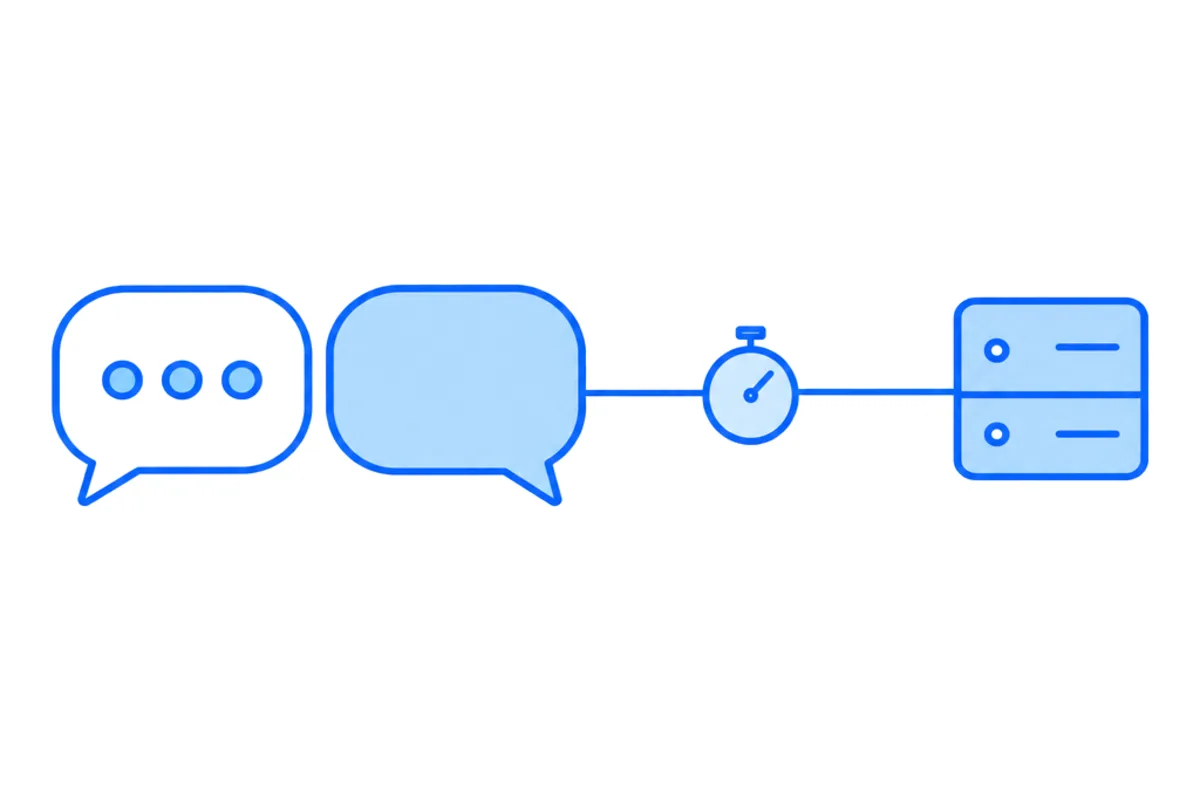
A typing indicator is a small event the page sends over its open connection while someone writes, at most every couple of seconds, which the server passes on to the others in the conversation and never stores. The page that shows it hides the writer a few seconds after their last event, so a closed tab or a lost "stopped" never leaves "Ann is typing…" on screen for good.
This post builds one in Node.js and the browser, runs it, and counts what it sends. Then what the old messaging standards say about it, what changes in a big group or past one server, and how the same indicator looks when a realtime cloud carries the events.
Three timers decide it
Sending an event on every key press works, and it is the version most first attempts ship. It also sends 60 events for a 60-character message, to every member of the conversation. Three timers fix that:
- Every 2 seconds at most, the page says "typing". A key pressed sooner sends nothing.
- After 3 seconds with no key, the page says "stopped", once.
- 4 seconds after someone's last event, the other pages hide them, whatever happened to the "stopped".
The third timer is the one that keeps the indicator honest. A "stopped" can be lost: the tab closes, the laptop sleeps, the network drops. The pages that show the indicator never wait for it. As long as the writer keeps typing, a new "typing" arrives every 2 seconds and renews the 4, so the indicator stays up without a flicker.
A sent message ends typing by itself. The other pages hide the writer when the message arrives, so no "stopped" is needed after it.
The server: pass it on, keep nothing
The server knows which room each connection is in and sends each typing event to the other people there. It writes nothing to a database and keeps nothing in memory past the connection. It uses the ws package:
import { WebSocketServer } from 'ws';

const rooms = new Map(); // room name -> the connections in it

const wss = new WebSocketServer({ port: Number(process.env.PORT ?? 8080) });

wss.on('connection', (ws, req) => {
  // A real app reads the user from a signed token or its session, and checks they may be in the room.
  const url = new URL(req.url, 'http://x');
  ws.user = url.searchParams.get('user');
  ws.room = url.searchParams.get('room');
  if (!rooms.has(ws.room)) rooms.set(ws.room, new Set());
  rooms.get(ws.room).add(ws);

  ws.on('message', (raw) => {
    const msg = JSON.parse(raw);
    if (msg.type !== 'typing' && msg.type !== 'message') return;
    const out = JSON.stringify({ ...msg, from: ws.user });
    for (const other of rooms.get(ws.room)) {
      if (other.user === ws.user) continue;
      // A connection that is behind gets no typing: it would be stale before it arrived.
      if (msg.type === 'typing' && other.bufferedAmount > 0) continue;
      other.send(out);
    }
  });

  ws.on('close', () => rooms.get(ws.room).delete(ws));
});
The server sets from itself, so a page can't claim someone else is typing. In a real app the message branch is also where you save the message, before passing it on. Typing never reaches that code.
The check on bufferedAmount drops typing for a connection whose earlier messages haven't left yet, such as a phone on a slow network. A message is worth the wait. A typing event that arrives late shows someone typing who already stopped.
The page: send little, hide on time
const EVERY = 2000; // say "typing" at most this often
const IDLE = 3000;  // say "stopped" after this long with no key
const HIDE = 4000;  // hide a writer this long after their last event

const ws = new WebSocket('wss://example.com/chat?room=chat:7');
const send = (m) => ws.send(JSON.stringify(m));
let sentAt = 0;
let idle;

function stop() {
  clearTimeout(idle);
  if (!sentAt) return;
  sentAt = 0;
  send({ type: 'typing', on: false });
}

box.addEventListener('input', () => {
  if (!box.value) return stop(); // the box was cleared
  if (Date.now() - sentAt >= EVERY) {
    sentAt = Date.now();
    send({ type: 'typing', on: true });
  }
  clearTimeout(idle);
  idle = setTimeout(stop, IDLE);
});

form.addEventListener('submit', (e) => {
  e.preventDefault();
  clearTimeout(idle);
  sentAt = 0;
  send({ type: 'message', text: box.value }); // the message ends typing for the others
  box.value = '';
});

// What the others type
const timers = new Map();

function hide(id) {
  clearTimeout(timers.get(id));
  timers.delete(id);
  showTyping(id, false);
}

ws.onmessage = ({ data }) => {
  const m = JSON.parse(data);
  if (m.type === 'message' || !m.on) return hide(m.from);
  showTyping(m.from, true);
  clearTimeout(timers.get(m.from));
  timers.set(m.from, setTimeout(() => hide(m.from), HIDE));
};
showTyping() is yours: it adds or removes a name under the conversation. The input event fires each time the text in the box changes, typing, pasting or deleting, which is what "is typing" should follow. A key that changes nothing, such as an arrow, sends nothing.
What the test showed
We ran the server above with Node.js clients standing in for the tabs, using the same send and hide logic. Ann typed "Hi Ben, are you free at three for a quick call about the order?", 63 characters at 5 a second, with a pause of 4 seconds in the middle, then sent it. Ben watched:
| Time | Ann | Ben sees |
|---|---|---|
| 0.0 s | presses the first key | Ann is typing |
| 5.8 s | stops to think | still typing |
| 8.0 s | hidden | |
| 9.8 s | types again | Ann is typing |
| 16.7 s | sends the message | hidden, the message is in |
Ben stopped seeing Ann type 2.2 seconds into her pause, 4 seconds after her last "typing", and saw it again with her next key. While she kept typing, the indicator never blinked.
Then we counted what reached the other pages for the same 63 characters, once with an event on every key press and once with the timers above:
| Room | Every key | With the timers |
|---|---|---|
| 2 people | 63 | 8 |
| 50 people | 3,087 | 392 |
Ann sent 8 typing events in place of 63: three while she typed the first half, one "stopped" in the pause, four for the second half, and none after the message. In a group every event goes to each of the others, so the room of 50 shows the difference most.
Last, Ann typed a few words and closed her tab mid-sentence, with no "stopped" sent. Ben saw her as typing for 3 more seconds, 4 seconds after her last event, then the indicator went away by itself.
What the standards already say
Typing notices are older than the web apps that show them, and two standards describe them:
- XEP-0085, chat state notifications for XMPP, names the states
composing,paused,active,inactiveandgone, and suggestspausedafter about 30 seconds without typing. It says a client must not send more than onecomposingin a row, that servers should not store these notices for someone offline, and that a client must let its users turn them off. - RFC 3994, message composition for instant messaging, has two states,
activeandidle. It asks for a refresh no shorter than 60 seconds and an idle timeout of 15 seconds by default.
The parts that hold today: send a state change, not every key, never store it, and let people switch it off. The timings were set for networks where each notice was a message of its own through the server. Over a WebSocket that is already open, a typing event is a few bytes, and a chat that refreshes every 2 seconds feels alive, while one that waits 15 seconds to hide a writer feels stuck.
In a group, and past one server
A few choices change as conversations grow:
- Show a count past a few names. "Ann and Ben are typing" helps. Nine names do not. Past three, "Several people are typing" says the same.
- Turn it off in big rooms. In a room of 500, each event goes to 499 pages, and the line under the conversation never settles. Send typing only in conversations under a size you choose, which your server knows from its members table.
- Let people hide it. A "Don't show when I'm typing" setting belongs on the server, which then refuses typing from that user. A page that only stops showing it still sends it.
- Past one server, two members of a room can sit on different servers, so the typing event goes out on the shared channel every server listens to, like any other message, and is still never stored. Websockets in Node.js past one server shows that channel.
Typing is the twin of the online dot. Online and offline indicators uses the same grace period idea for whole connections, and WebSockets in JavaScript shows what a page does when its connection drops and comes back, which typing never needs to replay.
When a realtime cloud carries the events
Everything above is a server of your own: the rooms, the connections, the fan-out and the shared channel once there are two servers. With WordPlus Cloud, the pages send typing straight to the room, and your server only says who may be in it and what they may send:
// lib/realtime.ts, beside createRealtime(). isMember() is your own query of the members table.
realtime.room('chat:{id}', (user, { id }) => isMember(id, user), {
  emit: ['message', 'typing'], // what the pages may send
  webhook: ['message'],        // what your server hears: the messages, never typing
  history: 50,                 // the last 50 for 5 minutes, for a page that reconnects
});
The page sends typing as volatile: if its connection is down, the event is dropped, not queued for later, and it is never kept in the room history:
import { connect } from '@wordplus/realtime';

const rt = await connect({ app: 's1500000007' });
const chat = rt.join('chat:7');

let sent = 0;
box.addEventListener('input', () => {
  if (Date.now() - sent < 2000) return; // at most every 2 seconds
  sent = Date.now();
  chat.volatile.emit('typing', { on: true });
});

// Hide a writer after 4 seconds of nothing, as above.
chat.on('typing', (data, meta) => showTyping(meta.from, data.on));- No request to your server for a typing event, and no row in your database. Your webhook hears the messages alone, as the rule says.
- Typing is never counted. The bill counts concurrent connections, so a chat that shows typing costs the same as one that doesn't.
meta.fromis the user your server vouched for, so a page can't type as someone else.- Sealed like the messages: in any room that isn't public, the data of each typing event crosses the cloud sealed with the key of the room, as our post on end-to-end encrypted chat shows.
- The other tabs of the writer hear their own typing too: leave out
meta.fromwhen it is the signed-in user. - "Don't show when I'm typing" is your rule answering
{ emit: ['message'] }for that user, so their typing is refused before it leaves.
The whole chat, with read ticks and who is here, in Node, PHP or Python: typing, read and who is here in the docs. To try your own server by hand, the WebSocket test opens a connection from the browser and logs each message both ways. If you are still deciding what to build on, how to choose a chat API lists what to check.
Typing indicators, for your app
WordPlus Cloud for Apps is priced by concurrent connections, starting from 1,000, billed monthly or yearly, with nothing to run on your servers. See chat for apps, all of the cloud for apps, or the apps pricing. Questions about your integration? Write to us.