
 Deutsch
 Español
 Français
 Italiano
 Nederlands
 Polski
' d='M48 28h24v18a12 12 0 0 1-24 0z'/%3E%3Cpath fill='%230093DD' d='M47.5 21.5h4.6V28h-4.6zm10.2-2.5h4.6v9h-4.6zm10.2 2.5h4.6V28h-4.6z'/%3E%3Cpath fill='%23171796' d='M52.6 20h4.6v8h-4.6zm10.2 0h4.6v8h-4.6z'/%3E%3C/svg%3E) Hrvatski
 עברית
WebRTC screen sharing: capture, send, and keep text readable
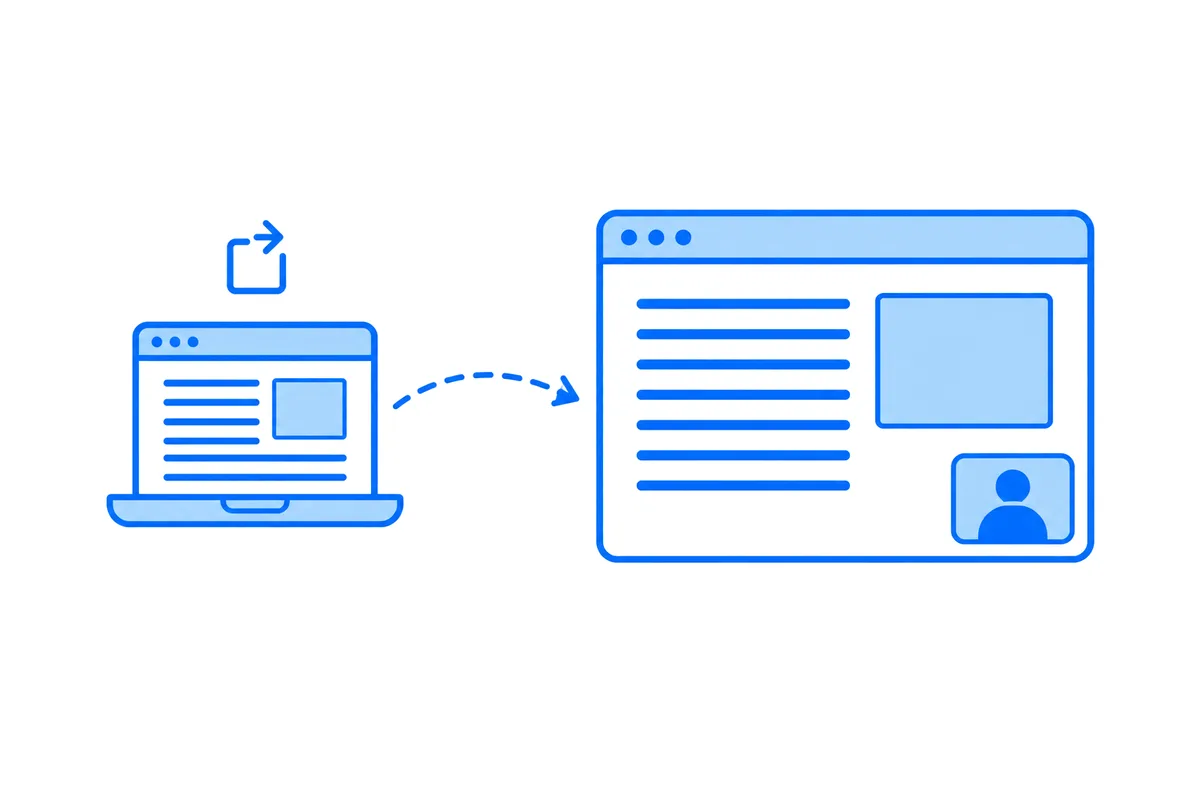
Screen sharing in WebRTC takes two steps: getDisplayMedia() asks the person what to share and hands you a video track of it, and you send that track in the call as you send a camera, either as one more track or in place of the camera. The rest is making small text survive the encoder, and telling the other side when the sharing stops.
This post adds a Share screen button to a call between two browsers, measures each choice in Chromium, and ends with what to check before your users rely on it.
Capturing the screen
The browser does the asking. Your page calls getDisplayMedia(), the browser shows its own dialog, and the person picks what to share. Call it from the click of a button, since MDN lists a user gesture among its requirements:
// share.js: called when the person presses Share screen.
async function captureScreen() {
  if (typeof navigator.mediaDevices?.getDisplayMedia !== 'function') {
    return null; // this browser can't share a screen: hide the button
  }
  try {
    return await navigator.mediaDevices.getDisplayMedia({
      video: true,
      audio: true,                 // the sound of a tab, where the browser offers it
      surfaceSwitching: 'include', // lets them move the sharing to another tab
      systemAudio: 'exclude',      // never the sound of the whole computer
    });
  } catch (error) {
    if (error.name === 'NotAllowedError') return null; // they closed the dialog
    throw error;
  }
}
What to know about that call:
- The person always chooses. A page can't pick a screen, a window or a tab for them, and the options can't limit what the dialog offers.
minandexactconstraints are refused with aTypeError. - They are asked every time. The permission is never kept for the next visit, the page must be on HTTPS or
localhost, and aniframeneedsallow="display-capture"to share at all. - Closing the dialog is no error. It rejects with
NotAllowedError, which usually means "not now", so leave the call as it was.NotFoundError,NotReadableErrorandInvalidStateErrorare the real failures: nothing to capture, the system refused, or the call came without a click or while the page was not in front. - Sound is partial. In MDN's compatibility data, Chrome and Edge give the sound of a tab, and the sound of the whole computer only on Windows and ChromeOS when a whole screen is shared. Firefox and Safari share no sound.
surfaceSwitchingandsystemAudioare options of Chrome, and other browsers ignore them. - Phones mostly can't. In the same data, Chrome and Firefox for Android have no
getDisplayMedia(), and Safari on the iPhone has it from version 27. That is why the code checks for the function and doesn't guess from the device.
Sending it in the call
This builds on the call from video calls in JavaScript: one RTCPeerConnection, a websocket for signaling, and the perfect negotiation pattern, which already answers any new offer either side makes. There are two ways to put the screen into it.
As one more track, beside the camera. Adding a track asks for negotiation, so one new offer and one answer go through your signaling, and then the screen arrives as a second video. The other side can't tell a screen from a camera by looking at the track, so the sharing side says which stream it is first:
let screenSenders = [];

async function startSharing() {
  const screen = await captureScreen();
  if (!screen) return;
  send({ screen: screen.id }); // which incoming stream is the screen
  screenSenders = screen.getTracks().map((track) => pc.addTrack(track, screen));
  // The bar the browser shows while sharing, or the shared tab closed.
  screen.getVideoTracks()[0].addEventListener('ended', stopSharing);
}

function stopSharing() {
  for (const sender of screenSenders) {
    sender.track?.stop();
    pc.removeTrack(sender);
  }
  screenSenders = [];
  send({ screen: null });
}
On both sides, the page from that post learns one more message and sends the screen to a video of its own, not muted, since a shared tab may carry sound:
let screenId = null;

pc.ontrack = ({ streams: [stream] }) => {
  (stream.id === screenId ? screenVideo : them).srcObject = stream;
};

// At the top of the message handler, before the offers and candidates:
const { here, description, candidate, screen } = JSON.parse(data);
if (screen !== undefined) {
  screenId = screen;
  if (!screenId) screenVideo.srcObject = null; // the sharing stopped
  return;
}
The websocket keeps its messages in order, so the stream id always arrives before the offer that brings the stream.
In place of the camera. replaceTrack() swaps the picture on the sender that already carries the camera. Nothing is negotiated and no message goes out, and the camera is no longer sent:
const cameraSender = pc.getSenders().find((sender) => sender.track?.kind === 'video');
await cameraSender.replaceTrack(screen.getVideoTracks()[0]);
// and back once the sharing ends:
await cameraSender.replaceTrack(local.getVideoTracks()[0]);
The other side then gets no word that the picture changed, so it can't show the screen large or stop mirroring it unless you tell it, and the sound of a tab still needs a sender of its own. One more track is the usual choice for that reason: the face stays, and each side knows what it shows.
What the test showed
We ran both pages in Chromium 156 on one Mac, with its software encoders. A launch flag picked the shared tab, so the dialog never showed, and the times below start at the click and leave out the time a person spends choosing. The shared tab was a page of text scrolling at a steady pace:
| Way | Messages | First frame |
|---|---|---|
| One more track | 3 | 185 to 370 ms |
| In place of the camera | 0 | 244 ms |
- The capture. The tab came at its full size and 30 frames a second, with its sound as a second track. With no cap on its bitrate, the scrolling text took about 2.5 Mbps in VP8.
- One more track costs one round trip. The three messages were the one naming the stream, the offer and the answer, and the camera went on throughout. Over twelve runs the first frame of the screen reached the other tab 185 to 370 ms after the click, with one run at 2.4 seconds. Swapping the camera, run once, took 244 ms.
- A still screen is cheap. A page that didn't move went out at about one frame a second and 102 kbps. A screen that doesn't change has little new to send.
Keeping text readable
A camera and a screen want opposite things from the encoder. A face can lose detail and still look fine, as long as it moves smoothly. A page of text can drop frames, but once the letters blur it is useless. When the network can't carry both, the encoder has to choose, and the track tells it which with contentHint: motion keeps the frame rate, detail and text keep the resolution (the W3C draft sets out both). We capped the screen at 300 kbps with maxBitrate, a limit in the sender rather than a slow network, and looked at the pictures that arrived:
| Sent as | Picture | Frames a second |
|---|---|---|
VP8, motion |
260 × 162 | 30 |
| VP8, no hint | 1280 × 792 | 1.4 |
VP8, detail |
1280 × 792 | 2 |
VP9, detail |
1280 × 792 | 12 |
AV1, detail |
1280 × 792 | 30 |
Marked motion, the page arrived smooth and unreadable, shrunk to a fifth of its width. Every detail row kept the whole picture, and the text in the frames we grabbed on the other side was sharp and readable. With no hint, Chromium kept the full size too, as it did for detail, so the hint matters most the other way round: set motion while the person plays a video on the shared screen, and detail again after.
The codec made the larger difference. At the same 300 kbps and the same full size, VP8 managed 2 frames a second of scrolling, VP9 12 and AV1 30. Chromium offers VP8 first unless told otherwise, and the screen can ask for the others alone, right after addTrack() and before the offer goes out:
// In startSharing, right after the addTrack() line.
const [video] = screen.getVideoTracks();
video.contentHint = 'detail';

const transceiver = pc.getTransceivers().find((t) => t.sender.track === video);
const { codecs } = RTCRtpReceiver.getCapabilities('video');
const rank = (codec) => ['video/AV1', 'video/VP9'].indexOf(codec.mimeType) + 1 || 3;
transceiver.setCodecPreferences([...codecs].sort((a, b) => rank(a) - rank(b)));
Both encoders were software here (libaom and libvpx), and they take processor time. This Mac kept up, and qualityLimitationReason in the sender's stats stayed at none. On a slower computer, read that field while sharing, and if it says cpu, share in VP8 instead of letting every frame wait for the processor. degradationPreference in setParameters() sets the same choice on the sender itself, and Firefox, which has no contentHint, supports it from version 138.
When the sharing stops
People rarely press your Stop button. They use the bar the browser shows while sharing, or close the window they shared, and then the track ends by itself and fires ended (MDN lists the person taking the permission back among its causes). Calling stop() yourself is the one way a track ends without that event, which is why the code above runs stopSharing from both.
In the test, closing the shared tab fired ended 10 to 13 ms later. Then the difference was all in the page:
- With
stopSharingas above, the other side heard the message, and its screen track was muted and taken out of its stream within 10 ms. - With no handler, the other side was told nothing. Ten seconds later its screen track was still live and not muted, showing the last frame, and the person watching had no way to know the sharing was over.
In a group call
With three or more people, the same track goes to a media server instead, once, and the server forwards it to everyone. The capture and the hints stay as they are. What changes is that the server and its clients decide who gets which picture, and a shared screen is usually the one picture everyone shows large, so it needs a good share of each download. How group video calls work explains what a media server forwards, and what it changes for encryption.
Screen sharing with WordPlus Cloud
With WordPlus Cloud, the capture, the second track, the message to the other side and the end of the sharing are in the SDK. Your server keeps the part that is yours, who may call whom, in a route that answers a token for each call. The page places the call and shares with one line:
const call = await rt.startCall(await callToken(34)); // your route said yes
await call.setCamera(true);
await call.setMicrophone(true);

shareButton.onclick = () => call.setScreenShare(true); // false if they pick nothing
The other side reads what arrived, and shows the screen large while it is shared:
call.on('remote', (remote) => {
  remote.camera?.attach(faceVideo);
  remote.screen?.attach(screenVideo);
  remote.screenAudio?.attach(screenSound);
  page.classList.toggle('sharing', remote.media.screen_share);
});
The sound of a tab comes with the screen where the browser gives it, and the Stop button of the browser ends the sharing on both sides. Calls between two people are encrypted end to end on every path, the shared screen too, and go straight between the browsers, through our relays, or through our media servers when nothing else reaches. A group call shares the same way with group.setScreenShare(true), your server can turn off the screen someone shares there, and the ready-made call screen has a Share Screen button wherever the browser can share. The iOS and Android SDKs share a screen too, the iPhone through a broadcast extension.
Remote help with screen sharing builds it end to end: a customer calls support from your site, shares their screen, and the agent sees it large with their face beside it, from Node.js, PHP or Python. Before you pick a service for calls at all, how to choose a video call API lists what to ask of one, and a signaling server of your own shows what you would build without one.
Calls for your app
WordPlus Cloud for Apps is priced by concurrent connections, starting from 1,000, billed monthly or yearly, and calls between two people take no credits on any path, shared screens included. See video calls and group calls for apps, or the apps pricing. Questions about your integration? Write to us.